2
Function Summary and Button Definition
◆
Function Summary
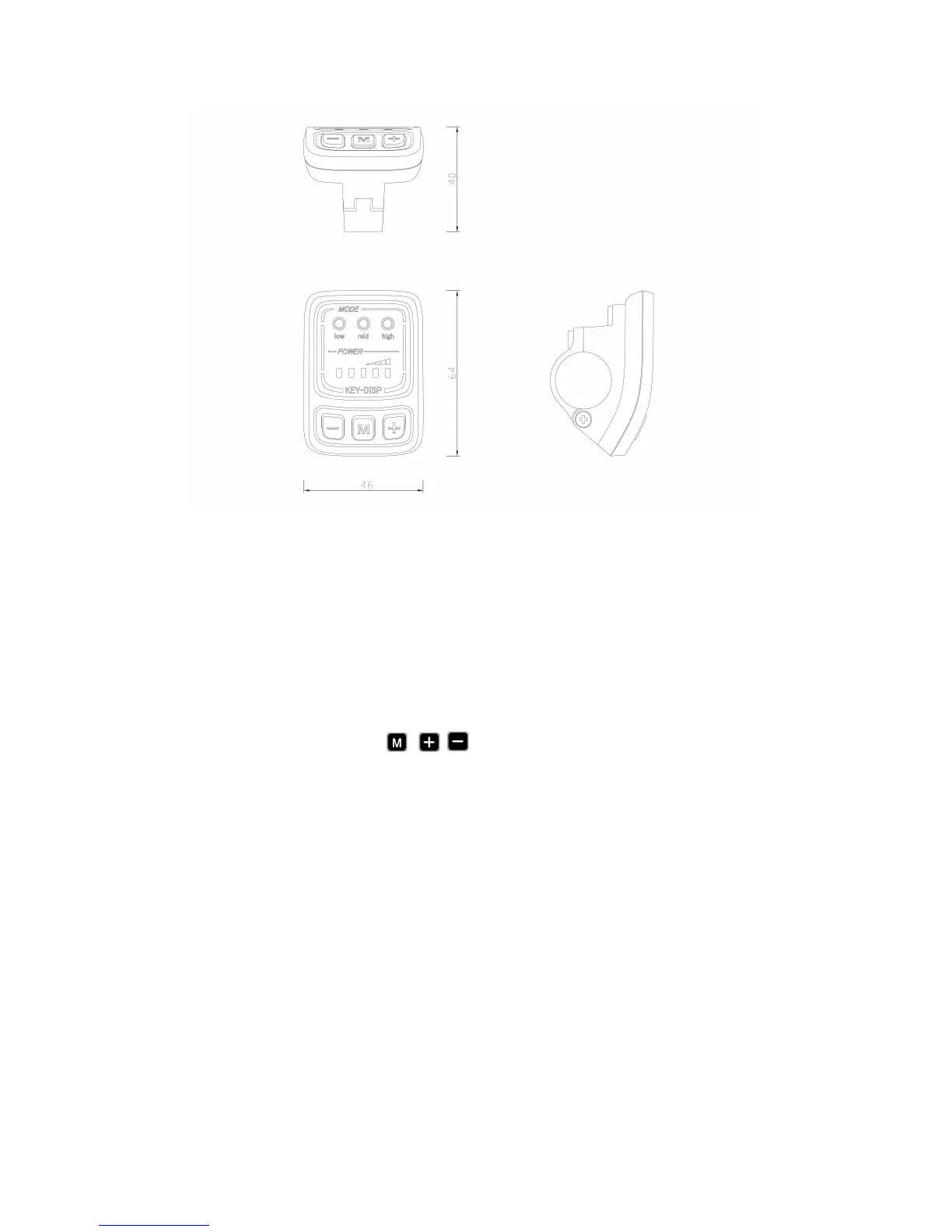
KD26E can provide a lot of functions to fit the users’ need. The indicating contents
are as following:
●Smart battery indicator
●Assistance-level indicator
●The push-assistance function
●The Lighting On/Off (optional)
◆Button Definition
There are three buttons ( , ) on the KD26E display that represented by
the following functions respectively MODE, UP and DOWN.
General Operation
◆Switching the eBike System On/Off
To switch on the eBike system, hold the MODE button for 2s.
In the same way to hold the MODE button for 2s again, the eBike system will be
switched off.
When switching off the eBike system the leakage current is less than 1 uA.
■When parking the eBike for more than 10 minutes, the eBike system will switches
off automatically.
◆
Switching the Lighting On/Off
To switch on the display headlight of the eBike, hold the UP button for 2s. The
battery indicator light and power assistant level indicator light became faint at the same
time.
In the same way to hold the UP button for 2s again, the headlight will be switched off.
The battery indicator light and power assistant level indicator light recover at the same
time.



 To Next Page