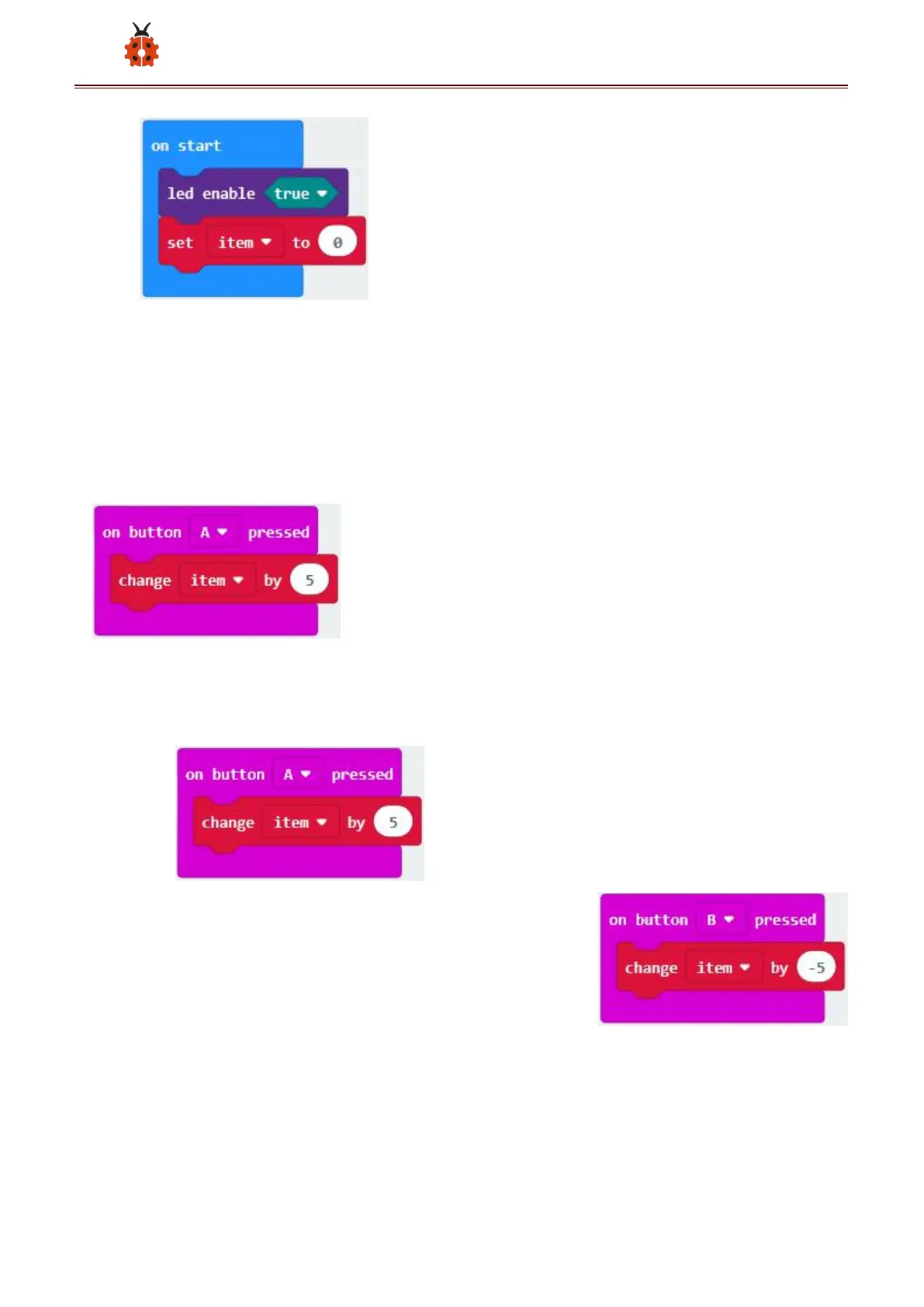
A. Click“Input”→“on button A pressed”.
B. Go to“Variables”→“ change item by 1 ”
C. Place it into “ on button A pressed ” and 1 is modified into
5.
*************************************************************************
Duplicate code string once,click the drop-down
button to select“B”,then set“change item by -5”.
******************************************************************************
A. Enter“Led”→“plot bar graph of 0 up to 0”



 To Next Page