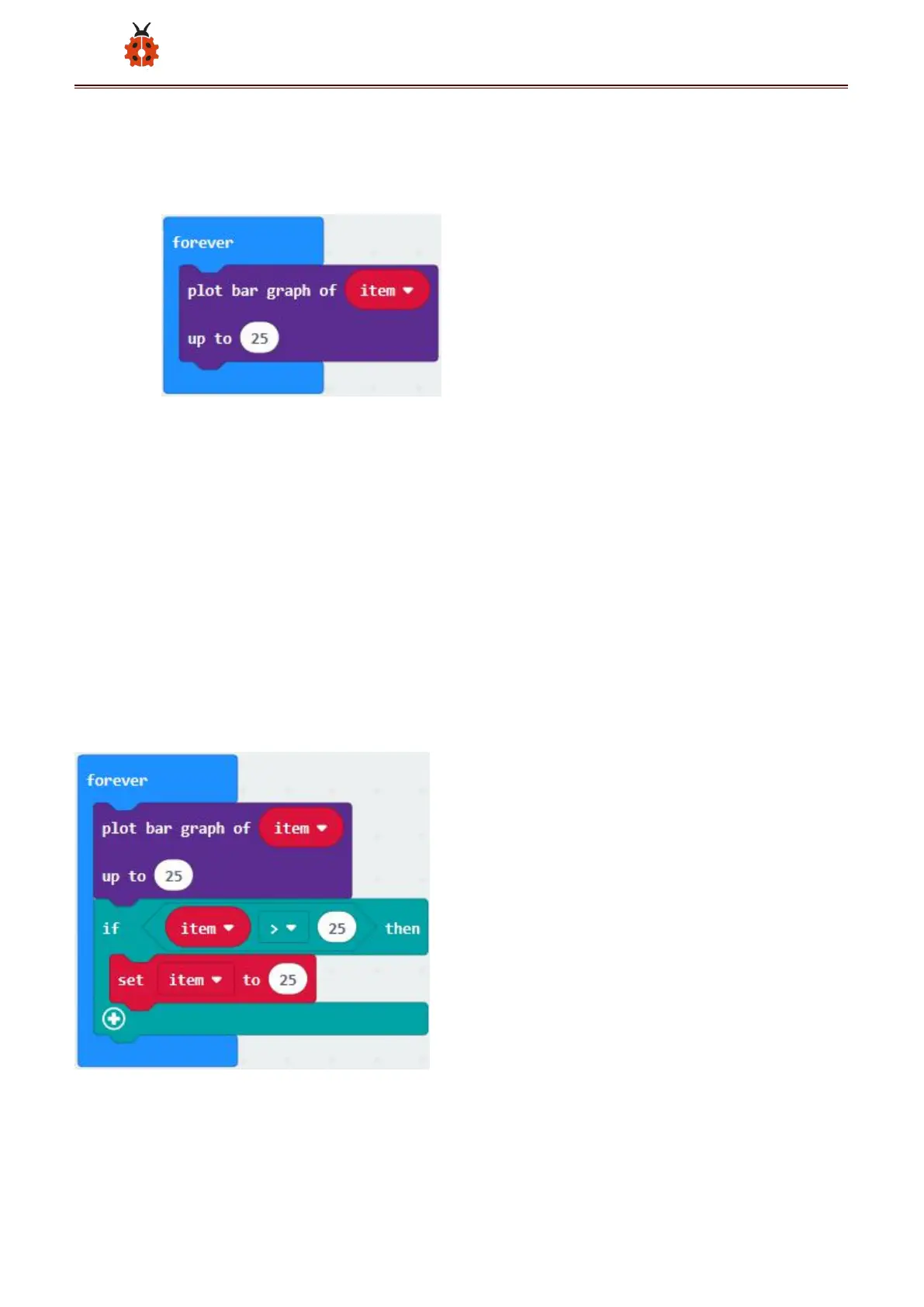
B. Keep it into“forever”block
C. Go to“Variables”to move“item”into 0 box,change 0 into 25.
*****************************************************************************
A. Go to“Logic”to move out “if...true...then...”and “=”blocks,
B. Keep“=”into“true”box and set to “>”
C. Select“item”in the“Variables”and lay it down at left box of “>”,
change 0 into 25;
D. Enter“Variables”to drag“set item to 0”block into“if...true..then...”, alter
0 into 25.
******************************************************************************



 To Next Page