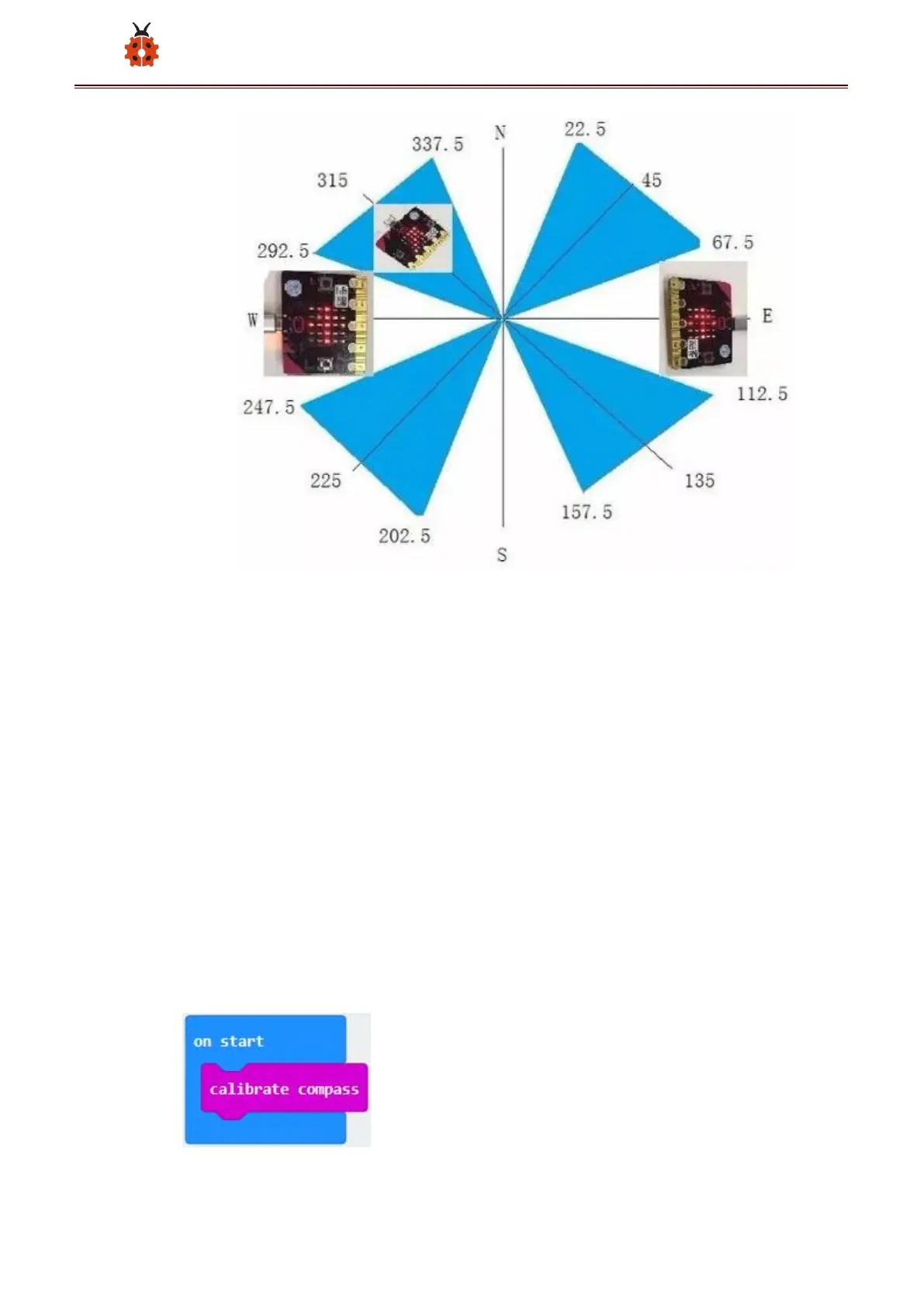
For the above picture, the arrow pointing to the upper right when the value
ranges from 292.5 to 337.5. Because 0.5 can’t be input in the code, the
values we get are 293 and 338.
Link computer with micro:bit board by micro USB cable, and program in
MakeCode editor:
Enter“Input”→ “more”→“calibrate compass”
Move“calibrate compass”into“on start”


 To Next Page
 Loading...


