*****************************************************************
A. Click“Variables”→“Make a Variable...”→“New variable name:”
B. Input“x”in the blank box and click“OK”, and the variable “x” is
generated.
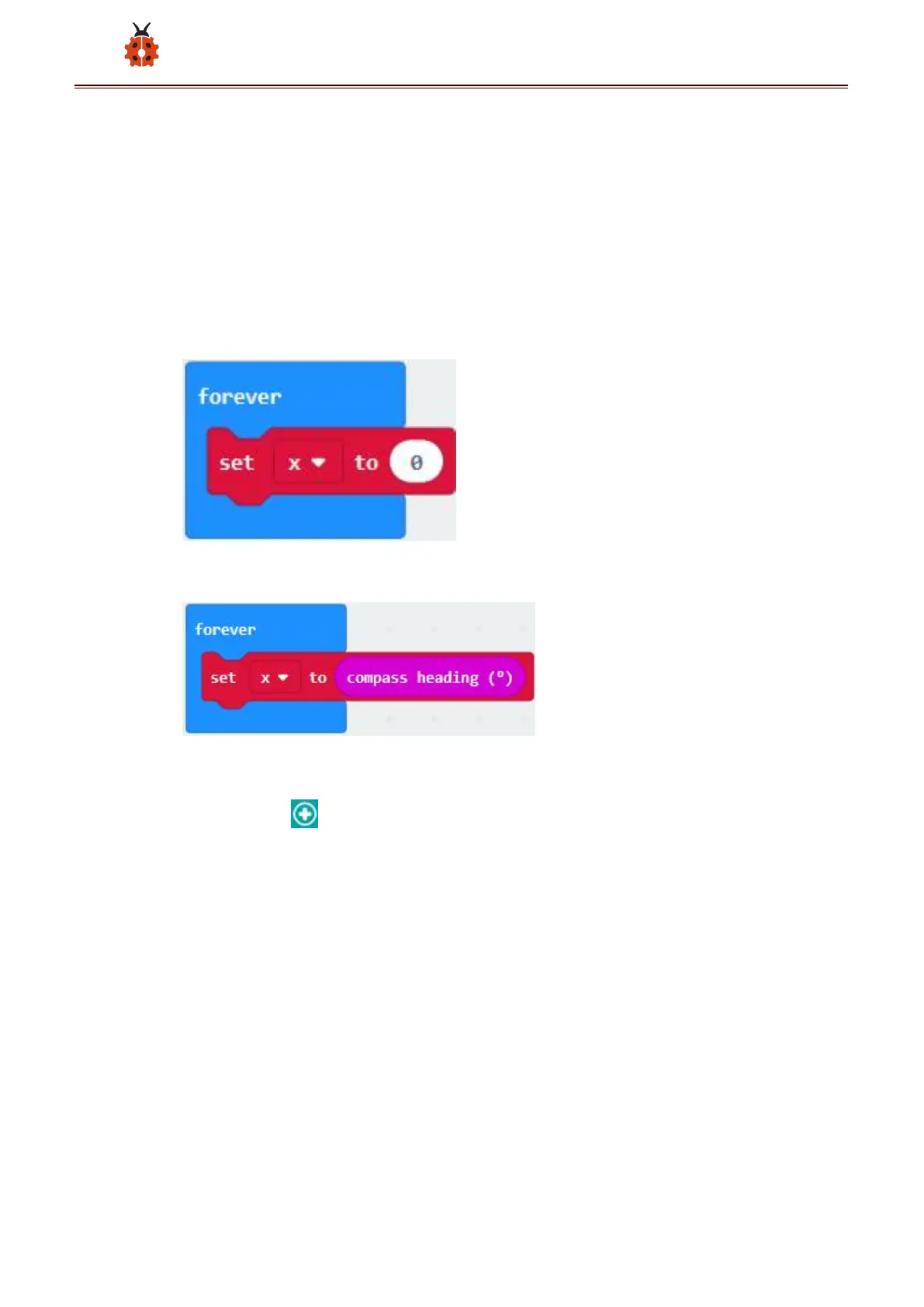
C. Drag out“set x to”into“forever”block
A. Go to“Input”→“compass heading(℃)”, and keep it into“0”box
Tap“Logic”→“if...then...else”, leave it below block“sex x to compass
heading”, then click icon for 6 times.
*****************************************************************
A. Place“and”into“true”block
B. Then move“=”block to the left box of “and”
C. Click“Variables”to drag“x”to the left “0”box, change 0 into 293 and
set to “≥”;
D. Then copy“x≥293”once and leave it to the right “0”box and set to
“x<338”


 To Next Page
 Loading...


