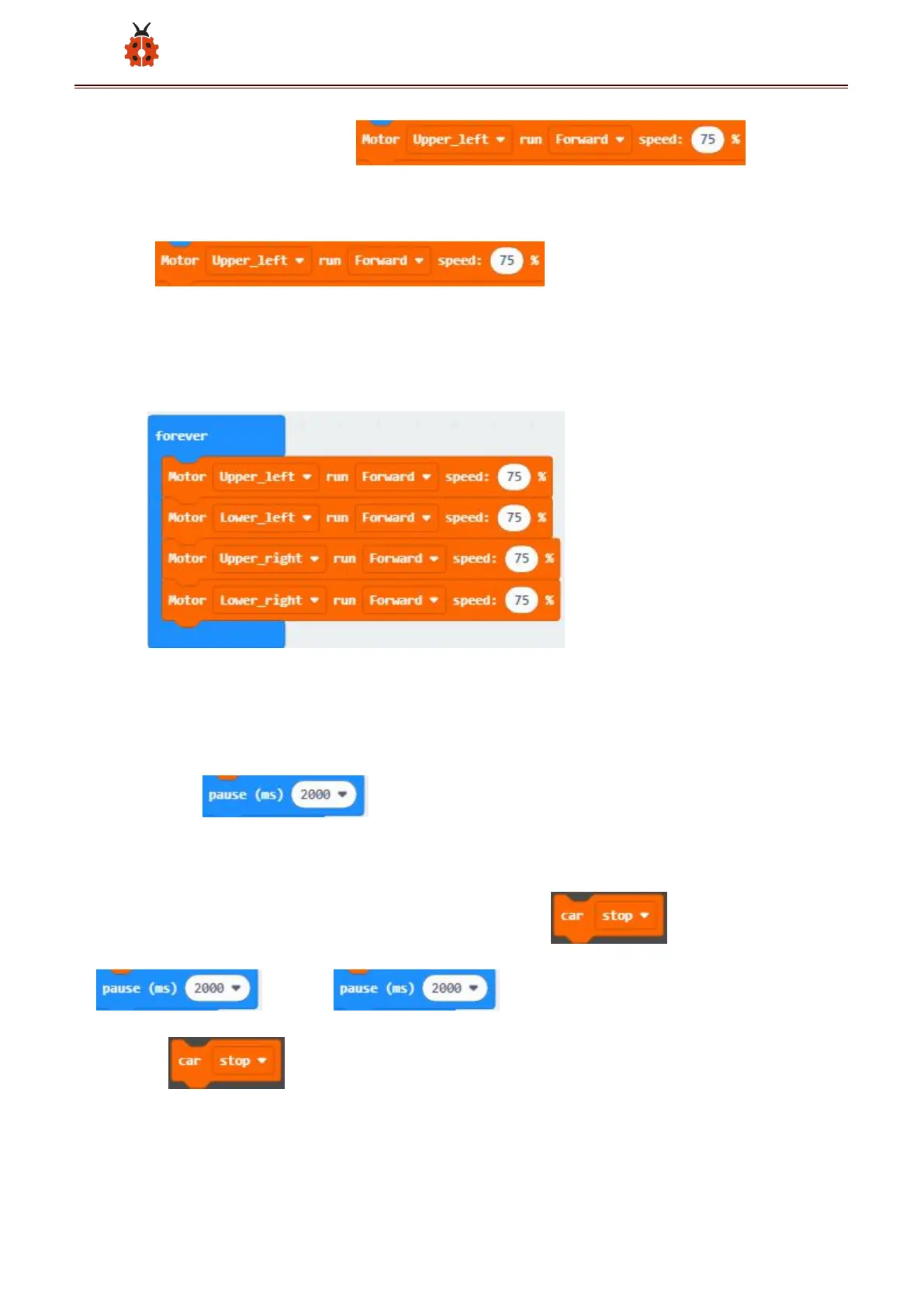
behind speed to choose 75 ;
(2)Copy four times;click the little
triangle behind “Motor”to choose Lower_left,Upper_right,Lower_right
respectively; and put them all in
forever ;
(2)Click“Basic”to find and drag“pause (ms) 100”to“forever”;set delay
in 2000ms ;
(3)Click“MecanumRobot”to find and drag to
; copy once and put it
behind .



 To Next Page