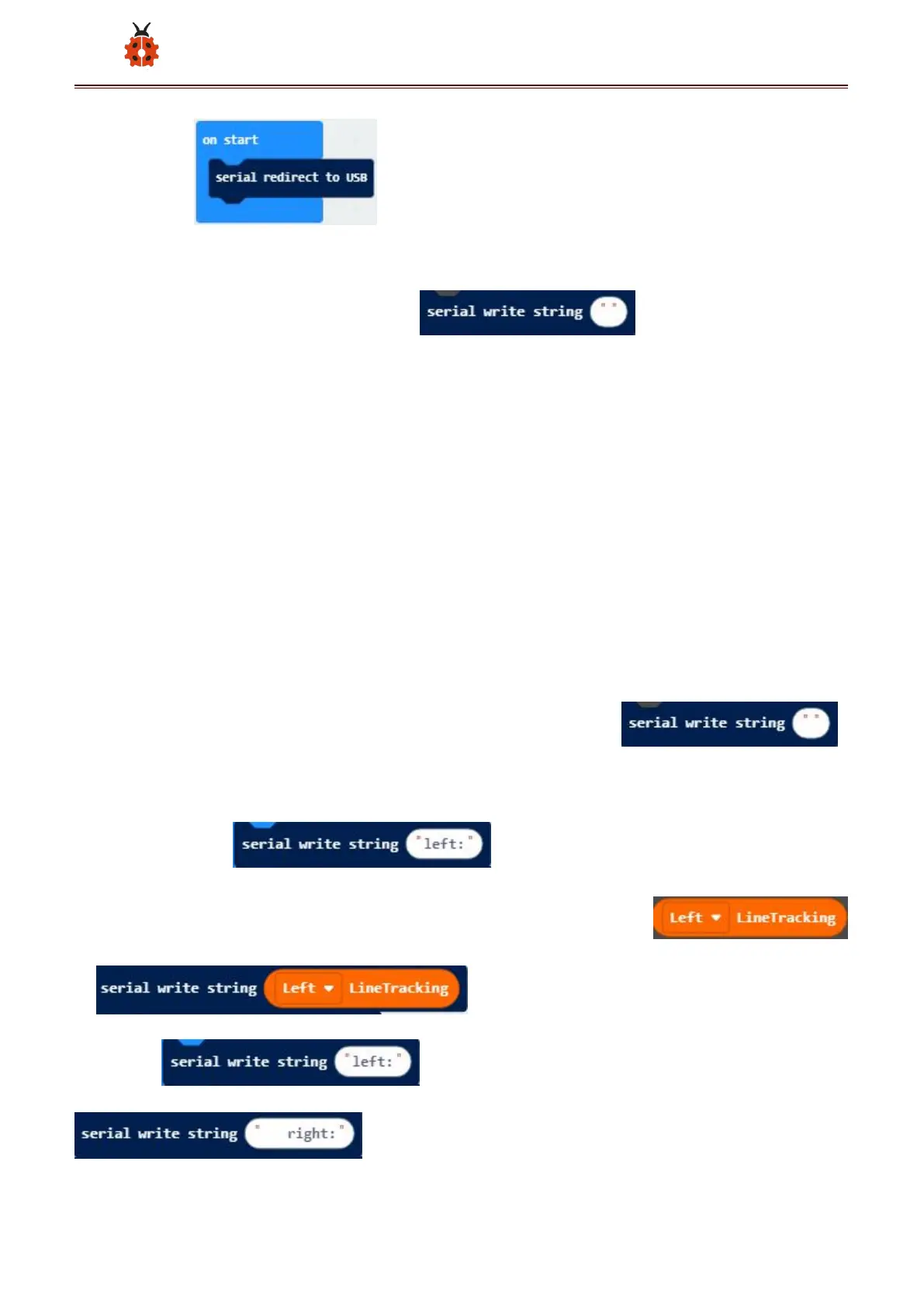
Enter“Advanced”→“Serial”→
Leave it into“forever”block.
Go to“Pins”→“digital read pin P0 ”
Move“digital read pin P0”into 0 box
The right tracking sensor is controlled by P14. Then change P0 into P14
and“x”into“digital signal”.
(2) Click“Advanced”→“Serial”to find and drag t
“forever”;
input”left:” and drag it again;
Click “ MecanumRobot ” to find and drag
to ;
Copy once and change ”left:” to “ right:”
;



 To Next Page