(3)Click“Variables”then click“Make a Variable...”, the dialog box“New
variable name:”pops up; fill it with“val”and click“OK”to create variable
“val”;
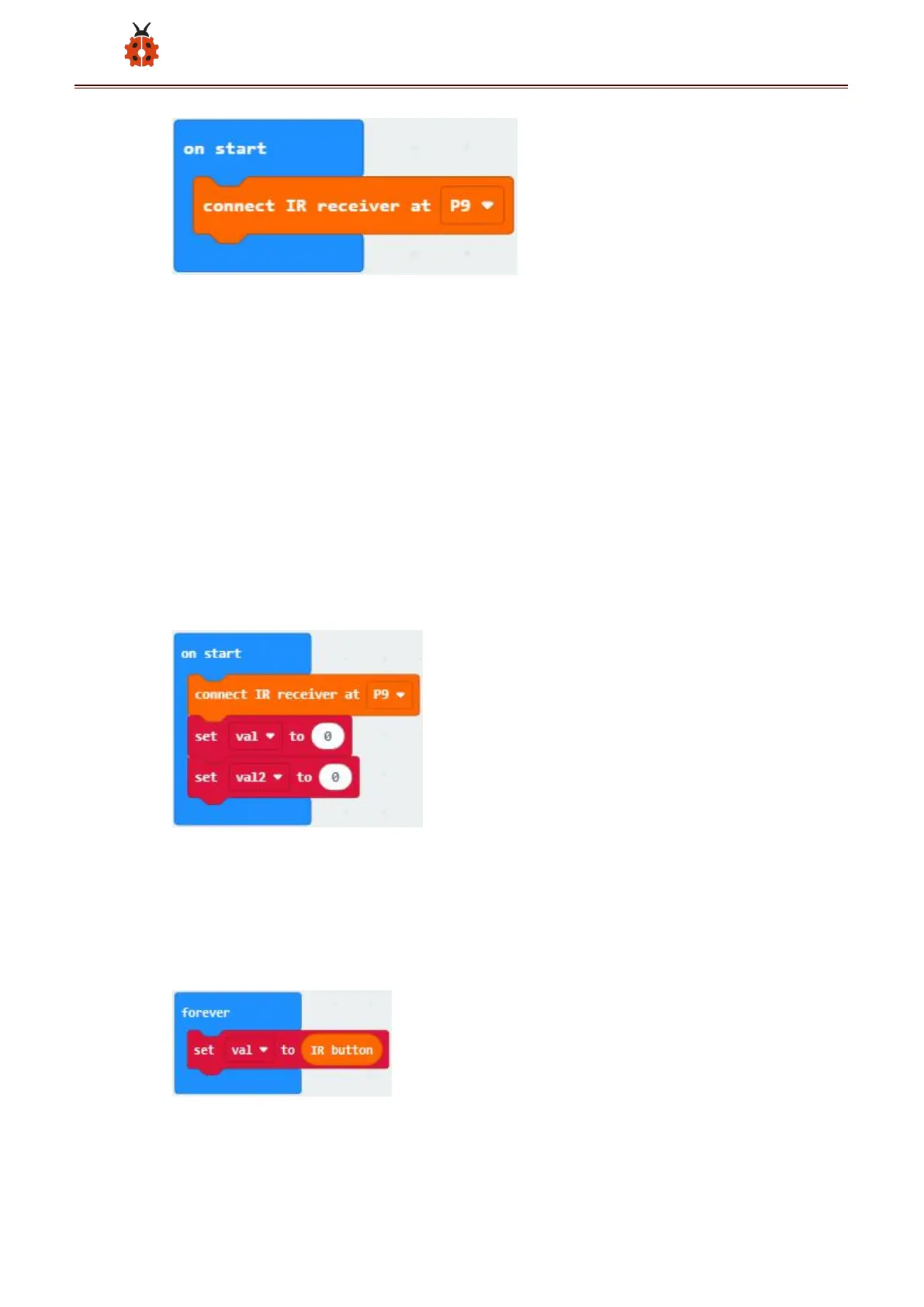
Create variable“val2”with the same method; find and drag“set val2 to 0”
to“on start”and copy it once to put into“on start”too;
Click the little triangle behind the first val2 to choose “val”;
(4)Click“Variables”to find and drag“set val2 to 0”to“forever”; Click the
little triangle behind val2 to choose val; Click“IrRemote”to find and drag
“IR button”to the “0” behind “to”;
(5)Click“Logic”to find and drag“if true then”into“forever”; find and drag



 To Next Page