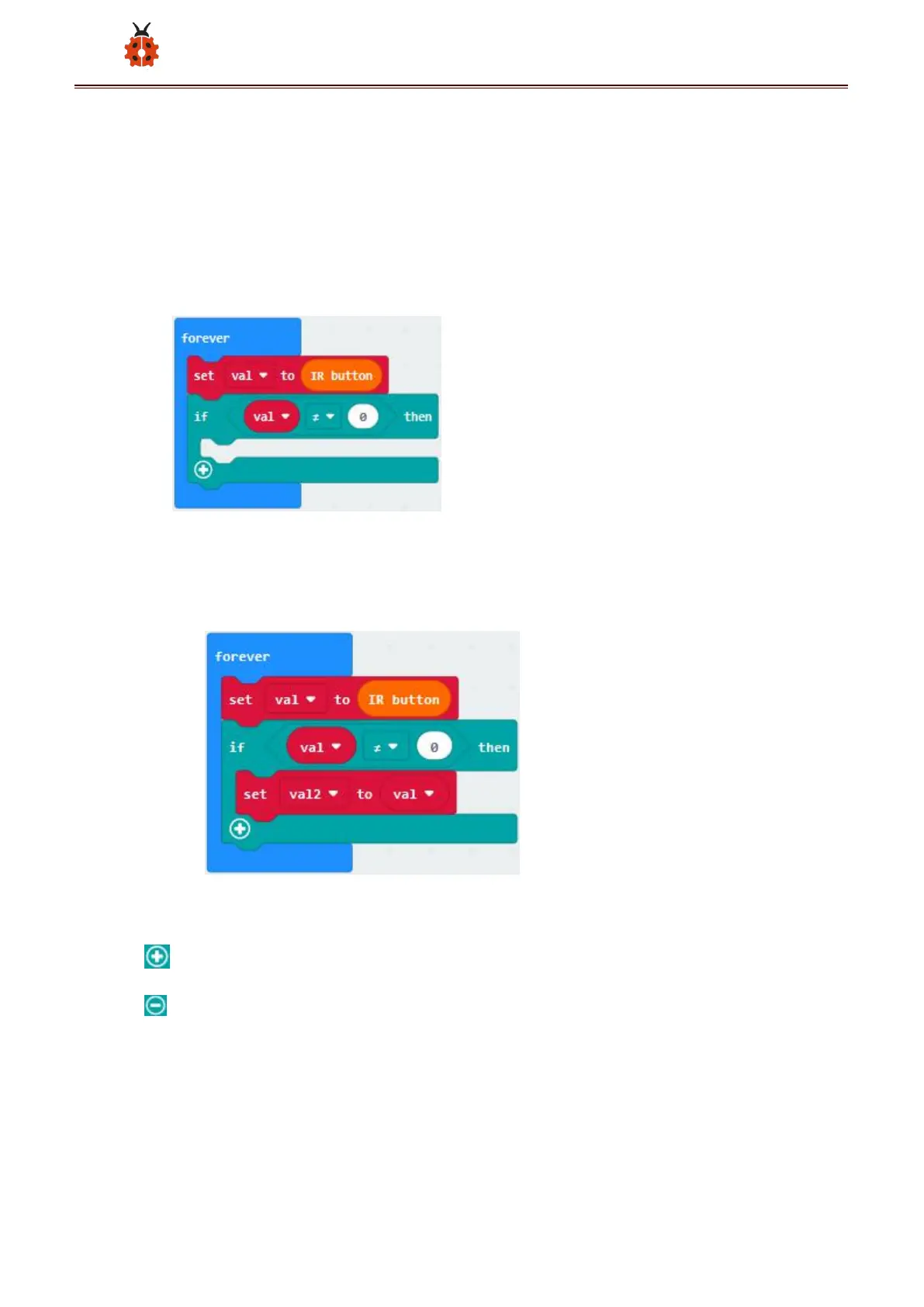
“=”into“true”;
Click“Variables”to find and drag“val”to the left side of “=; the 0 on
the right side of “=”remain unchanged; click the little triangle behind
“=”to choose“≠”;
(6)Click“Variables”to find and drag“set val2 to 0”into “then”;find and
drag “val”into the o behind “to” of“set val2 to 0”;
(7)Click“Logic”to find and drag“if...then...else”to then;
Click“ ”of” if...then...else”four times;
Click“ ”behind “else”once to delete else;



 To Next Page