8
OPERATING INSTRUCTIONS
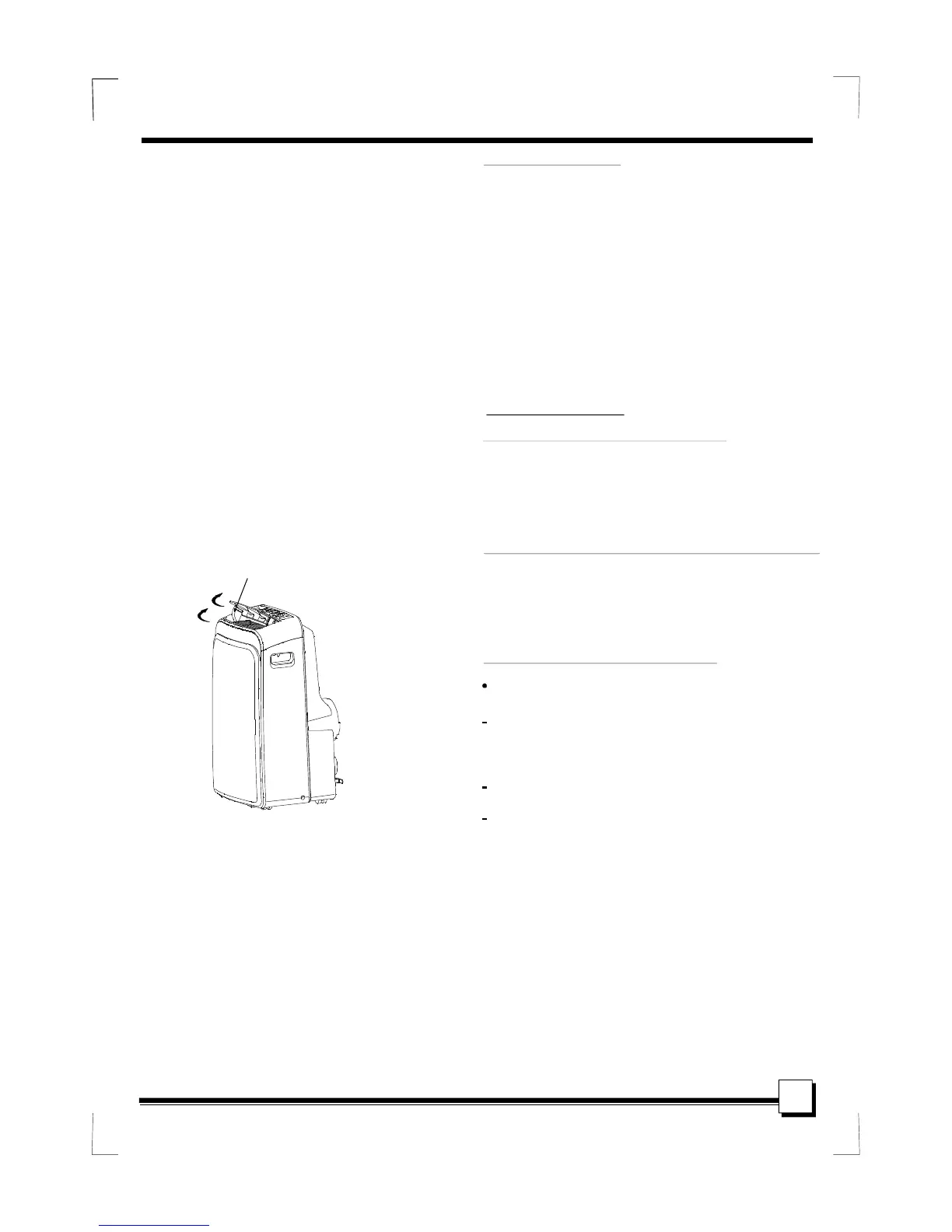
Fig.4
Other features
After the unit has stopped, it can not be restarted
operation in the first 3 minutes. This is to protect
the unit. Operation will automatically start after
3 minutes.
Wait 3 minutes before resuming operation
If t he unit breaks off unexpectedly due to the
power cut,i t will restart with the previous
function setting automatically when th e
power resumes.
Auto-Restart(on some models)
- Turning the unit ON or OFF at any
time or adjusting the timer setting
to 0.0 will cancel the Auto Start/
Stop timer program.
- When the malfunction (E1,E2,E3
or E4) occurs, the Auto Start/Stop
timed program will also be cancelled.
The louver c an be adjusted automatically .
When the Power is ON, the louver opens fully.
Press the SWING butto n on the panel or
remote controller to initiate the Auto swing
feature.
The louve r willl swing u p and down
automatic ally.
Please do not adjust th e lou ver manually.
Adjust the air flow direction a utomatically
(Fig.4):
Air flow direction adjustment
Swing automatically
SLEEP/ECO operation
Press this button, the selected temperature will
increase(cooling) or decrease(heating) by
1 30 minutes.The temperature will
then increase (cooling) or decrease (heating) by
another 1 after an additional 30
minutes. This new temperature will be maintained
for 7 hours before it returns to the originally
selected temperature. This ends the Sleep/Eco
mode and the unit will continue to operate as
originally programmed.
This feature is unavailabe under FAN or
DRY mode.
O O O
O O O
C/2 F(or 1 F)
C/2 F(or 1 F)
NOTE:


 To Next Page