EasyManua.ls Logo

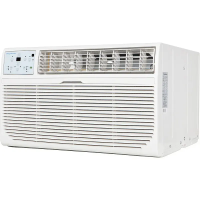
Keystone KSTHW08B - User Manual

Keystone KSTHW08B
40 pages
Print Icon
To Next Page IconTo Next Page
Loading...
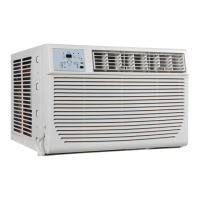
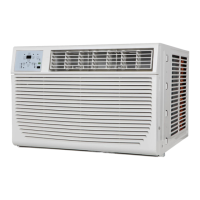
WINDOW/WALL TYPE
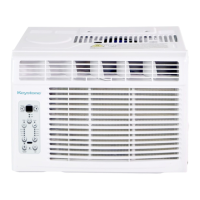
ROOM AIR CONDITIONER
-
Before using your air conditioner, please read
this manual carefully and keep it for future reference.
TABLE OF CONTENTS
Installation Instructions
...............................................10
4-9
Normal Sounds
....................................
......................................
Important Safety Instructions ..........................1-3
Troubleshooting Tip 13-14
.....................................
Air Conditioner Features 10-12
.............................
Care and Cleaning 12-13
Model: KSTHW08B
KSTHW12B

Questions and Answers

Summary

Important Safety Instructions

Read This Manual

Introduction to the manual's purpose and benefits for proper use and maintenance.

General Safety Warning Symbols

Explains the meaning of WARNING and CAUTION symbols used throughout the manual.

Electrical Safety Precautions

Crucial safety rules regarding power plugs, dedicated circuits, grounding, and cord usage.

Safe Operation and Handling Guidelines

Guidelines for safe operation, including handling wet conditions, water exposure, and unit modification.

Important Safety Instructions Continued

Usage and Handling Cautions

Cautions related to filter removal, cleaning agents, storm operation, and sharp edges.

Environmental and Storage Safety

Safety advice on room ventilation, avoiding special uses, and long-term storage.

User Capability and Power Cord Safety

Safety considerations for users with reduced capabilities and damaged power cords.

Further Safety Instructions

Power Cord Safety Features

Details on the power supply cord's current detection device and its function.

General Safety Warnings

Warnings against using extension cords, adapter plugs, and flammable liquids.

Installation and Handling Safety

Safety tips for electrical service, window installation, and handling sharp parts.

Electrical Grounding and Receptacle Requirements

Ensuring proper electrical grounding and wall receptacle compatibility.

Current Device Operation Test Procedure

Step-by-step guide to test the power supply cord's current detection device.

Operating Temperature Guidelines

Recommended outdoor and indoor temperature ranges for cooling and heating operation.

Installation Instructions

Installation Safety Precautions

Cautions regarding personal injury, property damage, and device handling during installation.

Required Tools and Parts List

Lists all necessary tools and supplied parts for installation.

Window Installation Procedures

Location and Window Opening Requirements

Specifies location requirements and window opening dimensions for proper installation.

Packaging Material Removal Instructions

Steps for safely removing and cleaning packaging materials from the unit.

Unit Preparation for Installation

Attaching Top Channel and Side Curtains

Instructions for attaching the top channel and side curtains to the air conditioner.

Removing Shipping Materials

Visual guide and notes for removing shipping screws and packaging from the unit.

Cabinet Installation Steps

Installing Cabinet into Window

Steps for attaching foam seal and centering/securing the cabinet in the window.

Attaching Side Curtains to Window Frame

Detailed instructions for securing the side curtains to the window frame.

Completing Installation

Completing Window Installation Steps

Final steps for window installation including bracket, unit insertion, and power connection.

Through-the-Wall Cabinet Installation Options

Guidance for installing the cabinet through a wall, with or without molding.

Installing the Wood Frame for Wall Installation

Instructions for constructing and installing a wood frame for through-the-wall mounting.

Through-the-Wall Installation Details

Installing Cabinet into Wood Frame

Steps for inserting and securing the air conditioner cabinet into a wood frame.

Finalizing Through-the-Wall Installation

Final steps for through-the-wall installation, including securing the unit and power connection.

Normal Sounds During Operation

Common Operating Sound Explanations

Explains typical sounds like rushing air, gurgling, chatter, vibration, and pinging.

Air Conditioner Features and Controls

Electronic Control Panel Overview

Introduction to the control panel and its main functions for operating the unit.

Turning the Unit On and Off

Instructions on how to power the air conditioner unit on and off.

Adjusting Temperature Settings

Guidance on how to change the desired temperature using the control buttons.

Advanced Air Conditioner Functions

Adjusting Fan Speeds

How to select fan speeds for optimal air circulation.

Sleep Mode Operation

Explanation of the Sleep mode feature and its automatic temperature adjustments.

Check Filter Reminder Feature

How the Check Filter feature works and how to reset the indicator.

Energy Saver Feature

Details on how the Energy Saver function helps conserve energy.

I-SENSE Remote Thermostat Function

How to use the I-SENSE feature for precise temperature control at the remote's location.

Selecting Operating Modes

How to choose between Auto, Cool, Dry, and Fan operating modes.

Auto Mode Operation

Explanation of how Auto mode automatically selects cooling, heating, or fan.

Fan Only Mode Operation

Instructions for using the Fan Only mode for air circulation or ventilation.

Dry Mode Operation

How the Dry mode functions as a dehumidifier for the room.

Timer Auto Start;Stop Feature

How to set the auto start and stop timer for the air conditioner unit.

Unit Displays and Airflow

Display Indicators and Error Codes

Explains display indicators, temperature units, and common error code meanings.

Air Directional Louver Adjustment

How to adjust the 4-way louvers for optimal airflow direction.

Additional Operating Information

Notes on compressor time delay start and converting temperature units.

Care and Cleaning

Air Filter Cleaning Procedure

Detailed steps for cleaning the air filter to maintain unit efficiency.

Maintenance and Storage

Cabinet Cleaning and Winter Storage

Instructions for cleaning the unit's cabinet and preparing it for winter storage.

Troubleshooting Common Problems

Initial steps to resolve common issues like the unit not starting.

Troubleshooting Tips

Troubleshooting Cooling Issues

Solutions for problems like insufficient cooling or ice formation on coils.

Troubleshooting Operational Issues

Solutions for rapid cycling, unit noise, and water dripping during operation.

Troubleshooting Remote and Temperature Issues

Solutions for remote sensing errors and rooms being too cold.

Summary

Important Safety Instructions

Read This Manual

Introduction to the manual's purpose and benefits for proper use and maintenance.

General Safety Warning Symbols

Explains the meaning of WARNING and CAUTION symbols used throughout the manual.

Electrical Safety Precautions

Crucial safety rules regarding power plugs, dedicated circuits, grounding, and cord usage.

Safe Operation and Handling Guidelines

Guidelines for safe operation, including handling wet conditions, water exposure, and unit modification.

Important Safety Instructions Continued

Usage and Handling Cautions

Cautions related to filter removal, cleaning agents, storm operation, and sharp edges.

Environmental and Storage Safety

Safety advice on room ventilation, avoiding special uses, and long-term storage.

User Capability and Power Cord Safety

Safety considerations for users with reduced capabilities and damaged power cords.

Further Safety Instructions

Power Cord Safety Features

Details on the power supply cord's current detection device and its function.

General Safety Warnings

Warnings against using extension cords, adapter plugs, and flammable liquids.

Installation and Handling Safety

Safety tips for electrical service, window installation, and handling sharp parts.

Electrical Grounding and Receptacle Requirements

Ensuring proper electrical grounding and wall receptacle compatibility.

Current Device Operation Test Procedure

Step-by-step guide to test the power supply cord's current detection device.

Operating Temperature Guidelines

Recommended outdoor and indoor temperature ranges for cooling and heating operation.

Installation Instructions

Installation Safety Precautions

Cautions regarding personal injury, property damage, and device handling during installation.

Required Tools and Parts List

Lists all necessary tools and supplied parts for installation.

Window Installation Procedures

Location and Window Opening Requirements

Specifies location requirements and window opening dimensions for proper installation.

Packaging Material Removal Instructions

Steps for safely removing and cleaning packaging materials from the unit.

Unit Preparation for Installation

Attaching Top Channel and Side Curtains

Instructions for attaching the top channel and side curtains to the air conditioner.

Removing Shipping Materials

Visual guide and notes for removing shipping screws and packaging from the unit.

Cabinet Installation Steps

Installing Cabinet into Window

Steps for attaching foam seal and centering/securing the cabinet in the window.

Attaching Side Curtains to Window Frame

Detailed instructions for securing the side curtains to the window frame.

Completing Installation

Completing Window Installation Steps

Final steps for window installation including bracket, unit insertion, and power connection.

Through-the-Wall Cabinet Installation Options

Guidance for installing the cabinet through a wall, with or without molding.

Installing the Wood Frame for Wall Installation

Instructions for constructing and installing a wood frame for through-the-wall mounting.

Through-the-Wall Installation Details

Installing Cabinet into Wood Frame

Steps for inserting and securing the air conditioner cabinet into a wood frame.

Finalizing Through-the-Wall Installation

Final steps for through-the-wall installation, including securing the unit and power connection.

Normal Sounds During Operation

Common Operating Sound Explanations

Explains typical sounds like rushing air, gurgling, chatter, vibration, and pinging.

Air Conditioner Features and Controls

Electronic Control Panel Overview

Introduction to the control panel and its main functions for operating the unit.

Turning the Unit On and Off

Instructions on how to power the air conditioner unit on and off.

Adjusting Temperature Settings

Guidance on how to change the desired temperature using the control buttons.

Advanced Air Conditioner Functions

Adjusting Fan Speeds

How to select fan speeds for optimal air circulation.

Sleep Mode Operation

Explanation of the Sleep mode feature and its automatic temperature adjustments.

Check Filter Reminder Feature

How the Check Filter feature works and how to reset the indicator.

Energy Saver Feature

Details on how the Energy Saver function helps conserve energy.

I-SENSE Remote Thermostat Function

How to use the I-SENSE feature for precise temperature control at the remote's location.

Selecting Operating Modes

How to choose between Auto, Cool, Dry, and Fan operating modes.

Auto Mode Operation

Explanation of how Auto mode automatically selects cooling, heating, or fan.

Fan Only Mode Operation

Instructions for using the Fan Only mode for air circulation or ventilation.

Dry Mode Operation

How the Dry mode functions as a dehumidifier for the room.

Timer Auto Start;Stop Feature

How to set the auto start and stop timer for the air conditioner unit.

Unit Displays and Airflow

Display Indicators and Error Codes

Explains display indicators, temperature units, and common error code meanings.

Air Directional Louver Adjustment

How to adjust the 4-way louvers for optimal airflow direction.

Additional Operating Information

Notes on compressor time delay start and converting temperature units.

Care and Cleaning

Air Filter Cleaning Procedure

Detailed steps for cleaning the air filter to maintain unit efficiency.

Maintenance and Storage

Cabinet Cleaning and Winter Storage

Instructions for cleaning the unit's cabinet and preparing it for winter storage.

Troubleshooting Common Problems

Initial steps to resolve common issues like the unit not starting.

Troubleshooting Tips

Troubleshooting Cooling Issues

Solutions for problems like insufficient cooling or ice formation on coils.

Troubleshooting Operational Issues

Solutions for rapid cycling, unit noise, and water dripping during operation.

Troubleshooting Remote and Temperature Issues

Solutions for remote sensing errors and rooms being too cold.

Keystone KSTHW08B Specifications

General IconGeneral
BrandKeystone
ModelKSTHW08B
CategoryAir Conditioner
LanguageEnglish

Related product manuals