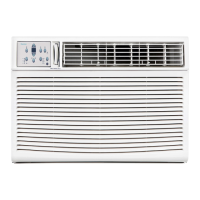
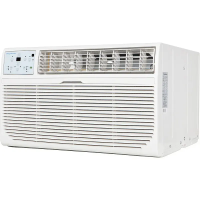
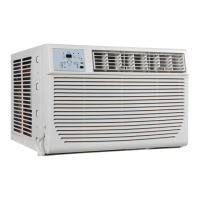
EasyManua.ls Logo

Keystone KSTHW18A - User Manual

Keystone KSTHW18A
22 pages
Print Icon
To Next Page IconTo Next Page
Loading...
KSTHW18A
KSTHW25A

Questions and Answers

Summary

Important Safety Instructions

INSTALLATION INSTRUCTIONS

Preliminary Instructions

Steps required before starting the unit installation process.

Remove Chassis

Procedures for removing the air conditioner chassis from its packaging.

Install Top Angle and Side Bracket

Attaching top angle and side retainers to the air conditioner cabinet.

Assemble Window Filler Panels

Procedures for assembling the window filler panels for the unit.

Attach Window Filler Panels to Window Frame

Securing window filler panels to the window frame.

Install Window Sash Seal and Safety Lock

Installing the window sash seal and safety lock for a secure fit.

Install Chassis into Cabinet and Install Front to Unit

Installing the main chassis into the cabinet and attaching the front panel.

Install R1 Hardware

Installing R1 hardware for air sealing and insulation, applicable to Energy Star models.

Install Weather Stripping

Applying weather stripping to minimize air leaks around the window opening.

Thru-The-Wall Installation

Instructions for installing the air conditioner through an exterior wall.

Select Wall Location

Choosing an appropriate wall location for through-the-wall installation.

Prepare Wall

Steps to prepare the wall for through-the-wall installation.

Prepare and Install Cabinet

Preparing and installing the cabinet for through-the-wall installation.

Masonry Construction

Guidelines for through-the-wall installation in masonry walls.

AIR CONDITIONER FEATURES

Electronic Control Operating Instructions

How to operate the unit using the electronic control panel and its functions.

Clean Air Feature

Information on the Clean Air feature and its operation for air purification.

Adjust Fan Speeds

How to adjust the fan speed settings on the air conditioner.

Sleep Feature

Explanation of the sleep mode functionality and its operation.

Check Filter Feature

How to check and reset the air filter reminder indicator.

Energy Saver Feature

Details on the energy saver feature and its operational benefits.

Follow Me Feature

How to use the Follow Me feature for remote precise temperature control.

Select Operating Mode

Guide to selecting different operating modes like Auto, Cool, Dry, and Fan.

Timer: Auto Start;Stop Feature

How to set auto start and stop timers for the unit's operation.

Displays

Explanation of the unit's display indicators, settings, and error codes.

Fresh Air Vent Control

How to control the fresh air vent for different air circulation modes.

Air Directional Louvers

How to adjust the air directional louvers for optimal airflow direction.

CARE AND CLEANING

Air Filter Cleaning

Instructions on how to clean the air filter to maintain efficiency.

Cabinet Cleaning

Guidelines for cleaning the air conditioner's exterior cabinet and front panel.

Winter Storage

Instructions for storing the air conditioner during the winter season.

TROUBLESHOOTING TIPS

Summary

Important Safety Instructions

INSTALLATION INSTRUCTIONS

Preliminary Instructions

Steps required before starting the unit installation process.

Remove Chassis

Procedures for removing the air conditioner chassis from its packaging.

Install Top Angle and Side Bracket

Attaching top angle and side retainers to the air conditioner cabinet.

Assemble Window Filler Panels

Procedures for assembling the window filler panels for the unit.

Attach Window Filler Panels to Window Frame

Securing window filler panels to the window frame.

Install Window Sash Seal and Safety Lock

Installing the window sash seal and safety lock for a secure fit.

Install Chassis into Cabinet and Install Front to Unit

Installing the main chassis into the cabinet and attaching the front panel.

Install R1 Hardware

Installing R1 hardware for air sealing and insulation, applicable to Energy Star models.

Install Weather Stripping

Applying weather stripping to minimize air leaks around the window opening.

Thru-The-Wall Installation

Instructions for installing the air conditioner through an exterior wall.

Select Wall Location

Choosing an appropriate wall location for through-the-wall installation.

Prepare Wall

Steps to prepare the wall for through-the-wall installation.

Prepare and Install Cabinet

Preparing and installing the cabinet for through-the-wall installation.

Masonry Construction

Guidelines for through-the-wall installation in masonry walls.

AIR CONDITIONER FEATURES

Electronic Control Operating Instructions

How to operate the unit using the electronic control panel and its functions.

Clean Air Feature

Information on the Clean Air feature and its operation for air purification.

Adjust Fan Speeds

How to adjust the fan speed settings on the air conditioner.

Sleep Feature

Explanation of the sleep mode functionality and its operation.

Check Filter Feature

How to check and reset the air filter reminder indicator.

Energy Saver Feature

Details on the energy saver feature and its operational benefits.

Follow Me Feature

How to use the Follow Me feature for remote precise temperature control.

Select Operating Mode

Guide to selecting different operating modes like Auto, Cool, Dry, and Fan.

Timer: Auto Start;Stop Feature

How to set auto start and stop timers for the unit's operation.

Displays

Explanation of the unit's display indicators, settings, and error codes.

Fresh Air Vent Control

How to control the fresh air vent for different air circulation modes.

Air Directional Louvers

How to adjust the air directional louvers for optimal airflow direction.

CARE AND CLEANING

Air Filter Cleaning

Instructions on how to clean the air filter to maintain efficiency.

Cabinet Cleaning

Guidelines for cleaning the air conditioner's exterior cabinet and front panel.

Winter Storage

Instructions for storing the air conditioner during the winter season.

TROUBLESHOOTING TIPS

Overview

This document is a user manual for Keystone window/wall-type room air conditioners, covering models KSTAW18C, KSTAW25C, KSTHW18A, and KSTHW25A. It provides essential information for safe operation, installation, features, maintenance, and troubleshooting.

Function Description

The Keystone room air conditioner is designed to provide cooling and, for some models (KSTHW18A, KSTHW25A), electric heating for indoor spaces. It can be installed in a window or through a wall. The unit features various operating modes including Auto, Cool, Dry, Heat (for electric heating models), and Fan Only, allowing users to select the desired climate control. It also includes a fresh air vent control to recirculate indoor air, draw in fresh air, or exchange air from the room.

Important Technical Specifications

  • Models Covered: KSTAW18C, KSTAW25C, KSTHW18A, KSTHW25A.
  • Power Supply Cord: Contains a current detection device to reduce fire risk. If damaged, it must be replaced by a cord from the product manufacturer.
  • Electrical Requirements: Must be adequate for the chosen model, as stated on the serial plate. Proper grounding with a three-prong grounding plug is essential.
  • Operating Temperature Range:
    • Cooling Operation: Outdoor temp: 64-109°F (18-43°C) or 64-125°F (18-52°C) for special tropical models; Indoor temp: 62-90°F (17-32°C).
    • Heating Operation: Outdoor temp: 23-76°F (-5-24°C); Indoor temp: 32-80°F (0-27°C).
    • Performance may be reduced outside these ranges.
  • Window Opening Dimensions (Standard Parts):
    • Unit Height: 18 5/8" (KSTAW18C, KSTAW25C) or 17 5/8" (KSTHW18A, KSTHW25A).
    • Unit Width: 26 1/2" (KSTAW18C, KSTAW25C) or 23 5/8" (KSTHW18A, KSTHW25A).
    • Min. Window Opening: 19 1/2" (KSTAW18C, KSTAW25C) or 18 1/2" (KSTHW18A, KSTHW25A).
    • Min. Window Width: 31" (KSTAW18C, KSTAW25C) or 28" (KSTHW18A, KSTHW25A).
    • Max. Window Width: 42" (KSTAW18C, KSTAW25C) or 40 1/2" (KSTHW18A, KSTHW25A).
  • Thru-The-Wall Installation (Max. Wall Thickness): 12" or 10".
  • Thru-The-Wall Inside Frame Dimensions:
    • Height: 18-7/8" (47.9cm) or 18" (45.7cm).
    • Width: 26-3/4" (67.9cm) or 23-7/8" (60.6cm).
  • Fan Speeds: Auto, Low, Med, High (four steps). Fan speed may not be adjustable in HEAT mode.
  • Temperature Setting Range: 62°F (17°C) to 86°F (30°C).
  • Timer Setting: 0.5-hour increments up to 10 hours, then 1-hour increments up to 24 hours.
  • Cool Circuit Delay: Automatic 3-minute time delayed start to prevent compressor overheating.

Usage Features

  • Electronic Control Panel: Allows control of the unit either directly or via a remote control.
  • ON/OFF Button: Turns the unit on or off. The unit automatically initiates the Energy Saver function in Cool, Dry, and Auto modes (Auto-Cooling and Auto-Fan only).
  • Temperature Setting: UP/DOWN buttons adjust the desired temperature. The display shows the set temperature or actual room temperature in Fan Only mode.
  • Operating Modes:
    • Auto Mode: Automatically selects cooling, heating (if applicable), or fan-only operation based on the selected temperature and room temperature. Fan speed is automatically set.
    • Cool Mode: Provides cooling.
    • Dry Mode: Operates as a dehumidifier. Some cooling will occur.
    • Heat Mode (Electric Heating Models): Provides heating.
    • Fan Only Mode: Circulates room air or exhausts stale air (on some models). Fan speed is selectable. The display shows actual room temperature.
  • Sleep Feature: Increases (cooling) or decreases (heating) the set temperature by 2°F/1(or 2)°C after 30 minutes, and again after another 30 minutes. This new temperature is maintained for 6 hours before returning to the original setting. Can be cancelled at any time.
  • Energy Saver Feature: Available in Cool, Dry, and Auto modes. The fan runs for 3 minutes after the compressor shuts off, then cycles on for 2 minutes at 10-minute intervals until the room temperature rises above the set temperature, restarting cooling.
  • Clean Air Feature (on some models): Activates an ion generator to remove pollen and impurities from the air, trapping them in the filter.
  • Follow Me Feature (on some models): Activated via remote control. The remote acts as a remote thermostat, sending actual temperature readings to the unit every 3 minutes for precise temperature control at its location.
  • Timer (Auto Start/Stop): Allows setting a specific time for the unit to turn on or off. The TIMER ON/OFF indicator lights illuminate. Time can be adjusted in 0.5-hour or 1-hour increments up to 24 hours.
  • Air Directional Louvers: 4-way louvers allow directing airflow up/down and left/right.
  • Fresh Air Vent Control:
    • Vent Closed: Recirculates inside air.
    • Vent Open: Draws fresh air into the room.
    • Vent & Exhaust Open: Exchanges air from the room and draws fresh air in.
  • Temperature Display Conversion: Press and hold Left and Right Temp/Timer buttons simultaneously for 3 seconds to switch between Fahrenheit (°F) and Celsius (°C).

Maintenance Features

  • Air Filter Cleaning: The air filter should be checked at least once a month. A "Check Filter" light illuminates after 250 hours of operation as a reminder. The filter can be washed with liquid dishwashing detergent and warm water, rinsed thoroughly, and dried, or vacuumed. Do not use hot water over 104°F (40°C). Do not operate the unit without the air filter.
  • Cabinet Cleaning: Unplug the unit before cleaning. The cabinet and front can be dusted with an oil-free cloth or washed with a cloth dampened in a solution of warm water and mild liquid dishwashing detergent. Rinse thoroughly and wipe dry. Avoid harsh cleaners, wax, or polish. Wring excess water from the cloth before wiping around controls to prevent damage.
  • Winter Storage: If storing the unit for winter, remove it from the window according to installation instructions, cover it with plastic, or return it to its original carton.
  • Troubleshooting Tips: The manual includes a comprehensive troubleshooting guide for common issues like the unit not starting, insufficient cooling, ice formation, rapid cycling, noise, and water dripping.

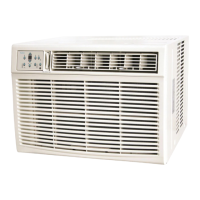
Keystone KSTHW18A Specifications

General IconGeneral
BrandKeystone
ModelKSTHW18A
CategoryAir Conditioner
LanguageEnglish

Related product manuals