EasyManua.ls Logo

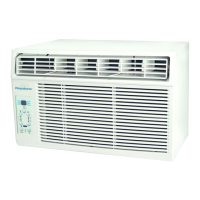
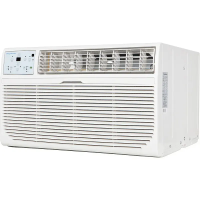
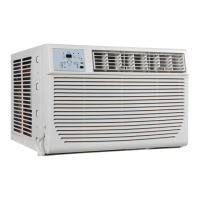
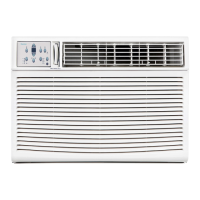
Keystone R-KSTHW08A - User Manual

Keystone R-KSTHW08A
15 pages
Print Icon
To Next Page IconTo Next Page
Loading...
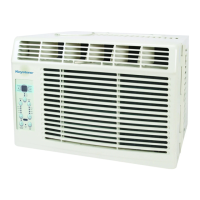
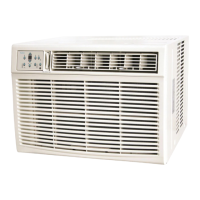
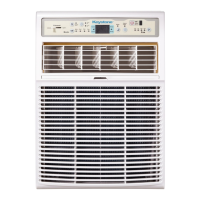
REFURBISHED WINDOW/WALL
-
TYPE ROOM AIR CONDITIONER
Before using your air conditioner, please read
this manual carefully and keep it for future reference.
TABLE OF CONTENTS
Installation Instructions
...............................................10
4-9
Normal Sounds
....................................
......................................
Important Safety Instructions ..........................1-3
Troubleshooting Tip 13-14
.....................................
Air Conditioner Features 10-12
.............................
Care and Cleaning 12-13
Model: R-KSTHW08A
R-KSTHW12A

Questions and Answers

Summary

IMPORTANT SAFETY INSTRUCTIONS

Operation of Current Device

Explains the function and testing procedure for the power supply cord's current detection device.

INSTALLATION INSTRUCTIONS

Tools and Parts

Lists required tools and supplied parts for installing the air conditioner.

Window Installation Preparation

Covers location requirements, packaging removal, and window opening measurements for installation.

Attaching Installation Components

Instructions for attaching the top channel and side curtains to the air conditioner cabinet.

Window Installation Steps

Detailed steps for attaching foam seal, installing the cabinet into a window, and securing side curtains.

Complete Window Installation

Final steps for completing window installation, including lock bracket attachment and power connection.

Through-the-Wall Installation

Explains preparation and installation for through-the-wall mounting, including wood frame construction.

Cabinet Installation into Wood Frame

Steps for inserting and securing the air conditioner cabinet into a pre-built wood frame opening.

Complete Through-the-Wall Installation

Final steps for through-the-wall installation, including unit insertion and power connection.

NORMAL SOUNDS

Descriptions of Normal Sounds

Details common sounds like rushing air, gurgling, chatter, vibration, and pinging.

AIR CONDITIONER FEATURES

Electronic Control Operation

Guides users on operating the control panel and remote for unit functions.

Sleep Feature

Details the sleep mode function, which adjusts temperature gradually for comfort and energy saving.

Check Filter Indicator

Describes the filter check feature, a reminder to clean the air filter for efficiency.

Energy Saver Feature

Explains the energy saver function, which cycles the fan and compressor for efficiency.

Follow Me Feature

Describes the remote thermostat feature that allows temperature control from the remote's location.

Timer: Auto Start;Stop Feature

Explains how to set automatic start and stop times for the air conditioner.

CARE AND CLEANING

Air Filter Cleaning

Provides instructions on how to clean the air filter to maintain performance and prevent frost buildup.

Cabinet Cleaning

Details how to clean the exterior cabinet and front panel safely and effectively.

Winter Storage

Offers guidance on storing the air conditioner properly during the winter season.

Summary

IMPORTANT SAFETY INSTRUCTIONS

Operation of Current Device

Explains the function and testing procedure for the power supply cord's current detection device.

INSTALLATION INSTRUCTIONS

Tools and Parts

Lists required tools and supplied parts for installing the air conditioner.

Window Installation Preparation

Covers location requirements, packaging removal, and window opening measurements for installation.

Attaching Installation Components

Instructions for attaching the top channel and side curtains to the air conditioner cabinet.

Window Installation Steps

Detailed steps for attaching foam seal, installing the cabinet into a window, and securing side curtains.

Complete Window Installation

Final steps for completing window installation, including lock bracket attachment and power connection.

Through-the-Wall Installation

Explains preparation and installation for through-the-wall mounting, including wood frame construction.

Cabinet Installation into Wood Frame

Steps for inserting and securing the air conditioner cabinet into a pre-built wood frame opening.

Complete Through-the-Wall Installation

Final steps for through-the-wall installation, including unit insertion and power connection.

NORMAL SOUNDS

Descriptions of Normal Sounds

Details common sounds like rushing air, gurgling, chatter, vibration, and pinging.

AIR CONDITIONER FEATURES

Electronic Control Operation

Guides users on operating the control panel and remote for unit functions.

Sleep Feature

Details the sleep mode function, which adjusts temperature gradually for comfort and energy saving.

Check Filter Indicator

Describes the filter check feature, a reminder to clean the air filter for efficiency.

Energy Saver Feature

Explains the energy saver function, which cycles the fan and compressor for efficiency.

Follow Me Feature

Describes the remote thermostat feature that allows temperature control from the remote's location.

Timer: Auto Start;Stop Feature

Explains how to set automatic start and stop times for the air conditioner.

CARE AND CLEANING

Air Filter Cleaning

Provides instructions on how to clean the air filter to maintain performance and prevent frost buildup.

Cabinet Cleaning

Details how to clean the exterior cabinet and front panel safely and effectively.

Winter Storage

Offers guidance on storing the air conditioner properly during the winter season.

Keystone R-KSTHW08A Specifications

General IconGeneral
Typewindow
Colorwhite
Operating Area Size349.8 square feet
Cooling Capacity8000 british thermal units
Cooling Settings4
Heateryes
Heating Capacity3500 british thermal units
Fan Speeds3
Fan Airflow Rate247.8 cubic feet per minute
Filterwashable, mesh
Noise Level57.2 decibels adjusted
Remote Controlyes
Wireless Connectivitynone
Timerno
Sleeping Modeyes
Control Typetouchpad
Annual Energy Consumption0 kilowatt hours
Energy Efficiency10.9
Voltage115
Current11.7 amperes
Depth23 inches
Height16.1 inches
Width22.6 inches
Net Weight75.4 pounds

Related product manuals