Features of your vehicle
2304
SYSTEM CONTROLLERS
AND FUNCTIONS
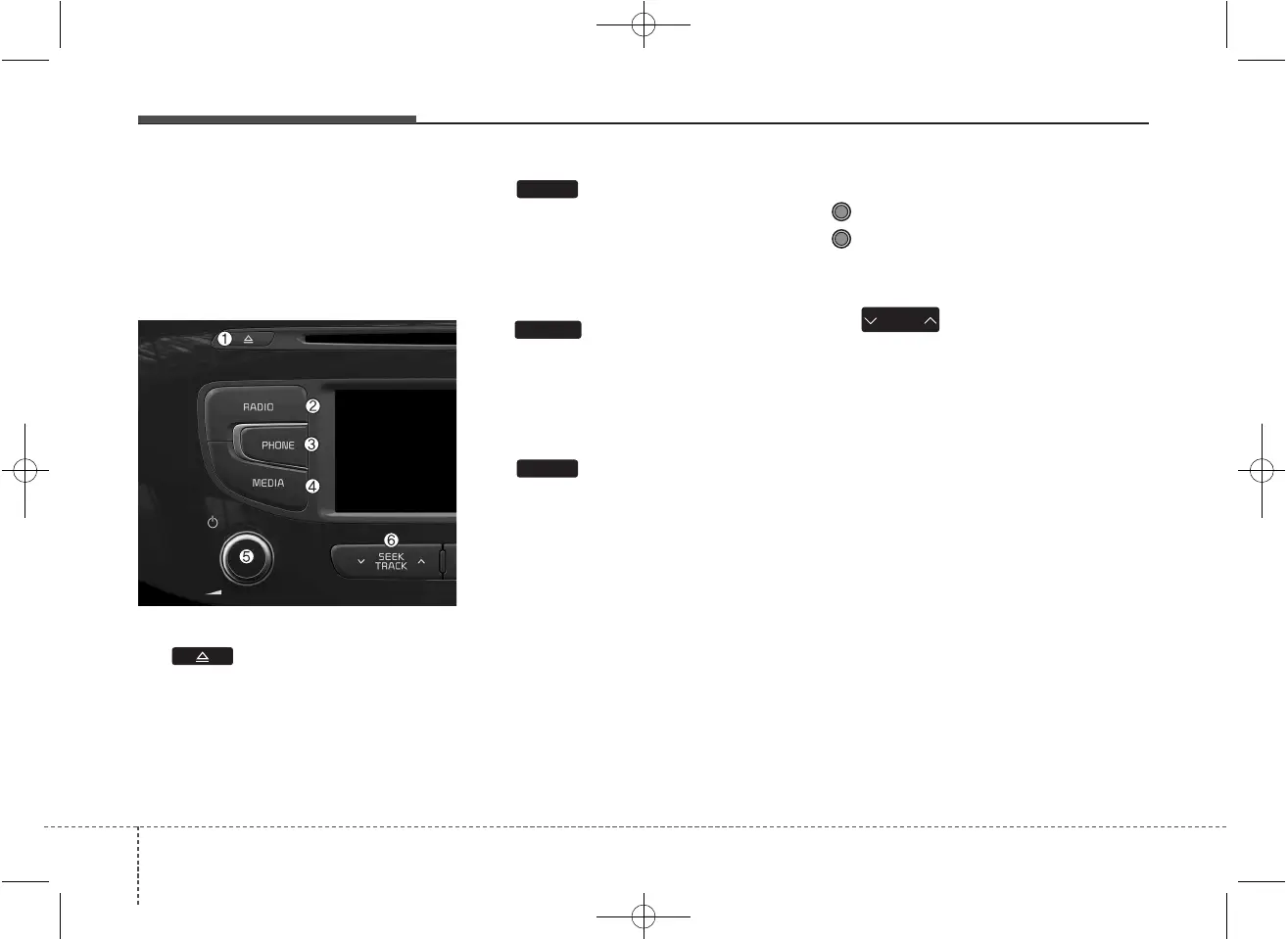
Audio Head Unit
(1) (EJECT)
Ejects the disc.
(2)
Converts to Radio(FM/AM) mode.
Each time the key is pressed, the
mode is changed in order of FM1 ➟
FM2 ➟ FMA ➟ AM ➟ AMA.
(3)
Converts to Phone mode
❈ When a phone is not connected,
the connection screen is dis-
played.
(4)
Start Media mode
Each time the key is pressed, the
mode is changed in order of CD,
USB(iPod
®
) AUX, My Music, BT
Audio.
(5) POWER/VOL knob
Power : Press to turn power on/off.
Volume : Turn left / right to control
volume.
(6)
When pressed shortly (under 0.8
seconds)
- Radio mode : plays previous / next
frequency.
- Media (CD / USB / iPod
®
/ My Music
/BT Audio) modes : changes the
track, Song(file)
When pressed and held (0.8 seconds)
- Radio mode : continuously changes
the frequency. Upon release, plays
the current frequency.
- Media(CD / USB / iPod
®
/ My
Music) modes : rewinds or fast for-
wards the track or file
- During a Handsfree call, controls
the call volume.
SEEK
TRACK
MEDIA
PHONE
RADIO



 To Next Page