Features of your vehicle
2584
List Menu
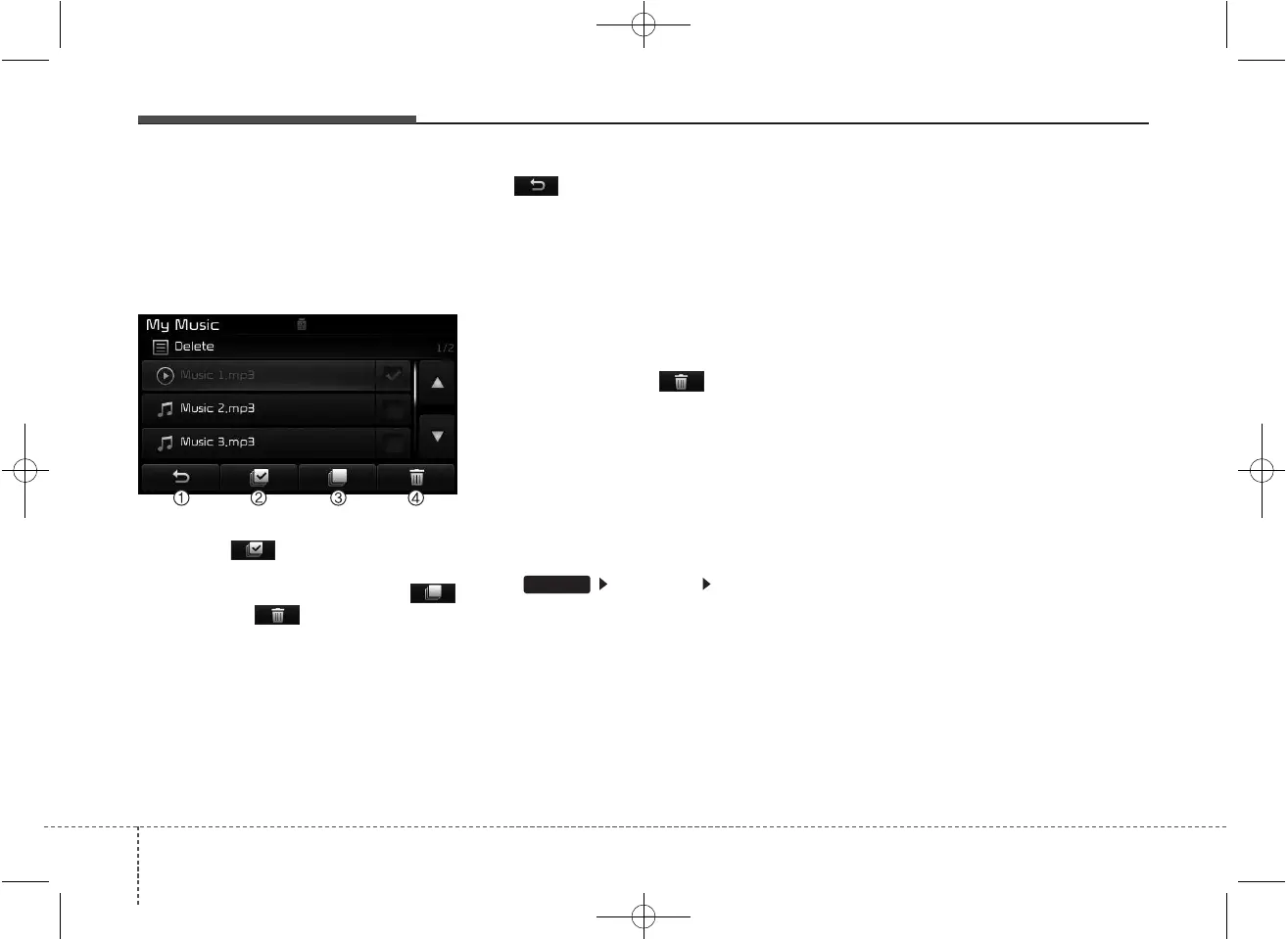
From the List screen, it is possible to
delete files you previously saved into
My Music.
Press the button or individual-
ly select the files you want to delete.
Once files are selected, the
button and buttons will be
enabled.
(1) : Moves to the previous
screen
(2) Select All : Selects all files
(3) Unselect All : Deselects all select-
ed files
(4) Delete : Deletes selected files
After selecting the files you want to
delete, press the button to
delete the selected files.
✽✽
NOTICE
• If there is memory available, up to
6,000 files can be saved.
• Identical files cannot be copied
more than 1,000 times.
• To check memory information, go
to [System] [Memory
Information]
✽
✽
NOTICE
- USING THE
Bluetooth
®
Wireless Technology AUDIO
MODE
• Bluetooth
®
Wireless Technology
Audio Mode can be used only when
a Bluetooth
®
Wireless Technology
phone has been connected.
• Bluetooth
®
Wireless Technology
Audio Mode will not be available
when connecting mobile phones
that do not support this feature.
• While Bluetooth
®
Wireless
Technology Audio is playing, if the
Bluetooth
®
Wireless Technology
phone is connected, then the music
will also stop.
• Moving the Track up/down while
playing Bluetooth
®
Wireless
Technology audio mode may
result in pop noises in some mobile
phones.
• Bluetooth
®
Wireless Technology
streaming audio may not be sup-
ported in some mobile phones.
(Continued)
SETUP



 To Next Page