Features of your vehicle
2844
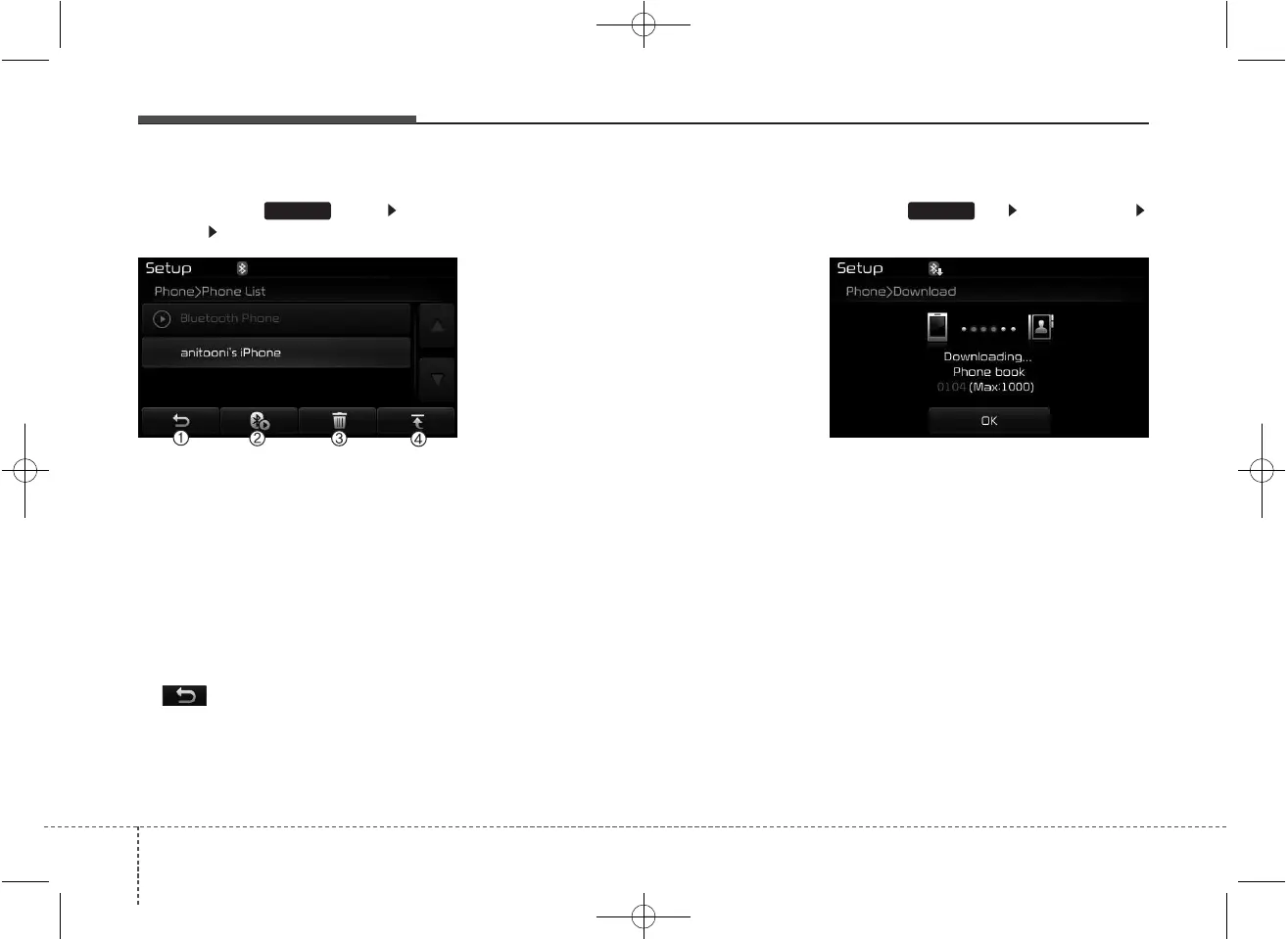
Viewing Paired Phone List
Press the key Select
[Phone] Select [Paired Phone List]
This feature is used to view mobile
phones that have been paired with
the audio system. Upon selecting a
paired phone, the setup menu is dis-
played.
For more information, refer to the
“Setting
Bluetooth
®
Wireless Technology
Connection” section within
Bluetooth
®
Wireless Technology.
1) : Moves to the previous
screen.
2) Connect/Disconnect Phone : Connect/
Disconnects currently selected phone.
3) Delete : Deletes the currently
selected phone
4) Change Priority : Sets currently
selected phone to highest connec-
tion priority
✽✽
NOTICE - BEFORE
DOWNLOADING
PHONE BOOKS
• Only phone books within connect-
ed phones can be downloaded.
Also check to see that your mobile
phone supports the download fea-
ture.
• To learn more about whether your
mobile phone supports phone
book downloads, refer to your
mobile phone user’s manual.
• The Phone book for only the con-
nected phone can be downloaded.
Before downloading, check to see
whether your phone supports the
download feature.
Downloading Phone books
Press the key Select [Phone]
Select [Phone book Download]
The Phone book is downloaded from
the mobile phone and the download
progress is displayed.
✽✽
NOTICE
• Up to 1,000 phone book entries
can be copied into car phone book.
• Up to 1,000 phone book entries
can be saved for each paired
device.
• Upon downloading phone book
data, previously saved phone book
data will be deleted. However,
Phone book entries saved to other
paired phones are not deleted.
SETUPSETUP



 To Next Page