Features of your vehicle
2864
✽✽
NOTICE
To turn Bluetooth
®
Wireless
Technology back on, go to
[Phone] and press “Yes”.
System Setting
Memory Information
Press the key Select
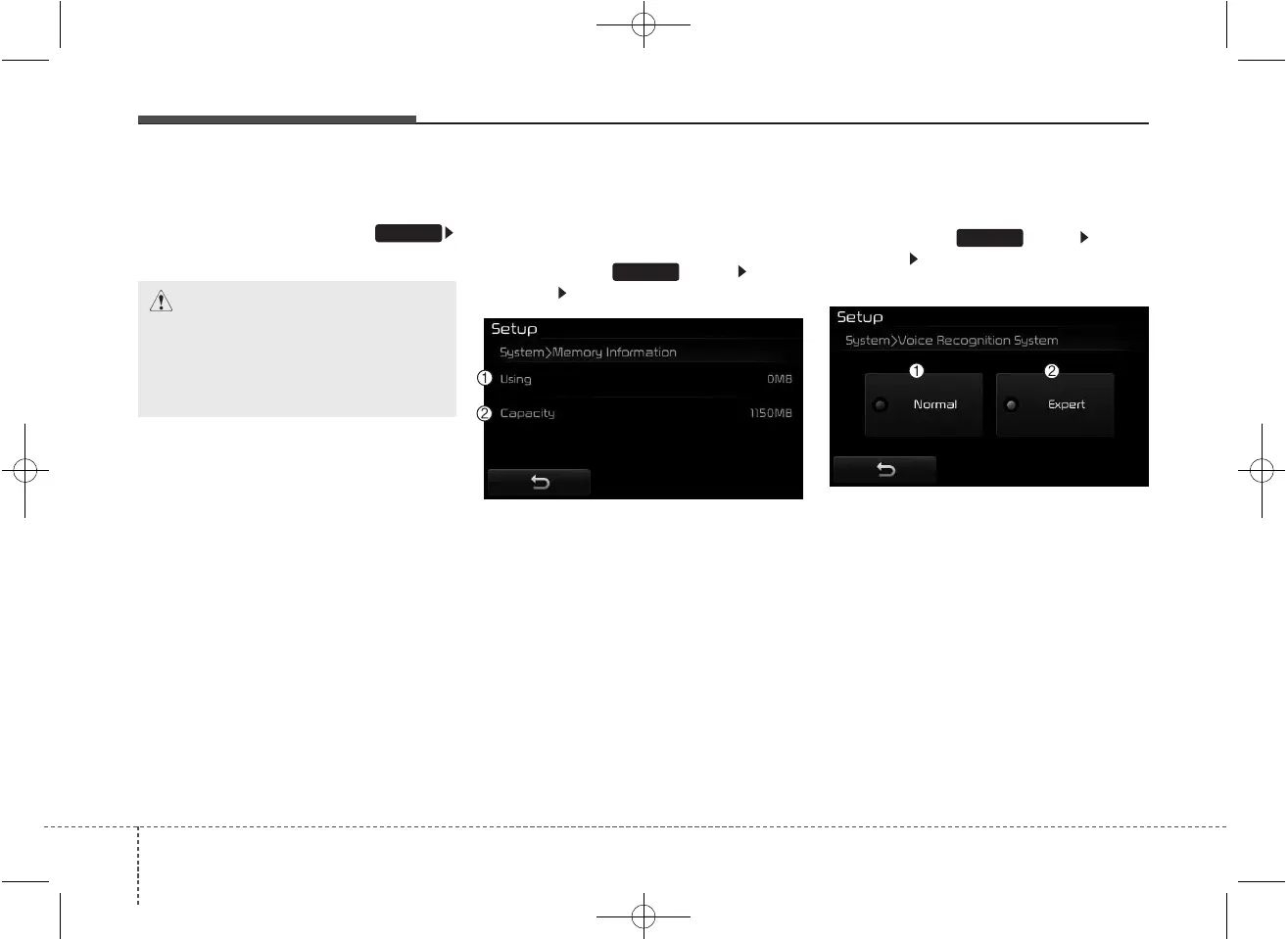
[System] Select [Memory Information]
This feature displays information
related to system memory.
(1) Using : Displays capacity current-
ly in use
(2) Capacity : Displays total capacity
❈ May differ depending on the
selected audio.
Voice Recognition Mode Setting
(If equipped)
Press the key Select
[System] Select [Voice Recognition
System]
This feature is used to select the
desired prompt feedback option from
Normal and Expert.
(1) Normal : When using voice recog-
nition, provides detailed guidance
prompts
(2) Expert : When using voice recog-
nition, omits some guidance
prompts
✽✽
NOTICE
Voice Recognition is depend on the
Audio System.
SETUP
SETUP
SETUP
CAUTION
Bluetooth
®
Wireless Technology
audio streaming may not be sup-
ported in some Bluetooth
®
Wireless Technology phones.



 To Next Page