Features of your vehicle
784
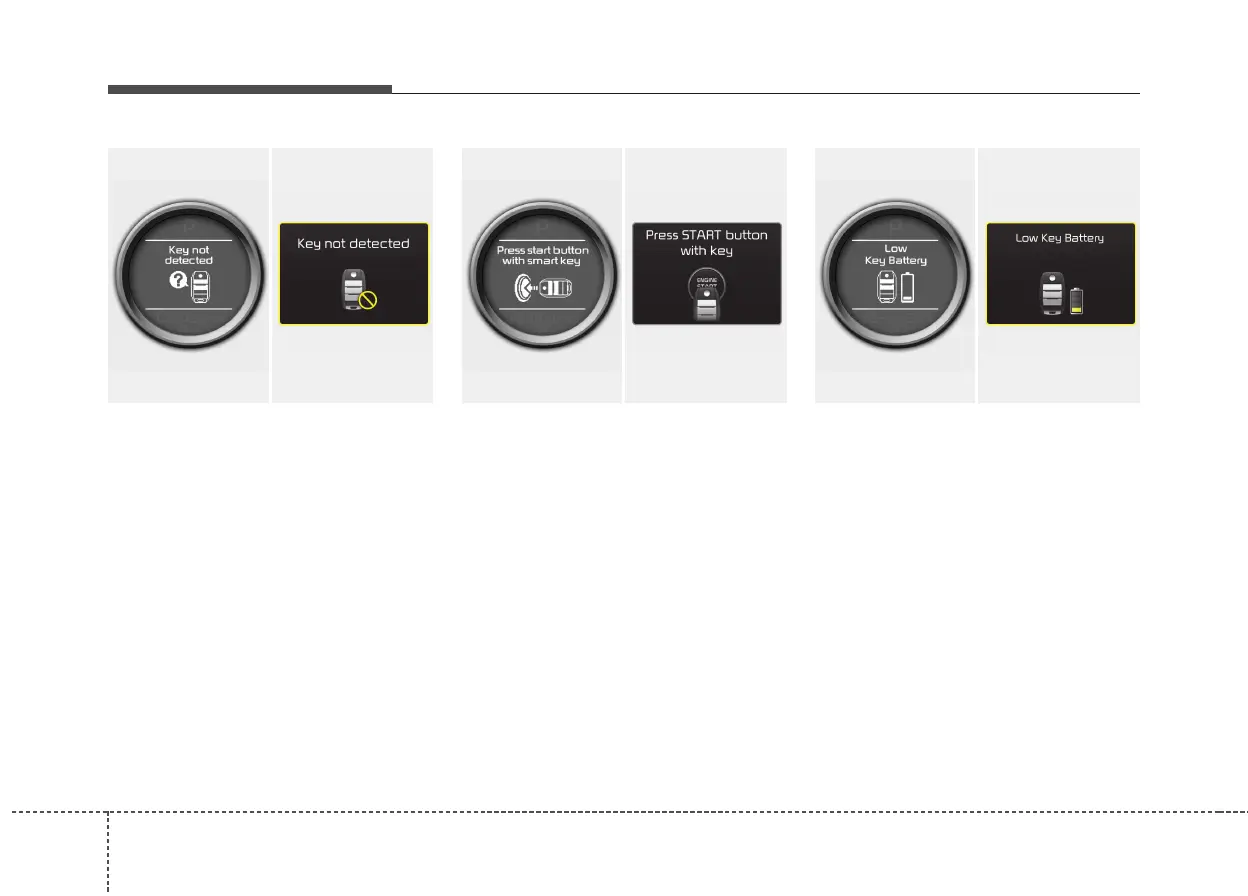
Key not detected
If the smart key is not in the vehicle or is
not detected and you press the engine
start/stop button, the warning illuminates
on the LCD display for 10 seconds. Also,
the immobilizer indicator blinks for 10
seconds.
Press start button with smart key
If you press the engine start/stop button
while the warning “Key not detected” illu-
minates the warning “Press the start but-
ton with smart key” illuminates for 10 sec-
onds on the LCD display. Also, the immo-
bilizer indicator blinks for 10 seconds.
Low key battery
If the engine start/stop button changes to
the OFF position when the smart key in
the vehicle discharges, the warning illu-
minates on the LCD display for about 10
seconds. Also, the warning chime
sounds once.
Replace the battery with a new one.
OJD042072/OJD045527L
■ Normal vision
■ Supervision
OJD042075/OJD045528L
■ Normal vision
■ Supervision
OJD042066/OJD045529L
■ Normal vision
■ Supervision



 To Next Page