Features of your vehicle
1164
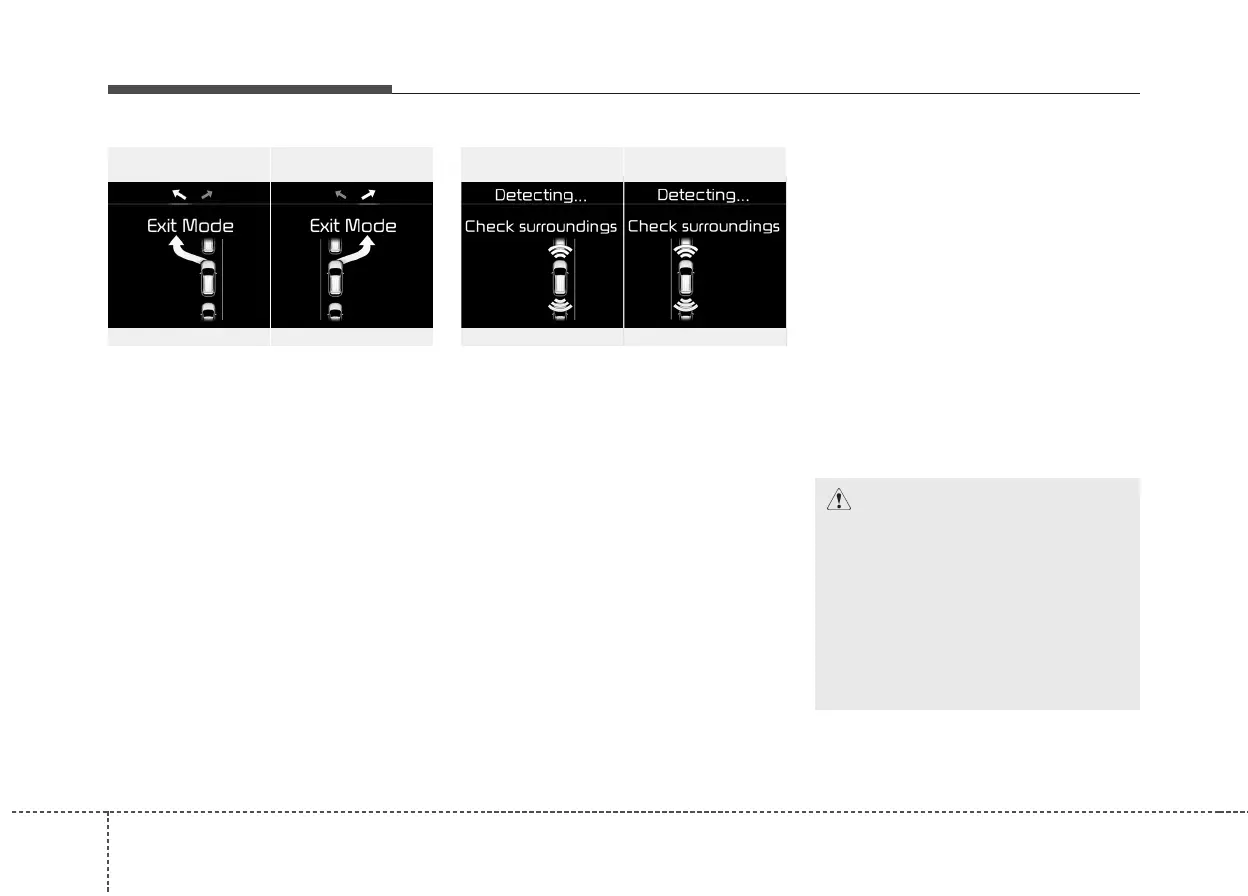
2. Select Exit Mode
• Select the mode by pressing the Smart
Parking Assist System button with the
shift lever in P (Park) or N (Neutral)
and the brake pedal depressed.
• The left side parallel mode is selected
automatically when the Smart Parking
Assist System is activated.
• To select the right side parallel mode
press the Smart Parking Assist System
button once more.
• If the button is pressed again, the sys-
tem will turn off.
3. Check surroundings
The Smart Parking Assist System checks
the front and rear space to exit the vehicle
from the parking space.
✽✽
NOTICE
• When checking surroundings, if the
front or rear vehicle (or object) is too
near, the system may not work prop-
erly.
• The system may not operate normally
in the following conditions:
(1) When the sensors are frozen
(2) When the sensors are dirty
(3) When it snows or rains heavily
(4) When a pillar or object is near
• When exiting the parking space if an
obstacle is detected that may cause an
accident, the system may cancel.
• If the space is too small to exit the sys-
tem may cancel.
OUM044326LOUM044325L
■ Left side
- Parallel exit
■ Right side
- Parallel exit
CAUTION
• If searching surroundings is com-
pleted, continue using the system
after checking the surrounding
area.
• The Exit mode may be activated
unintentionally, when the shift
lever is in P (Park) or N (Neutral) if
the Smart parking assist system
button is pressed.
OUM044324L
OUM044323L
■ Left side
- Parallel exit
■ Right side
- Parallel exit



 To Next Page