Features of your vehicle
2064
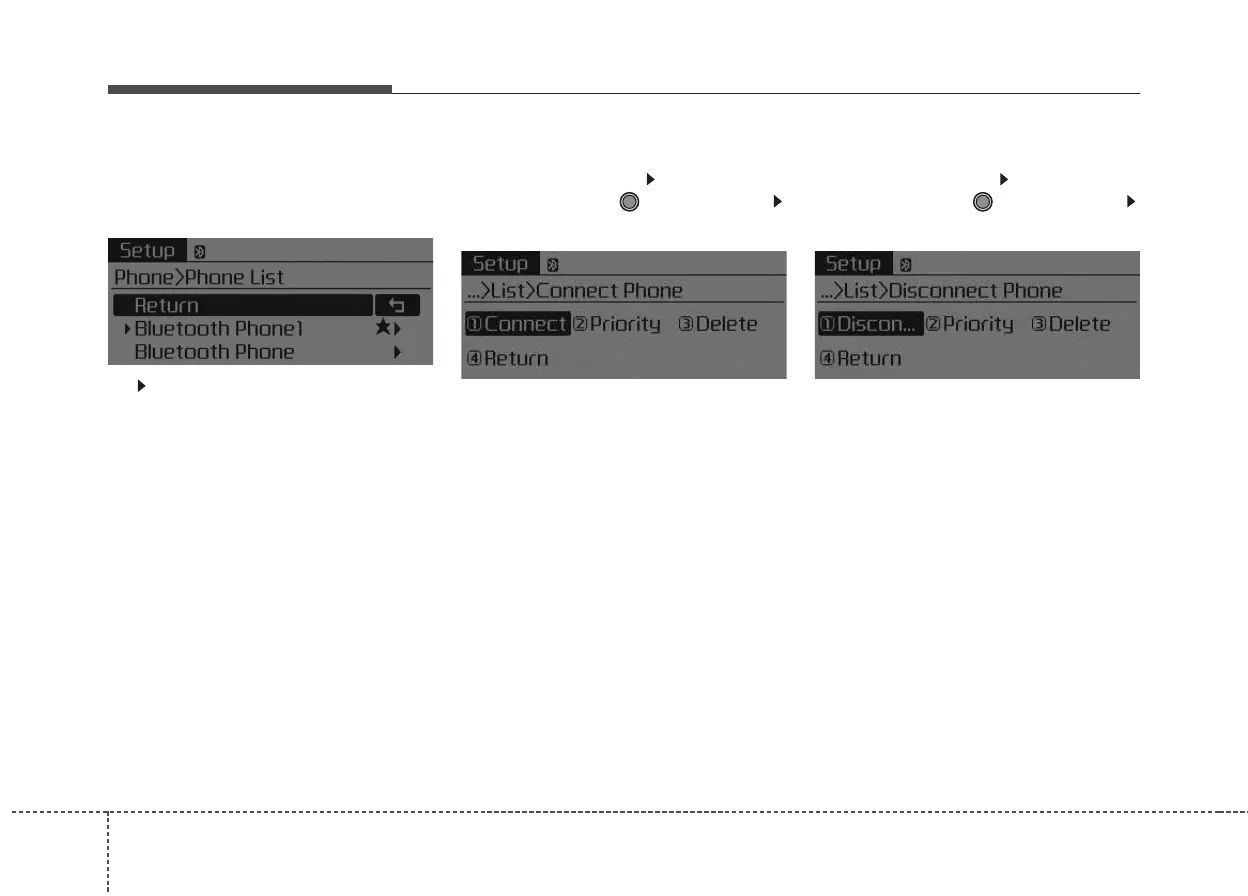
Phone List
The names of up to 5 paired phones
will be displayed.
A [ ] is displayed in front of the cur-
rently connected phone.
Select the desired name to setup the
selected phone.
• Connecting a phone
Select [Phone List] Select mobile
phone through TUNE knob
Select [Connect Phone]
➀ Select a mobile phone that is not
currently connected.
➁ Connect the selected mobile
phone.
➂ Connection completion is dis-
played.
❈ If a phone is already connected,
disconnect the currently connect-
ed phone and select a new phone
to connect.
• Disconnecting a connected phone
Select [Phone List] Select mobile
phone through TUNE knob
Select [Disconnect Phone]
➀ Select the currently connected
mobile phone.
➁ Disconnect the selected mobile
phone.
➂ Disconnection completion is dis-
played.



 To Next Page