Features of your vehicle
1484
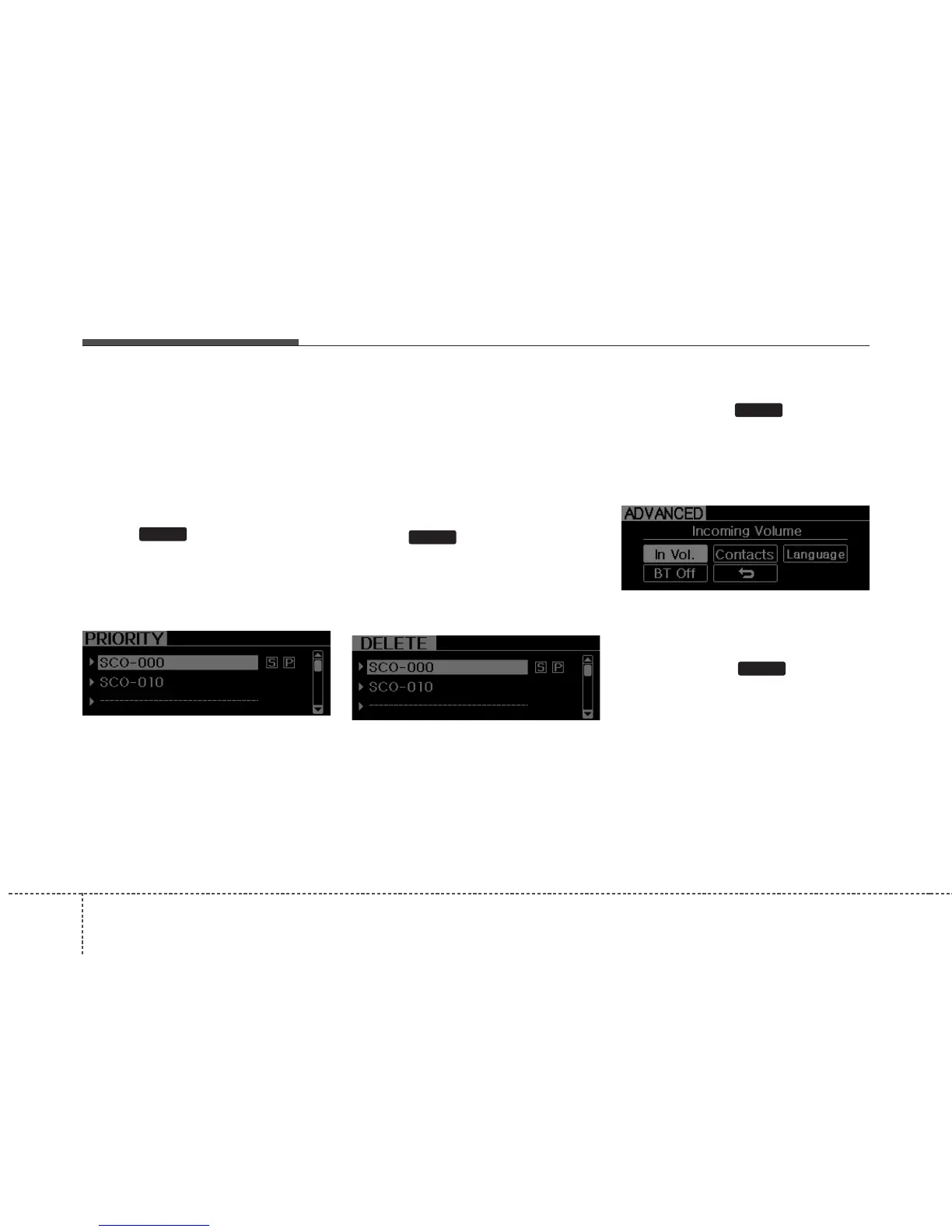
• Changing Priority
If several phones are paired with the
audio system, the system attempts to
connect following order when the
Bluetooth
®
system is enabled:
1) “Priority” checked phone.
2) Previously connected phone
3) Gives up auto connection.
➀ Press button to enter SETUP
mode.
➁ Select “Phone”, then “Priority” in PHONE
menu.
➂ Select desired phone name from the
list shown.
• Deleting a Phone
The paired phone can be deleted.
- When the phone is deleted, all the infor-
mation associated with that phone is
also deleted (including phonebook).
- If you want to use the deleted phone with
the audio system again, pairing proce-
dure must be completed once more.
➀ Press button to enter SETUP
mode.
➁ Select “Phone”, then “Delete” in PHONE
menu.
➂ Select desired phone name from the list
shown.
• ADVANCED Menu
After pressing the button, select
the “Phone” menu. while in PHONE
menu, select the “Advanced” menu to
make Bluetooth
®
Phone settings.(The
ADVANCED menu may differ according to
audio specifications.)
Incoming Volume (Bluetooth
®
call vol-
ume adjustments)
While in ADVANCED menu, select “In Vol.”
Use the knob key to set the desired vol-
ume and press the button.
ENTER
SETUP
SETUP
SETUP















 To Next Page