49
Features of your vehicle
Battery replacement
A battery should last for several years,
but if the transmitter or smart key is not
working properly, try replacing the bat-
tery with a new one. If you are unsure
how to use or replace the battery, contact
an authorized KIA dealer.
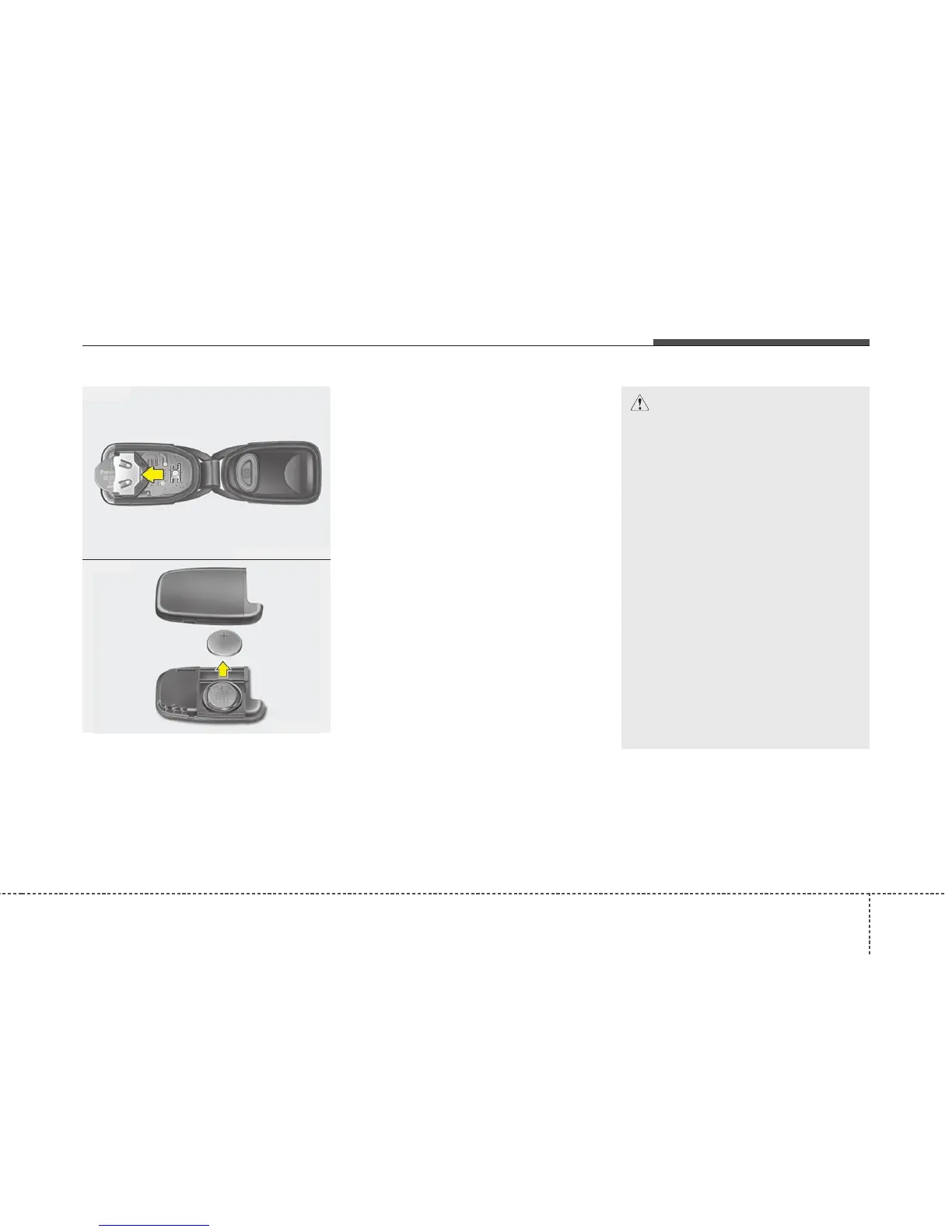
1. Pry open the transmitter or smart key
center cover.
2. Replace the battery with a new battery
(CR2032). When replacing the battery,
make sure the battery positive “+” sym-
bol faces up as indicated in the illus-
tration.
3. Install the battery in the reverse order
of removal.
CAUTION
• The transmitter or smart key is
designed to give you years of
trouble-free use, however it can
malfunction if exposed to mois-
ture or static electricity. If you are
unsure how to use or replace the
battery, contact an authorized KIA
dealer.
• Using the wrong battery can
cause the transmitter or smart
key to malfunction. Be sure to use
the correct battery.
• To avoid damaging the transmit-
ter or smart key, don't drop it, get
it wet, or expose it to heat or sun-
light.
• An inappropriately disposed bat-
tery can be harmful to the envi-
ronment and human health.
Dispose the battery according to
your local law(s) or regulation.
HNF2005
OBH048004
■ Type A
■ Type B















 To Next Page