47
Features of your vehicle
REMOTE KEYLESS ENTRY (IF EQUIPPED)
Remote keyless entry system
operations
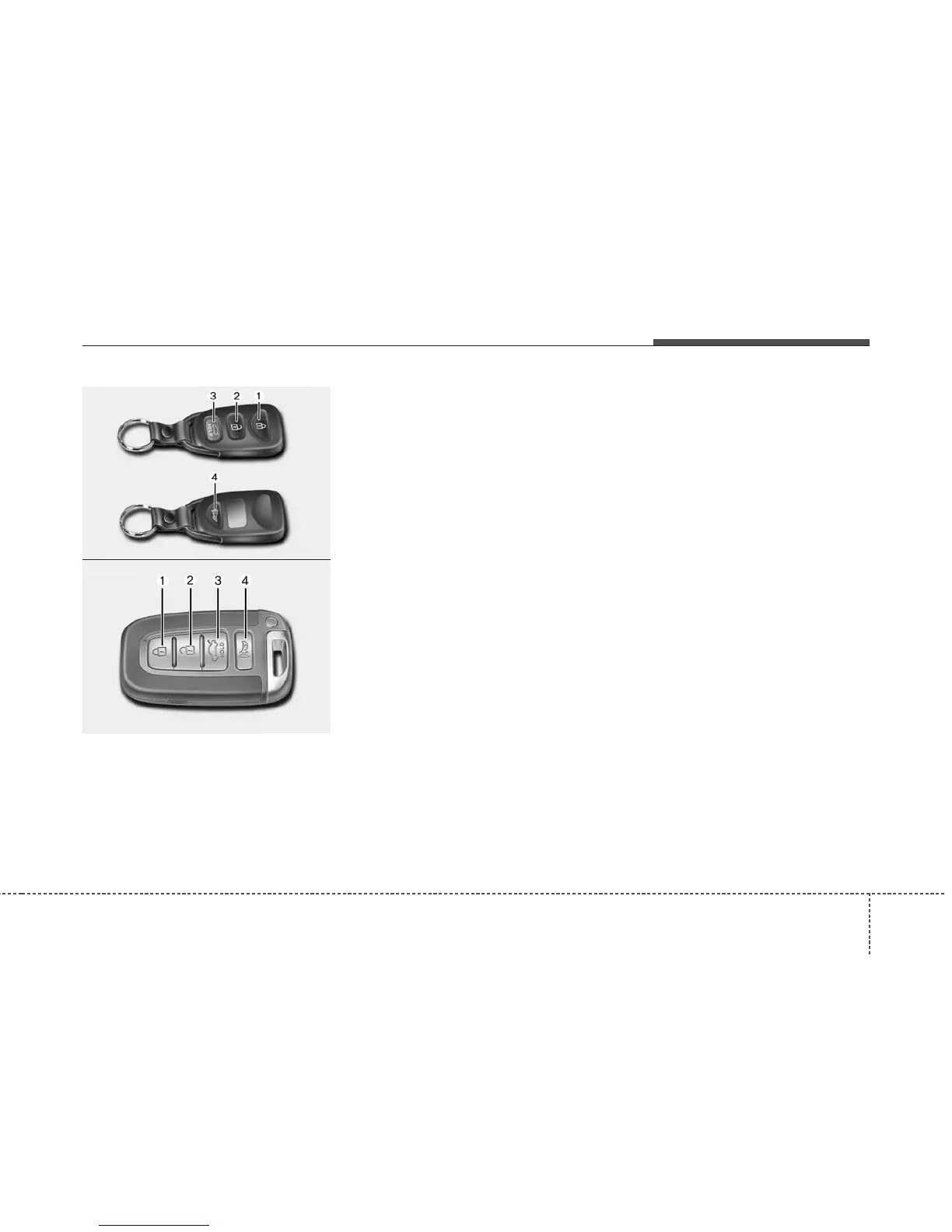
Lock (1)
All doors are locked if the lock button is
pressed. If all doors (and trunk) are
closed, the hazard warning lights will
blink once to indicate that all doors (and
trunk) are locked.
Also, if the lock button is pressed once
more within 4 seconds, the hazard warn-
ing lights will blink and the chime will
sound once to confirm that the door is
locked.
However, if any door remains open, the
hazard warning lights (and/or the chime)
will not operate. But if all doors are
closed after the lock button is pressed,
the hazard warning lights will blink once.
Unlock (2)
The driver's door is unlocked if the unlock
button is pressed once. The hazard
warning lights will blink (for smart key, the
chime also sounds) twice to indicate that
the driver's door is unlocked.
All doors are unlocked if the unlock but-
ton is pressed once more within 4 sec-
onds.The hazard warning lights will blink
(for smart key, the chime also sounds)
twice again to indicate that all doors are
unlocked. After pressing this button, the
doors will lock automatically unless you
open any door within 30 seconds.
Trunk open (3)
(if equipped)
The trunk is opened if the button is
pressed for more than 1 second.
Once the trunk is opened and then
closed, the trunk will lock automatically.
Alarm (4, if equipped)
The horn sounds and the hazard warning
lights blink for about 30 seconds if this
button is pressed for more than 0.5 sec-
onds. To stop the horn and lights, press
any button on the transmitter.
OTF040002
■ Type B
■ Type A
ONF048011















 To Next Page