STEERING WHEEL / STALK / PANEL
9
EMERGENCY OVERRIDE PROCEDURE
EmergencyOverrideProcedure
Use this procedure if your remote control transmitter is lost or fails to function to disarm the
security system and start your vehicle.
1. Use your key to enter the vehicle. The alarm will sound after the door is opened.
2. Insert your key into the ignition and turn it to the ON position.
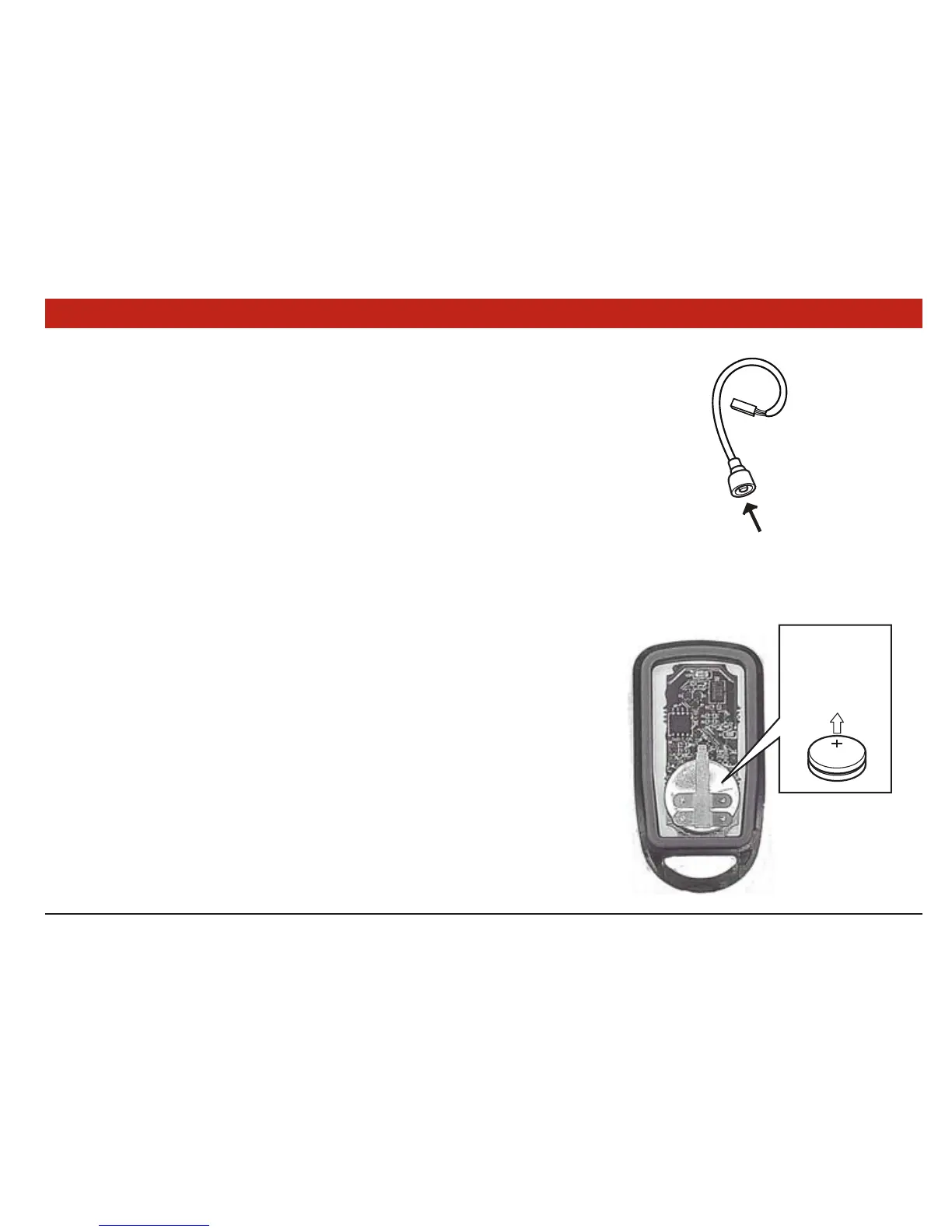
3. Press the override/programming button secured to the remote start wire harness above
the driver’s kick panel. The vehicle alarm will stop sounding and the vehicle will be able
to be started with the key.
ChangingtheRemoteControlTransmitterBatteries
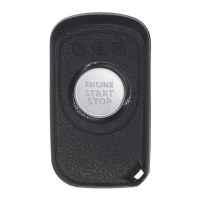
The (2) 3-volt lithium batteries (Model CR2016) supplied in your remote control transmitter
should last approximately three years, depending on usage. When the batteries begin to
weaken, you will notice a decrease in range or the distance from the vehicle that your remote
control will operate.
Followtheinstructionsbelowtochangetheremotecontrolbatteries.
1. Insert the edge of a coin into the slot on the bottom of the remote control. Twist the
coin to pry the remote control halves apart.
2. Remove the old batteries and replace with new ones. Be sure to observe the (+) and
(-) sign when inserting the new batteries. The (+) sign must face upward on both
batteries.
3. Carefully snap the case halves back together, then test the remote control.


 To Next Page