8
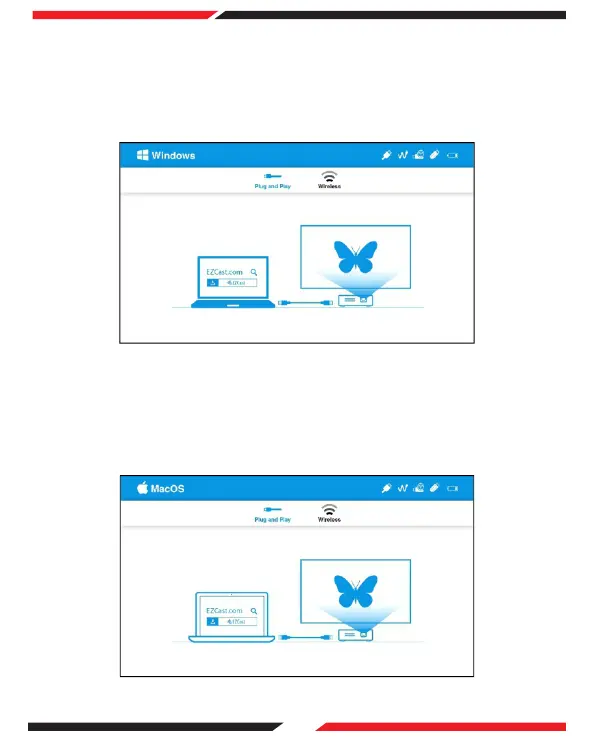
Visit https://www.ezcast.com/app and download the EZCast App onto your
desktop.
On the main menu of the projector select 'Plug and Play' and press OK.
Connect your PC to the projector via USB A-to-A Cable.
Open the EZCast App and select 'Beam-XXXX' to play media.
(1)
(2)
(3)
(4)
3. Windows 10
Visit https://www.ezcast.com/app and download the EZCast App onto your
desktop.
On the main menu of the projector select 'Plug and Play' and press OK.
Connect your PC to the projector via USB A-to-A Cable.
Open the EZCast App and select 'Beam-XXXX' to play media.
(1)
(2)
(3)
(4)
4. Mac OS


 To Next Page