9
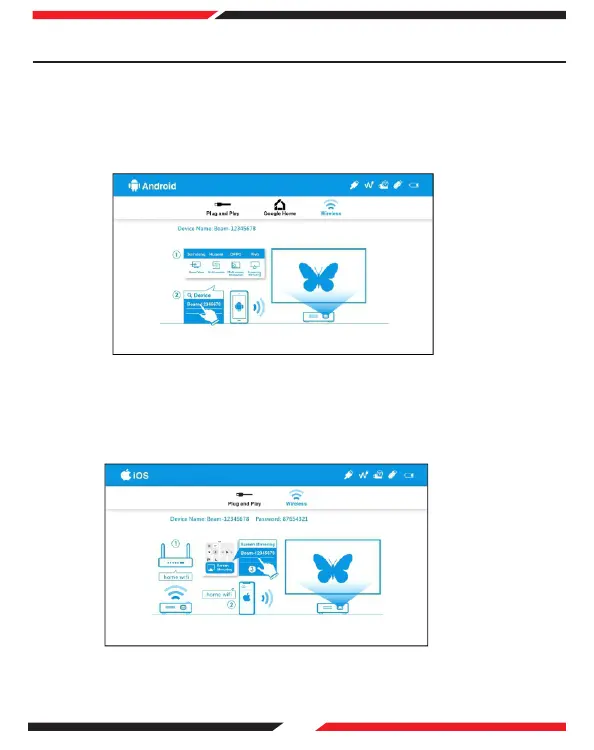
Requires Android 5.0 or above.
On the main menu of the projector select 'Android' and press OK. Then select
'Wireless'.
Select the screen mirroring function on your Android device and select 'Beam-
xxxx' from the device list to start mirroring.
(1)
(2)
1. Android
Requires iOS 12 or above.
On the main menu of the projector select 'iOS' and press OK. Then select
'Wireless'.
Select the screen mirroring function on your iOS device and select 'Beam-xxxx'
from the device list to start mirroring.
(1)
(2)
2. iOS
10. Projecting an Image - Wireless Display
Note: Screen Mirroring varies with different brands. For help please visit
https://www.ezcast.com/usage/android/ezmirror
Note: Compatibility: iOS 12 or above.


 To Next Page