11
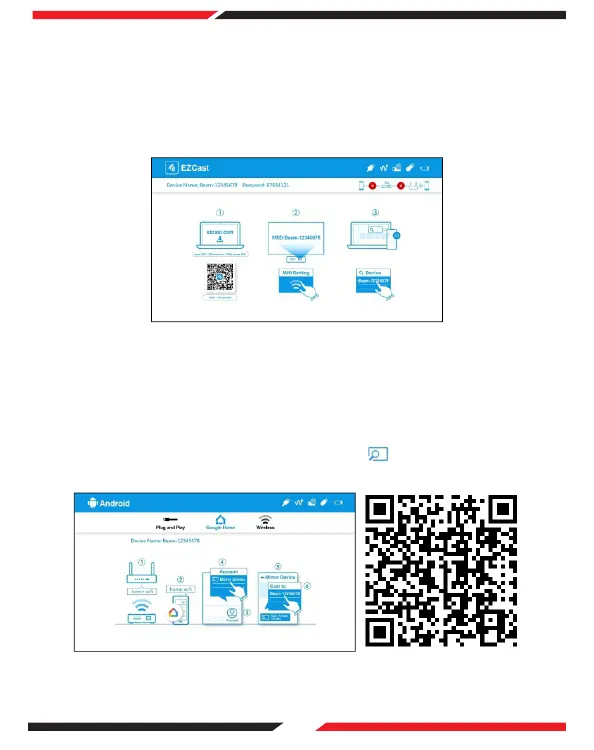
Download and install the EZCast app from the Google Play Store/App Store
alternatively visit https://www.ezcast.com/app to download EZCast onto your
computer.
On the main menu of the projector select 'EZCast' and press OK.
Ensure the projector and your device are connected to the same WIFI network.
Open the EZCast app on your device and click the icon, select
'Beam-xxxx' to view the media.
Download and install the Google Home app from the Google Play Store.
On the main menu of the projector select 'Android' and press OK. Then select
'Google Home'.
Ensure the projector and computer are connected to the same WIFI network.
Open the Google Home app and go to Account > Mirror Device > Select 'Beam-
xxxx' to view the media.
(1)
(2)
(3)
(4)
5. Google Home Screen Mirroring (Android Only)
6. EZCast
(1)
(2)
(3)
(4)


 To Next Page