6
Settings
Language settings: Press the left and right arrow keys to select and change the
language.
Firmware Update: To update the firmware using WIFI ensure the projector is
connected to the internet and select the 'Update' option.
Advanced Settings: Colour adjustment.
Reset Menu: To reset the projector back to factory settings and delete all data,
select 'yes' in the reset menu.
(1)
(2)
(3)
(4)
Shutting Down The Projector:
To turn off the projector, hold the power button for 3 seconds until the device beeps.
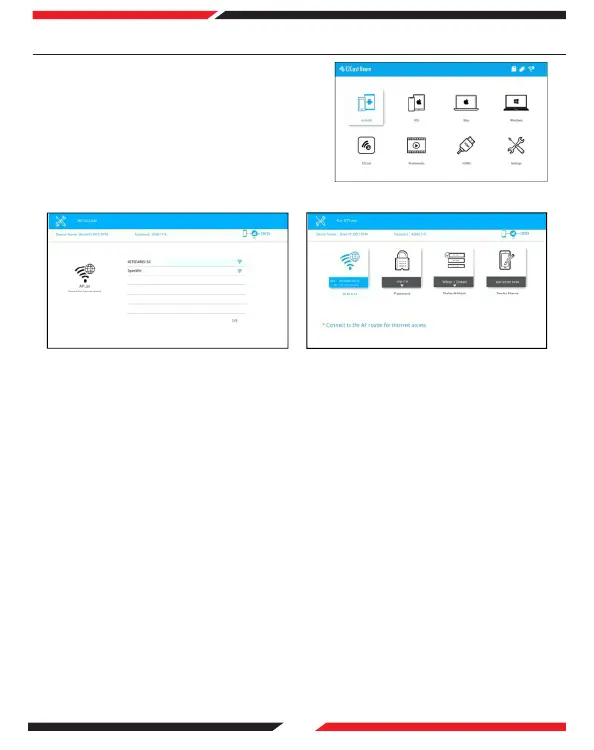
8. Start Up and Connecting to Wi-Fi
Select the start-up language.
WiFi setting: connect the projector to your
router and enter the password. Connect the
projector to your WiFi.
After connecting to wifi you can now
navigate through the main menu using the
arrow keys on the remote controller.
Android, iOS, MacOS, Windows, EZCast,
Multimedia, HDMI, and Setting, as shown
on the right;
(1)
(2)
(3)


 To Next Page