10
Requires most recent Windows update.
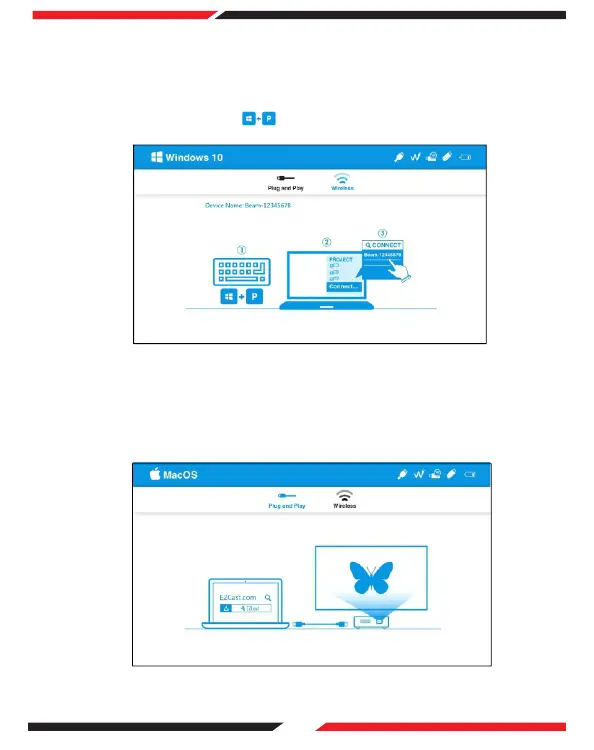
On the main menu of the projector select 'Windows 10' and press OK. Then select
'Wireless'.
Ensure the projector and computer are connected to the same WIFI network.
On your computer press the and connect to the device 'Beam-xxxx' to view
the media.
(1)
(2)
(3)
3. Windows 10
On the main menu of the projector select 'Mac OS' and press OK. Then select
'Wireless'.
Ensure the projector and computer are connected to the same WIFI network.
Select Screen Mirroring and connect to 'Beam-xxxx' to view the media.
(1)
(2)
(3)
4. Mac OS


 To Next Page