Adjustable Subsonic Filter
{SUB):
The variable subsonic filter
will
provide a cut -off point for lower frequencies
(10-80Hz)
that could potentially damage your speakers from over-excursion, along
with wasting your amplifier's
power. The setting for this control should be set relative to your speaker's low-frequency capability.
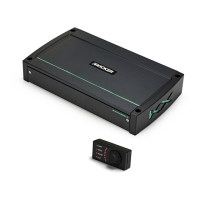
Remote Bass-KXRC:
With the
KXRC
remote bass
level
control, you have the ability to control the output
level
of the amplifier remotely.
To
surface-mount the
KXRC
remote bass
level
control, simply screw the remote to the
chosen location, then
run
the cable from the controller to the
"Remote Bass"
jack on the amplifier panel.
Do
NOT
connect/disconnect while the amplifier
is
on.
See page
5.
TROUBLESHOOTING
If
your amplifier does not appear to be working, check the obvious things first such
as
blown fuses, poor or
incorrect wiring connections, incorrect setting of crossover switch and gain controls, etc. There
is
a Protection
(PRT)
LED
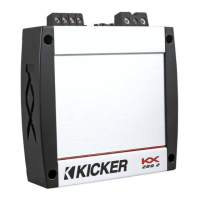
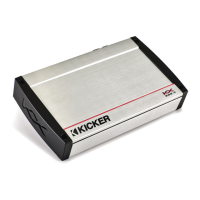
on the side panel of your
KICKER
KX
series amplifier. Depending
on
the state of the amplifier and the
vehicle's charging system, the
LED
will
either glow
red
or be off.
Red {PRT) LED
flickering
with
loud
music?
The
red
(PRT)
LED
indicates low battery voltage or
an
illegal
load. Check
all
the connections
in
your vehicle's charging system.
It
may be necessary to replace or charge your
vehicle's battery or replace your vehicle's alternator.
Red {PRT) LED on, no output?
0Amplifier
is
very
hot=
thermal protection
is
engaged. Test for proper
impedance at the speaker terminals with a VOM
meter (see the diagrams
in
this manual for minimum
recommended impedance and multiple speaker wiring suggestions). Also check for adequate airflow around
the amplifier.
@Amplifier
shuts down only while vehicle
is
running= voltage protection circuitry
is
engaged.
Voltage to the amplifier
is
not within the
10-16
volt operating range. Have the vehicle's charging and electrical
system inspected.
0 Amplifier
will
only play at low volume levels = short circuit protection
is
engaged. Check
for speaker wires shorted to each other or to the vehicle chassis. Check for damaged speakers or speaker(s)
operating below the minimum recommended impedance.
No or
low
output?
0Check
the balance control on source unit
@Check
the
RCA
(or
speaker input) and
speaker output connections.
Alternator noise-whining sound with engine's RPM?
0Check
for damaged
RCA
(or
speaker input) cable
@Check
the routing of RCA
(or
speaker input) cable
C)Check
the source unit for proper grounding
()Check
the gain settings and turn them down
if
they are set too high.
Reduced bass response?
Reverse a speaker connection from positive to negative on the stereo/subwoofer
channel(s);
if
the bass improves, the speaker was out of phase.
Ground Noise?
KICKER
amplifiers are engineered to be fully compatible with
all
manufacturers' head units.
Some
head units
may require additional grounding to prevent noise from entering the audio signal.
If
you are
experiencing this problem with your head unit,
in
most cases running a ground wire from the
RCA
outputs
on
the
head unit to the chassis
will
remedy this issue.
CAUTION:
When jump starting the vehicle, be sure that connections made with jumper cables
are
correct.
Improper
connections can result
in
blown amplifier fuses
as
well
as
the failure of other critical systems
in
the
vehicle.
If
you have more questions about the installation or operation of your new
KICKER
product, see the Authorized
KICKER
Dealer where you made your purchase.
For
more advice
on
installation, click on the
SUPPORT
tab
on
the
KICKER
homepage,
www.kicker.com.
Choose the
TECHNICAL SUPPORT
tab, choose the subject you
are
interested
in,
and then download or view the corresponding information. Please E-mail support@kicker.com or
call Technical
Services (405)
624-8583 for unanswered or specific questions.
7


 To Next Page