EasyManua.ls Logo

Kidde 2030-DSR - User Manual

Kidde 2030-DSR
24 pages
Print Icon
To Next Page IconTo Next Page
Loading...
1
P/N: 2030-7201-00
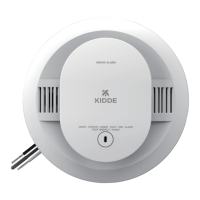
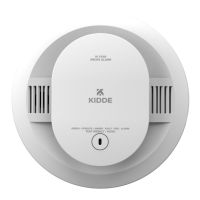
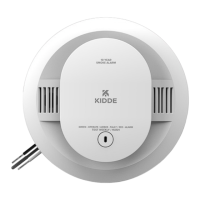
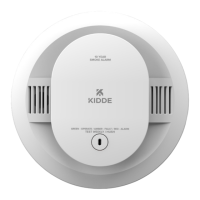
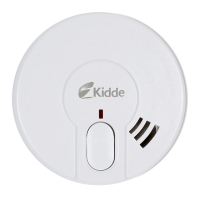
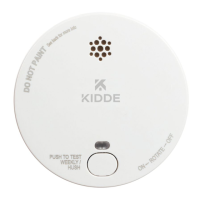
SMOKE ALARM
Photoelectric Smoke Alarm with Hush
User Guide
Model: 2030-DSR
Smoke Alarm Hush
Control
Small Structure Design
1008
102.0012
EN14604:2005/AC:2008
21
EN 14604:2005

Questions and Answers

  • E
    ehaysAug 7, 2025
    How to fix low battery on Kidde 2030-DSR Smoke Alarm?
    • J
      Justin DanielAug 7, 2025
      If your Kidde Smoke Alarm indicates a low battery, you can push the button once to silence it for 24 hours. Replace the battery as soon as possible to ensure continuous protection.
  • E
    Eric FergusonAug 16, 2025
    What to do if the button is stuck on my Kidde Smoke Alarm?
    • K
      Katherine WilcoxAug 16, 2025
      If your Kidde Smoke Alarm button is stuck, try pushing it to dislodge it. If the button remains stuck and cannot be released, please contact product support.
  • B
    Brian ShahAug 27, 2025
    What to do when Kidde Smoke Alarm is at end of unit life?
    • M
      Monica ClarkAug 27, 2025
      When a Kidde Smoke Alarm reaches the end of its unit life, you can push the button once to silence it for 24 hours. Note that 7 days after the End of Unit Life chirps begin, they cannot be silenced. Remove and dispose of the unit, and replace it as soon as possible.

Summary

Environmental Protection

What To Do When the Alarm Sounds

Introduction, Product Features and Specifications

Other Alarm Visual and Audible Indicators

Troubleshooting Guide

Low Battery Troubleshooting

Steps for low battery indication, including silencing and replacement procedures.

End of Unit Life Troubleshooting

Guidance for end-of-unit-life alerts, including silencing and replacement.

Memory Fault Troubleshooting

Steps for memory fault indication, recommending contact with product support.

MCU Failure Troubleshooting

Steps for MCU failure, recommending alarm replacement or contact with product support.

Stuck Button Troubleshooting

Steps for a stuck button, suggesting dislodging and contacting support.

Fault Mode Troubleshooting

Steps for fault mode, advising cleaning and contacting customer service for error codes.

Limitations of Smoke Alarms

Recommended Locations for Smoke Alarms

Locations To Avoid for Smoke Alarms

Installation Instructions

Smoke Alarm Tamper Resist Feature

Operation, Testing and Smoke Alarm Memory

Hush Control Feature

Battery Information and Replacement

Low Battery Warning and Action

Information on low battery warning indicator, its duration, and replacement advice.

Cleaning and Maintenance

Smoke Chamber Monitoring and Cleaning

Details on smoke chamber monitoring, fault mode, and cleaning procedures.

Good Safety Habits and Escape Planning

Additional Smoke Alarm Placement Recommendations

Service and Warranty Information

Kidde 2030-DSR Specifications

General IconGeneral
BrandKidde
Model2030-DSR
CategorySmoke Alarm
LanguageEnglish

Related product manuals