EasyManua.ls Logo

Kidde 20SA10-V - User Manual

Kidde 20SA10-V
28 pages
Print Icon
To Next Page IconTo Next Page
Loading...
1
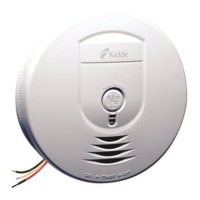
User Guide
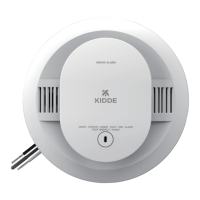
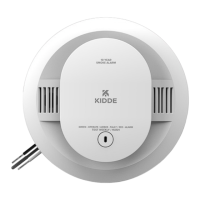
Photoelectric Smoke Alarm
with Hardwire Interconnect & Voice
Model 20SA10-V
120V HARDWIRE INTERCONNECT
10-YEAR BATTERY BACKUP
(AC POWER REQUIRED)
SELF-TESTING (SEE SECTION 10)
VOICE MESSAGE SYSTEM
SMOKE ALARM
P/N: G-000035-00 Rev. A
Helps Reduce Cooking
Nuisance Alarms

Questions and Answers

  • E
    Ellen PhillipsAug 3, 2025
    What to do if my Kidde 20SA10-V Smoke Alarm has a low battery?
    • G
      Gary PhillipsAug 3, 2025
      If your Kidde Smoke Alarm indicates a low battery, you can push the button once to silence the alarm for 24 hours. Pushing the button again will clear Hush and perform a test. Note that 7 days after the low battery notification begins, it cannot be silenced. Also, you can remove the alarm, discharge it, dispose of the unit, and replace it as soon as possible.
  • B
    bradleyandreAug 8, 2025
    How to fix a false low battery alert on my Kidde 20SA10-V?
    • K
      katrinathomasAug 8, 2025
      To address a false low battery alert on your Kidde Smoke Alarm (when AC power is connected before the backup battery is activated), rotate the alarm onto the mounting bracket to activate the backup battery.
  • D
    David BarkerAug 11, 2025
    What to do if my Kidde 20SA10-V is beeping at the end of its life?
    • L
      Laura SharpAug 11, 2025
      If your Kidde Smoke Alarm signals the end of its unit life, you can push the button once to silence it for 24 hours. Pushing the button again will clear Hush and perform a test. Keep in mind that 7 days after the end of unit life notification begins, the alarm cannot be silenced. It is also recommended to remove the alarm, discharge it, dispose of the unit, and replace it as soon as possible.
  • A
    anovakAug 16, 2025
    What to do if my Kidde 20SA10-V Smoke Alarm button is stuck?
    • G
      George GregoryAug 16, 2025
      If the button on your Kidde Smoke Alarm is stuck, push the button to dislodge it.
  • J
    Jeff WilliamsAug 20, 2025
    What to do if my Kidde 20SA10-V Smoke Alarm has a smoke sensor fault?
    • K
      Kimberly AndrewsAug 20, 2025
      If your Kidde Smoke Alarm indicates a smoke sensor fault, see the Cleaning Your Alarm section. You can also push the button once to attempt to reset the unit. If the error continues, remove the alarm, discharge it, dispose of the unit, and replace it as soon as possible.
  • H
    Henry JenningsAug 25, 2025
    What to do if my Kidde 20SA10-V Smoke Alarm shows a fatal fault?
    • S
      Shane TaylorAug 26, 2025
      If your Kidde Smoke Alarm indicates a fatal fault, push the button once to attempt to reset the unit. If the error continues, remove the alarm, discharge it, dispose of the unit, and replace it as soon as possible.
  • J
    joycevickieAug 29, 2025
    What to do if my Kidde 20SA10-V Smoke Alarm experiences MCU failure?
    • S
      Shirley MoranAug 29, 2025
      If your Kidde Smoke Alarm experiences MCU failure, remove the alarm, discharge it, dispose of the unit, and replace it as soon as possible.

Summary

Smoke Alarm: What To Do When The Alarm Sounds

Carbon Monoxide Alarm: What To Do When The Alarm Sounds

Other Alarm Visual And Audible Indicators

Operational Mode Indicators

Visual and audible cues for normal, test, memory, and hush modes.

Troubleshooting Guide

Troubleshooting Common Issues

Addresses low battery, sensor faults, fatal errors, and end-of-life issues.

Introduction, Product Features And Specifications

Product Features and Specifications

Lists key functionalities like hardwire interconnect and technical parameters.

Limitations Of Smoke Alarms

Effectiveness Limitations

Discusses limitations in specific fire scenarios and occupant conditions.

Operational and Sensing Limits

Covers power dependency, sensing range, and sleep disruption.

Recommended Locations For Smoke Alarms

Optimal Placement Strategies

Recommends placement in sleeping areas, stairways, and key rooms.

Mobile Home Installation Guidelines

Locations To Avoid

Environmental and Proximity Hazards

Avoids garages, dusty, humid, high airflow, and near-appliance locations.

Wiring; Installation; Activation

Installation Preparation and Mounting

Covers dust cover, battery activation, and attaching the alarm unit.

Wiring Requirements and Standards

Interconnect Wiring Diagram and Harness

Mounting Bracket and Power Connection

AC Wired Interconnect Capability

Operation And Testing

Alarm Operation and Testing

Describes how the alarm sounds and guides manual testing procedures.

Recognizing Nuisance Alarms

Nuisance Alarm Management

Strategies for reducing and silencing nuisance smoke alarms.

Battery Backup System

Battery Operation and Warnings

Explains the battery system, AC dependency, and low battery notifications.

Permanently Disable Alarm; Discharge Battery

Disabling and Discharging Procedures

Step-by-step guide to permanently disable the alarm and drain the battery.

Cleaning Your Alarm

Alarm Cleaning Methods and Precautions

Details cleaning methods and warnings against improper agents.

Good Safety Habits

Home Escape Planning and Extinguishers

Guidance on escape plans and the use of fire extinguishers.

NFPA Fire Safety Recommendations

NFPA 72 Installation and Placement

Details required smoke alarm installations and recommended additional areas.

Regulatory Compliance Information

FCC Compliance and Interference

Explains FCC rules, operation conditions, and potential interference issues.

Service And Warranty Information

Warranty Coverage and Limitations

Outlines the duration, coverage, and limitations of the warranty.

Kidde 20SA10-V Specifications

General IconGeneral
Alarm Volume85 dB at 10 feet
Test/Silence ButtonYes
LED IndicatorYes
Hush FeatureYes
InterconnectNo
Sensor TypeIonization
TypeSmoke Alarm
Power Source120V AC with 9V battery backup
Warranty10-year limited warranty

Related product manuals