EasyManua.ls Logo

Kidde P4010DCSCO-W - User Manual

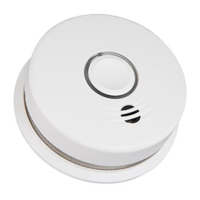
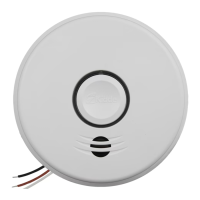
Kidde P4010DCSCO-W
32 pages
Print Icon
To Next Page IconTo Next Page
Loading...
1
INTELLIGENT WIREFREE
Smoke and Carbon Monoxide Alarm User Guide
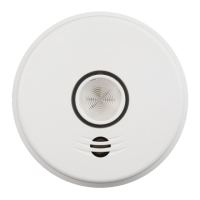
Combination Photoelectric Smoke & Carbon Monoxide Alarm
with Voice and Wireless Interconnect – Battery Operated
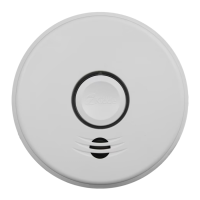
Model P4010DCSCO-W
WIREFREE INTERCONNECT:
You do NOT need a home wi-fi system to use
these units. Multiple wireless units create their
own independent wireless alarm network.
10YEAR SEALED
LITHIUM BATTERY
WIREFREE INTERCONNECT
VOICE ALARM
COMBINATION ALARM

Questions and Answers

  • T
    Tammy RyanAug 3, 2025
    What to do when Kidde P4010DCSCO-W Smoke Alarm signals end of unit life?
    • S
      stevenwilkersonAug 3, 2025
      When your Kidde Smoke Alarm signals the end of its unit life, push and release the Test/Hush button to temporarily silence it. Following this, remove, discharge, and dispose of the unit, and replace it as soon as possible.
  • D
    Daniel BowenAug 10, 2025
    What to do after activating Hush Mode on Kidde Smoke Alarm at the end of its life?
    • D
      Danielle WilliamsAug 10, 2025
      After activating Hush Mode on your Kidde Smoke Alarm at the end of its life, remove, discharge, dispose of the unit, and replace it as soon as possible.
  • G
    gabriellagarciaAug 17, 2025
    What to do if my Kidde P4010DCSCO-W Smoke Alarm has a network error?
    • C
      Courtney OlsenAug 17, 2025
      If your Kidde Smoke Alarm is showing a network error, you can try the following steps: First, push and release the Test/Hush button once to silence the alarm for 24 hours. If that doesn't work, push and hold the Test/Hush button until you hear two beeps (about 4 seconds), then release it to try to rejoin the network. As an alternative, you can push/release the Test/Hush button once and observe the red LED, counting the number of blinks to report to customer service if needed. If the error continues, remove, discharge, and replace the alarm as soon as possible.
  • J
    joycesusanAug 26, 2025
    What to do if my Kidde P4010DCSCO-W Smoke Alarm is in fault mode?
    • O
      obarrettAug 26, 2025
      If your Kidde Smoke Alarm is in fault mode, try cleaning your alarm. Additionally, push the Test/Hush button once to attempt to reset the unit. If problems persist, push the Test/Hush button once and note the number of blinks from the red LED, then report this error code to customer service.

Summary

Smoke Alarm: What To Do When The Alarm Sounds

Carbon Monoxide Alarm: What To Do When The Alarm Sounds

Other Alarm Visual and Audible Indicators

Troubleshooting Guide

Introduction, Product Features & Specifications

Limitations of Smoke and Carbon Monoxide Alarms

Recommended Locations for Smoke Alarms

Locations to Avoid

Activation and Wireless Alarm Network

Setting Up a Wireless Alarm Network

Step-by-step guide to creating a wireless interconnected alarm system.

Adding Another Wireless Device to an Existing Wireless Alarm Network

Instructions for expanding an existing wireless alarm network.

Resetting a Devices Wireless Settings

Procedures for resetting wireless configurations on the alarm.

Operation and Testing

Recognizing Nuisance Alarms

Battery

Permanently Disable Alarm; Discharge Battery

General Carbon Monoxide (CO) Information

Cleaning Your Alarm

Good Safety Habits

FCC Compliance Information

Service and Warranty

Kidde P4010DCSCO-W Specifications

General IconGeneral
BrandKidde
ModelP4010DCSCO-W
CategorySmoke Alarm
LanguageEnglish

Related product manuals