EasyManua.ls Logo

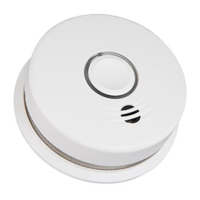
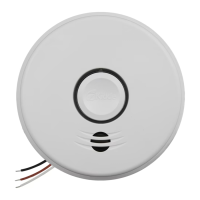
Kidde P4010ACSCO-W - User Manual

Kidde P4010ACSCO-W
34 pages
Print Icon
To Next Page IconTo Next Page
Loading...
1
INTELLIGENT WIREFREE
Smoke and Carbon Monoxide Alarm User Guide
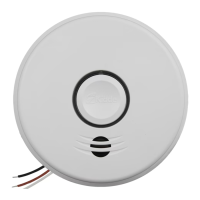
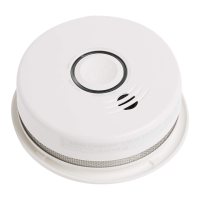
Combination Photoelectric Smoke & Carbon Monoxide Alarm
with Voice and Hardwire/Wireless Interconnect
Model P4010ACSCO-W
WIREFREE INTERCONNECT:
You do NOT need a home wi-fi system to use
these units. Multiple wireless units create their
own independent wireless alarm network.
120V HARDWIRE
10YEAR BATTERY BACKUP
HARDWIRE & WIREFREE
INTERCONNECT
VOICE ALARM
COMBINATION ALARM
P/N: 2556-7201-02 Rev A

Questions and Answers

  • T
    toddchristianAug 12, 2025
    What to do when Kidde Smoke Alarm signals end of unit life?
    • A
      Abigail GutierrezAug 12, 2025
      When your Kidde Smoke Alarm signals the end of its unit life, push and release the Test/Hush button to temporarily silence it. Following this, remove, discharge, and dispose of the unit, and replace it as soon as possible.
  • S
    Sharon BrownAug 16, 2025
    What to do after activating Hush Mode on Kidde P4010ACSCO-W at the end of its life?
    • T
      Thomas SantosAug 16, 2025
      After activating Hush Mode on your Kidde Smoke Alarm at the end of its life, remove, discharge, dispose of the unit, and replace it as soon as possible.
  • B
    brentstoutAug 20, 2025
    What to do if my Kidde Smoke Alarm has a network error?
    • C
      Catherine EvansAug 20, 2025
      If your Kidde Smoke Alarm is showing a network error, you can try the following steps: First, push and release the Test/Hush button once to silence the alarm for 24 hours. If that doesn't work, push and hold the Test/Hush button until you hear two beeps (about 4 seconds), then release it to try to rejoin the network. As an alternative, you can push/release the Test/Hush button once and observe the red LED, counting the number of blinks to report to customer service if needed. If the error continues, remove, discharge, and replace the alarm as soon as possible.
  • A
    aaron91Aug 25, 2025
    What to do if my Kidde P4010ACSCO-W is in fault mode?
    • R
      Ryan PonceAug 25, 2025
      If your Kidde Smoke Alarm is in fault mode, try cleaning your alarm. Additionally, push the Test/Hush button once to attempt to reset the unit. If problems persist, push the Test/Hush button once and note the number of blinks from the red LED, then report this error code to customer service.
  • E
    Evelyn HernandezAug 27, 2025
    What to do if my Kidde P4010ACSCO-W Smoke Alarm has reached the End of Unit Life?
    • A
      Amber BradyAug 27, 2025
      If your Kidde Smoke Alarm signals the end of its life, you can temporarily silence it by pushing and releasing the Test/Hush button. However, you should remove, discharge, and dispose of the unit, replacing it as soon as possible.
  • D
    David CaldwellAug 31, 2025
    What to do when Kidde P4010ACSCO-W Smoke Alarm enters End of Unit Life Hush Mode?
    • D
      Devin BoydAug 31, 2025
      When your Kidde Smoke Alarm is in End of Unit Life Hush Mode (after pushing/releasing the Test/Hush button during End of Life), remove, discharge, and dispose of the unit, then replace it as soon as possible.
  • K
    Kyle JonesSep 4, 2025
    How to fix Network Error on Kidde P4010ACSCO-W by rotating it?
    • B
      benjaminodonnellSep 4, 2025
      If only one of your Kidde Smoke Alarm units is experiencing a Network Error, rotating the alarm on its mounting plate may re-orient the wireless antenna and resolve the problem.
  • D
    daniel48Sep 7, 2025
    Where should I place my Kidde P4010ACSCO-W coordinator to avoid Network Errors?
    • J
      John ThomasSep 7, 2025
      To achieve the best wireless range and minimize Network Errors with your Kidde Smoke Alarm system, place the Coordinator in a central location within your household.

Summary

Smoke Alarm: What To Do When the Alarm Sounds

Carbon Monoxide Alarm: What To Do When the Alarm Sounds

Other Alarm Visual and Audible Indicators

Troubleshooting Guide

Network Error Troubleshooting Tips

Provides steps to resolve network connectivity issues in the wireless alarm system.

Introduction, Product Features & Specifications

Limitations of Smoke and Carbon Monoxide Alarms

Recommended Locations for Smoke Alarms

Mobile Home Installation

Specific guidance for installing smoke alarms in mobile homes, considering insulation and thermal barriers.

Locations to Avoid

Activation and Wireless Alarm Network

Setting Up a Wireless Alarm Network

Step-by-step guide to creating an interconnected wireless alarm network for multiple units.

Adding Another Device to an Existing Wireless Alarm Network

Instructions for integrating additional units into an already established wireless alarm network.

Resetting a Devices Wireless Settings

Procedure to reset wireless settings on a unit, useful for troubleshooting network setup issues.

Wiring Instructions

Wiring Instructions for AC Quick Connect Harness

Details on connecting the alarm using the AC Quick Connect harness, including safety precautions.

Operation and Testing

Operation

Describes how the alarm functions after activation and testing, including response to smoke and CO.

Testing

Instructions for weekly testing of the alarm system to ensure all components are working correctly.

Ambient Light Sensing

Explains how the unit uses ambient light to determine a Night/Day cycle, affecting chirp delays.

Chirping

Discusses reasons for chirping, including End of Unit Life, Network Error, and Low Battery, and silencing options.

Recognizing Nuisance Alarms

Smoke Nuisance

Information on how to identify and silence nuisance smoke alarms caused by non-fire events like cooking.

CO Nuisance

Guidance on how to interpret and respond to carbon monoxide alarm signals, including potential nuisance situations.

Locate

Feature to help identify the initiating alarm unit in an interconnected system by silencing other units temporarily.

Battery Backup

Permanently Disable Alarm; Discharge Battery

General Carbon Monoxide (CO) Information

Possible Sources of CO

Identifies common household appliances and situations that can produce dangerous levels of carbon monoxide.

Transient CO Situations

Explains environmental conditions and appliance interactions that can lead to temporary carbon monoxide spikes.

CO Safety Tips

Provides essential advice on maintaining fuel-burning appliances and ensuring proper ventilation for CO safety.

Symptoms of CO Poisoning

Details the various symptoms associated with mild, medium, and extreme carbon monoxide exposure.

Cleaning Your Alarm

Good Safety Habits

Develop and Practice a Plan of Escape

Guidance on creating and practicing home escape plans, including meeting points and evacuation rules.

Fire Prevention

Offers tips on preventing fires, such as safe cooking practices, avoiding smoking in bed, and fire extinguisher use.

Service and Warranty

Ten-Year Limited Warranty

Details the manufacturer's warranty coverage, terms, and conditions for the alarm system.

Questions or For More Information

Provides contact information for customer support, including phone number and website for inquiries.

Kidde P4010ACSCO-W Specifications

General IconGeneral
Test/Silence ButtonYes
LED IndicatorYes
Voice AlarmYes
Smart FeaturesNo
Alarm Sound85 dB at 10 feet
Hush FeatureYes
Mounting TypeCeiling or Wall
ColorWhite
TypeSmoke & Carbon Monoxide Alarm
Power SourceHardwired with Battery Backup
Sensor TypePhotoelectric
Alarm TypeAudible
InterconnectivityWireless interconnectivity
Battery BackupYes, 9V battery

Related product manuals