EasyManua.ls Logo

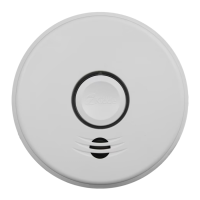
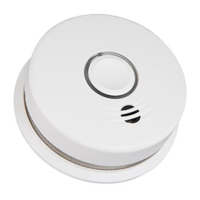
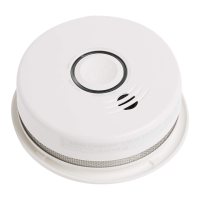
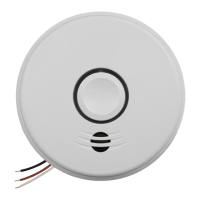
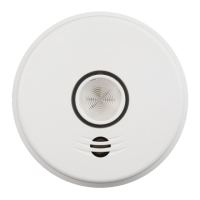
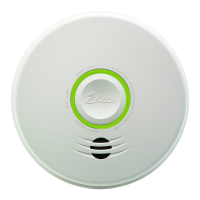
Kidde P4010DCS-W - User Manual

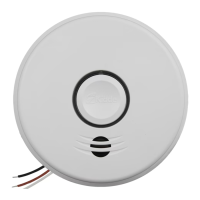
Kidde P4010DCS-W
28 pages
Print Icon
To Next Page IconTo Next Page
Loading...
1
INTELLIGENT WIREFREE
Smoke Alarm User Guide
Photoelectric Smoke Alarm
with Voice and Wireless Interconnect – Battery Operated
Model P4010DCS-W
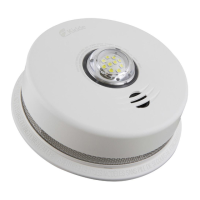
Model P4010LDCS-W (Safety Light)
WIREFREE INTERCONNECT:
You do NOT need a home wi-fi system to use
these units. Multiple wireless units create their
own independent wireless alarm network.
10YEAR SEALED
LITHIUM BATTERY
WIREFREE INTERCONNECT
VOICE ALARM
SMOKE ALARM

Questions and Answers

  • B
    Brittany HuffJul 28, 2025
    What to do if my Kidde Smoke Alarm has a low battery?
    • J
      John CooperJul 29, 2025
      If your Kidde Smoke Alarm indicates a low battery, promptly remove, discharge, and dispose of the unit. Replace it with a new one as soon as possible.
  • M
    Mary SilvaAug 3, 2025
    What to do when Kidde P4010DCS-W Smoke Alarm signals end of life?
    • H
      handersonAug 3, 2025
      When your Kidde Smoke Alarm signals the end of its unit life: * Push and release the Test/Hush button to temporarily silence it. * Remove, discharge, dispose of the unit, and replace it as soon as possible.
  • C
    Christine WallaceAug 9, 2025
    What to do after activating the End of Unit Life Hush Mode on my Kidde P4010DCS-W Smoke Alarm?
    • Y
      yacostaAug 9, 2025
      After activating the End of Unit Life Hush Mode on your Kidde Smoke Alarm by pushing/releasing the Test/Hush button, remove, discharge, and dispose of the unit. Replace it with a new one as soon as possible.
  • C
    Christopher BushAug 15, 2025
    What to do if my Kidde P4010DCS-W Smoke Alarm shows a network error?
    • N
      Nichole SimsAug 15, 2025
      If your Kidde Smoke Alarm is showing a network error, you can try the following steps: * Press and release the Test/Hush button once to silence the alarm for 24 hours. Note the error code (number of blinks) indicated by the red LED when the Test/Hush button is pushed/released, and report it to customer service if needed. * Push and hold the Test/Hush button until you hear two beeps (approximately 4 seconds), then release it to attempt to rejoin the network. Alternatively, try resetting the alarm and then rejoining the network. * If the error continues, remove, discharge, and replace the alarm as soon as possible.
  • K
    Kelly HammondAug 22, 2025
    How to fix fault mode on a Kidde Smoke Alarm?
    • S
      stephaniehicksAug 22, 2025
      To address a fault mode on your Kidde Smoke Alarm: * Refer to the Cleaning Your Alarm section. * Push the Test/Hush button once to attempt to reset the unit. * When the Test/Hush button is pushed/released, the red LED will blink an error code (number of blinks). If needed, report the number of blinks to customer service.

Summary

Smoke Alarm: What To Do When the Alarm Sounds

Carbon Monoxide Alarm: What To Do When the Alarm Sounds

Other Alarm Visual and Audible Indicators

Troubleshooting Guide

Introduction, Product Features and Specifications

Limitations of Smoke Alarms

Recommended Locations for Smoke Alarms

Locations to Avoid

Activation and Wireless Alarm Network

Setting Up a Wireless Alarm Network

Guide on creating a new interconnected wireless alarm network.

Adding Another Wireless Device to an Existing Wireless Alarm Network

Instructions for expanding an existing wireless alarm network with new devices.

Resetting a Devices Wireless Settings

Steps to reset wireless network configurations on a device due to setup issues.

Operation and Testing

Recognizing Nuisance Alarms

Battery

Permanently Disable Alarm; Discharge Battery

Cleaning Your Alarm

Good Safety Habits

Develop and Practice a Plan of Escape

Guidance on creating and practicing a home fire escape plan for family safety.

Fire Prevention

Tips for preventing fires, including safe practices with matches, cooking, and smoking.

Service and Warranty

Kidde P4010DCS-W Specifications

General IconGeneral
ModelP4010DCS-W
TypeSmoke Alarm
SensorPhotoelectric
Hush FeatureYes
Test ButtonYes
Voice AlarmYes
Tamper ResistantYes
Smart FeaturesNo
Alarm Sound85 dB at 10 feet
LED IndicatorYes
MountingCeiling or wall
Weight0.5 lbs
ComplianceUL 217
InterconnectivityYes
Battery Backup10-Year Sealed Battery
Dimensions5.59 x 5.59 x 1.91 inches

Related product manuals