5-16 Application Operation PLZ-U
5.8 Key Lock Function
You can lock the keys so that settings, memory, and sequence cannot be changed.
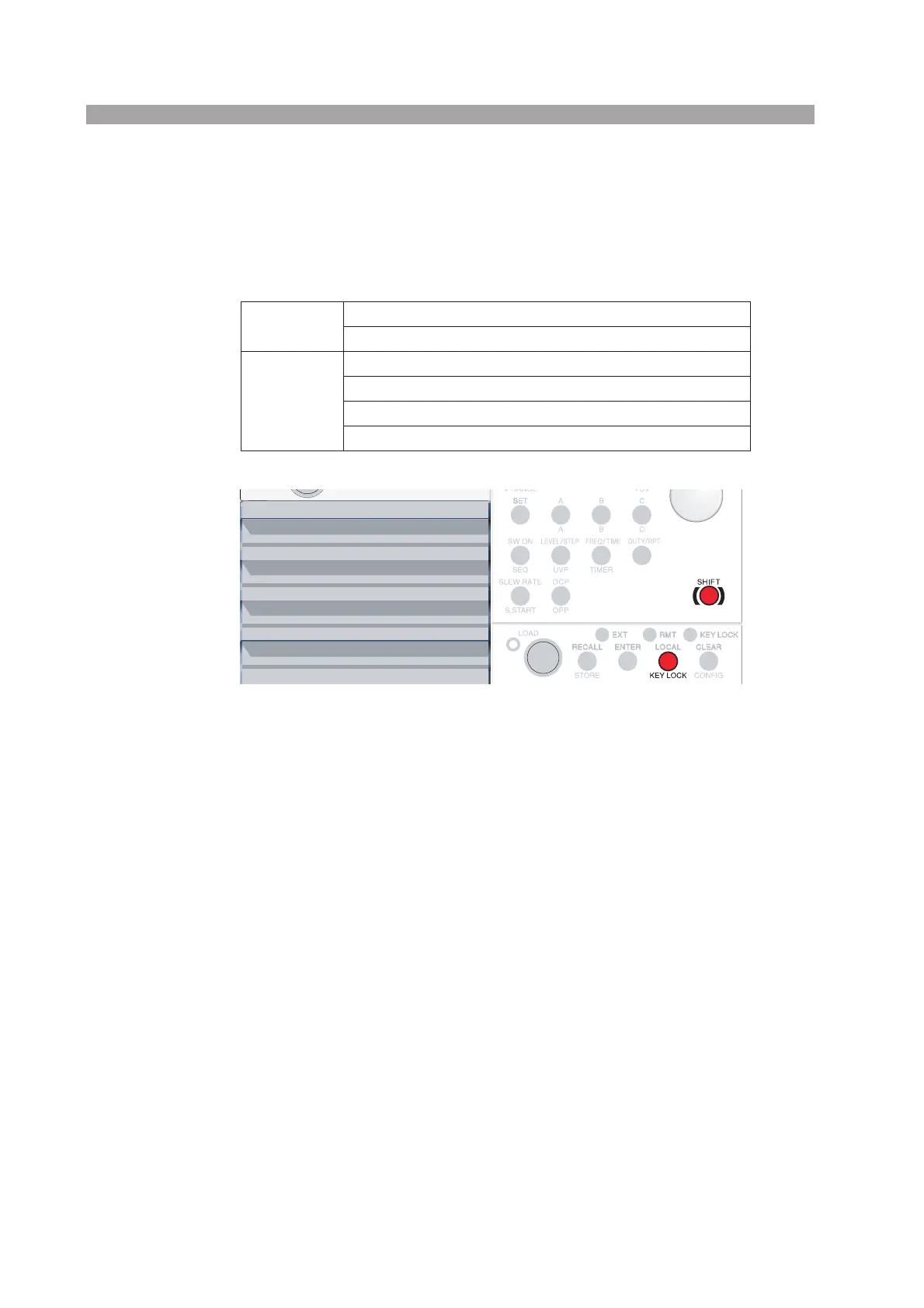
The table below lists the keys that are operational even in a key locked condition.
Table5-1 Keys that are operational in a key locked condition
Fig. 5-12 Keys for the key lock function
■ Setting the key lock
Press the KEY LOCK (SHIFT + LOCAL) key.
The KEY LOCK LED illuminates and the keys are locked.
■ Clearing the key lock
Hold down the KEY LOCK (SHIFT + LOCAL) key until the KEY LOCK LED
turns off. When the KEY LOCK LED turns off, the key lock is cleared.
Channel
LOAD key (turn the load on/off)
DISP key (switch the display)
Frame
LOAD key (turn the load on/off)
CLEAR key (clear alarms)
KEY LOCK (SHIFT + LOCAL) key (clear key lock)
LOCAL key (release RMT)


 To Next Page