Need help?
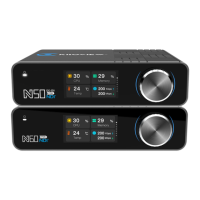
Do you have a question about the Kiloview N60 and is the answer not in the manual?
Instructions for connecting the video input source to the N60.
Guidance on connecting the N60 to a network.
Steps for connecting the power adapter or PoE to the N60.
Explains how to set and view the N60's Encoder or Decoder working mode.
Steps for accessing the N60's web interface via Ethernet.
How to configure IP address, gateway, and DNS settings for the N60.
How to discover and connect to NDI streams using NDI-enabled software.
How to configure NDI encoding parameters like protocol and channel name.
Configuring basic NDI parameters like group, channel name, and quality.
How the N60 automatically discovers and lists available NDI sources.
 General
| Brand | Kiloview |
|---|---|
| Model | N60 |
| Category | Media Converter |
| Language | English |

 To Next Page