Page 20
Perform the programming steps on these two pages using the codes determined from the chart on
page 19 (EXCEPT DIRECTV SD SERVICE - SEE BOX BELOW).
DIRECTV SD Service Only!
Set your receiver as shown in this box.
If you have a newer receiver or current software, choose the following dish confi guration
settings (do this through the receiver’s satellite set-up menu screens):
Switch Type: 02:Multiswitch Dish Type: 01: 18” Round
If you have an older receiver, choose round dish-1 satellite.
Confi guration is complete. Go to page 26.
SET SATELLITE SWITCHING MODE
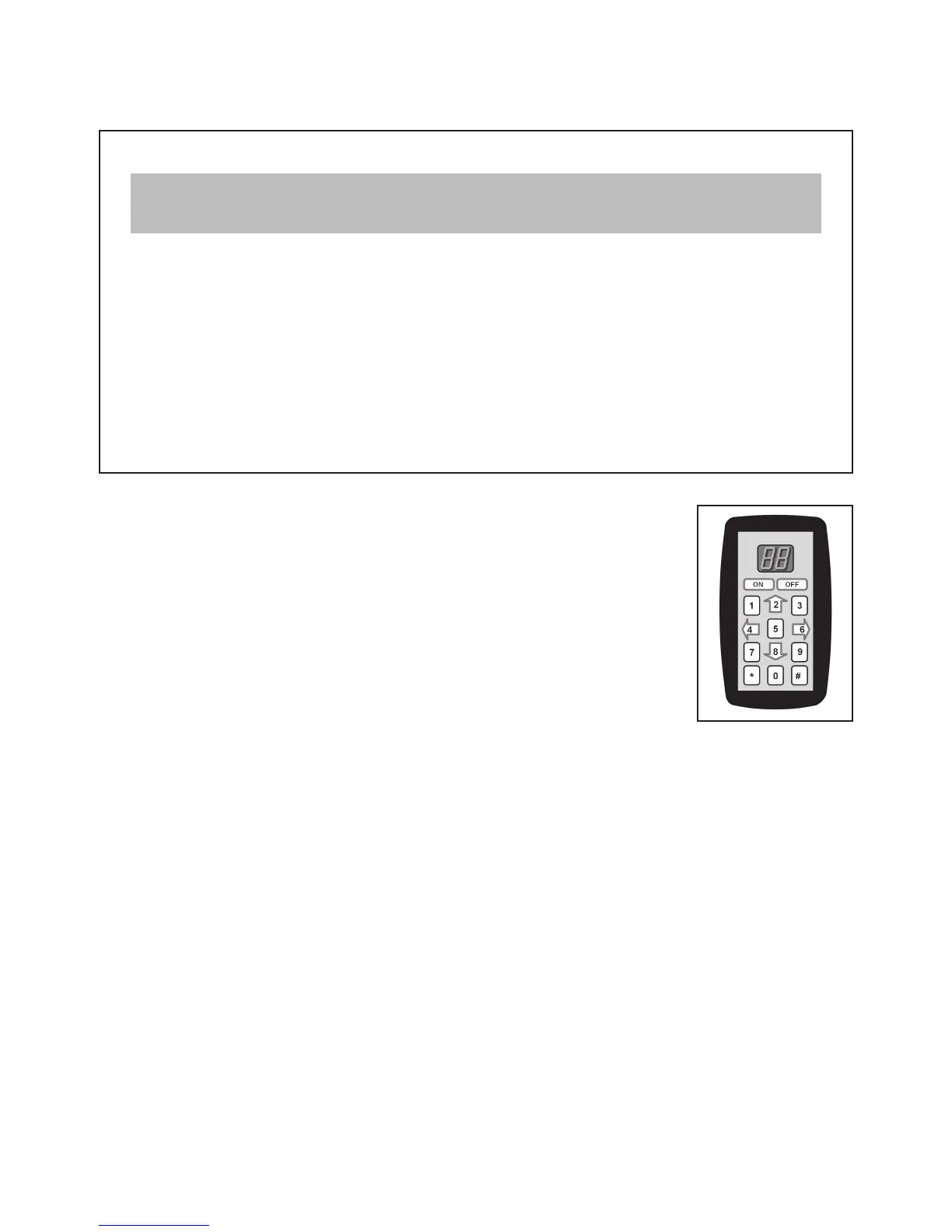
1. Unplug the controller and plug in the Keypad.
2. Press ON.
3. Press * 46 # to display the current satellite switching mode.
4. To change the satellite switching mode, press * 96 #
* 66 #
* 88 #
5. Press the UP and DOWN arrows (2 and 8 keys) to choose your desired switching mode from
the chart on page 19.
6. Press * 47 # to lock in setting.
7. Turn unit OFF and back ON to save setting.
8. Press * 46 # to display and verify setting for new satellite switching mode.
9. Continue with SET SERVICE PROVIDER CODE on next page.
The KING Dome is factory pre-set for the DIRECTV 101 satellite. Unless the antenna has been
confi gured for another option since leaving the factory, do the following:



 To Next Page