Page 24
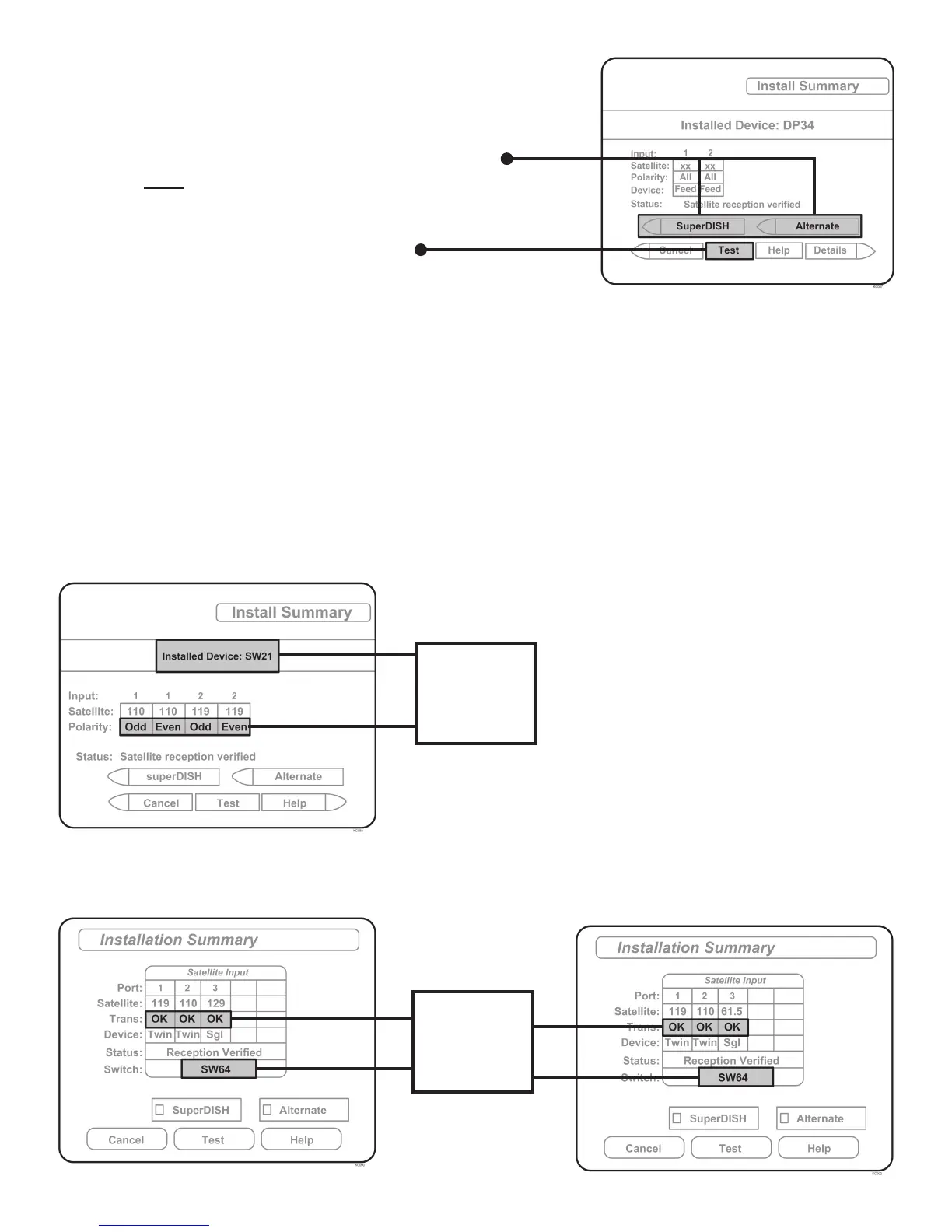
NOTE: Not all receivers will display a screen with
options that include “SuperDISH” and “Alternate”
boxes.
5. Make sure “SuperDISH” and “Alternate” boxes
are NOT selected.
6. Highlight “Test” and press SELECT.
The receiver will perform a check switch test, during which time the antenna will periodically
move back and forth between satellites. This process will take several minutes.
7. When test is complete, a screen similar to one below or on the next page should appear.
After screen verifi cation, continue with check switch test on next page.
Because receivers are always changing, screen graphics may vary.
DISH SD
DISH SD and HD Alternate
DISH SD and HD
NO “X”s
MUST SHOW
“SW64”
MUST SHOW
“SW21”
NO “X”s



 To Next Page