Page 25
Bell TV SD Bell TV SD and HD
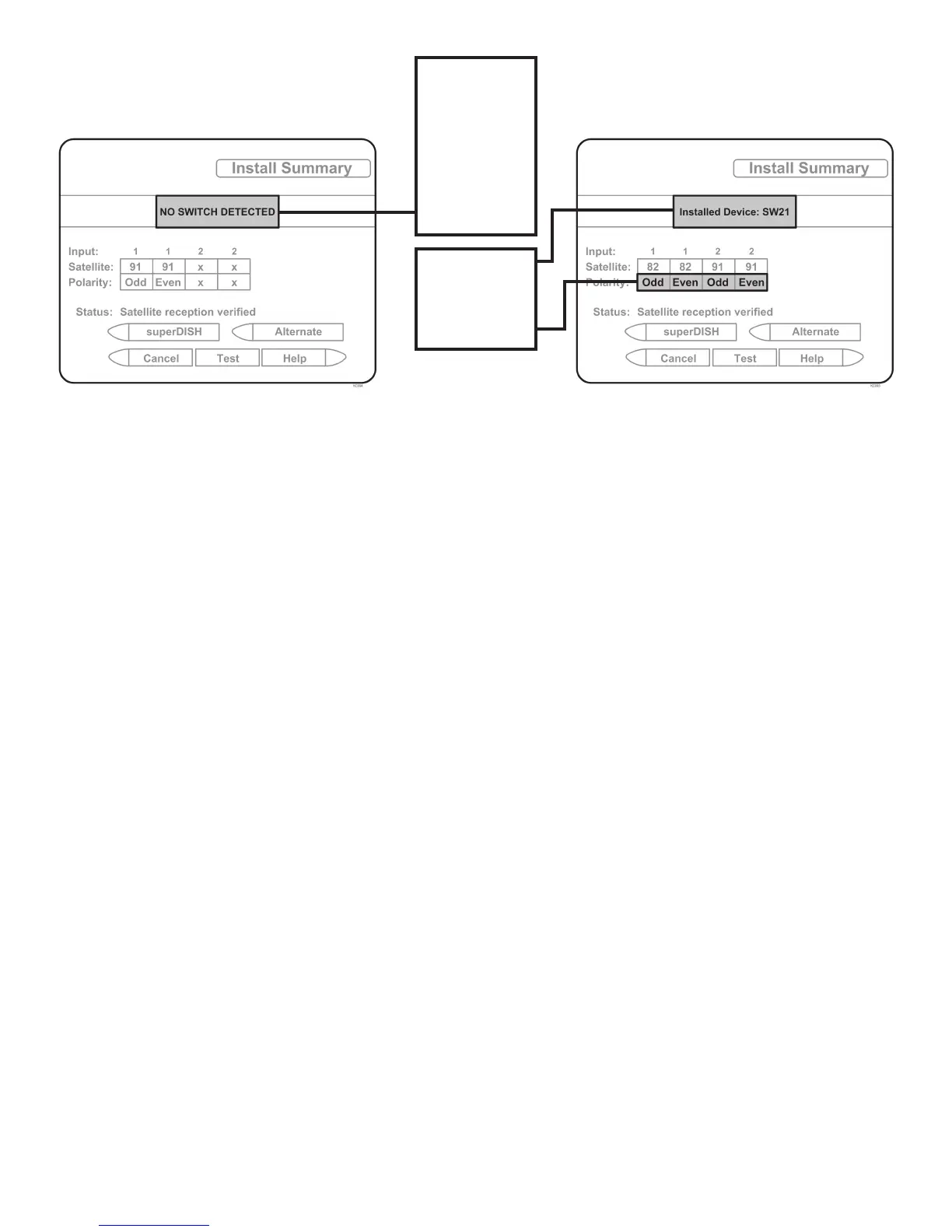
MUST SHOW
“SW21”
NO “X”s
“NO SWITCH
DETECTED”
or
“INSTALLED
DEVICE
UNKNOWN”
or
similar
If indicated results are not obtained, go back to Step 3 and run test again. Contact KING if the
check switch fails to load after 4 attempts.
8. When the installation summary shows the successful check switch test results, save the
settings, exit to the main menu screen and wait for programming to download.
9. DISH SD and HD and DISH SD and HD Alternate only: Verify that your saved settings show
your desired satellite trio: 61.5, 110, 119 or 110, 119, 129.
Confi guration is complete. Go to page 26, OPERATION.



 To Next Page