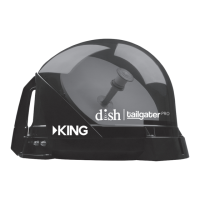
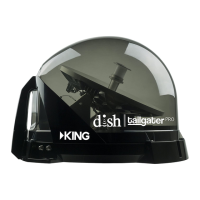
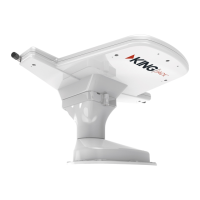
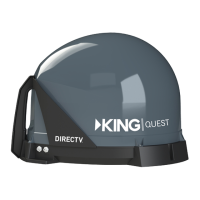
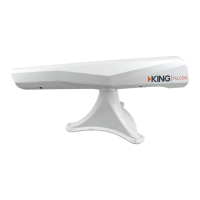
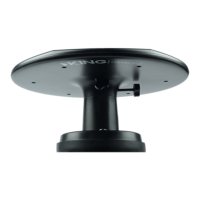
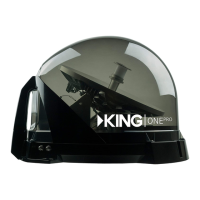
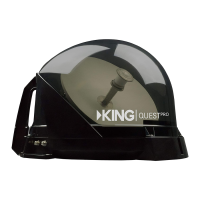
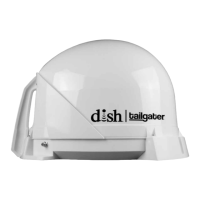
The DISH Tailgater DT4400 and DT4450 are portable HDTV satellite antenna systems designed to provide DISH satellite television programming on the go. This system allows users to experience high-quality picture and sound wherever they travel, making it ideal for RVs, tailgating, camping, or other outdoor activities. The antenna unit is designed for portability and ease of setup, with features that facilitate quick signal acquisition and connection to a DISH HD Solo Receiver.
Function Description
The primary function of the DISH Tailgater is to automatically locate and acquire satellite signals from DISH Network, providing access to television programming. The system is designed to work with DISH HD Solo Receivers, such as the Wally, ViP 211z, ViP211k, ViP211, or 411 models. Once connected and activated, the Tailgater automatically scans for and locks onto the appropriate satellites (typically the 61.5°, 110°, 119°, and 129° west longitudes, depending on the user's location and selected satellite trio). This automatic scanning capability simplifies the setup process, as users do not need to manually aim the antenna. The system is capable of switching between satellites as channels are changed, ensuring an optimal viewing experience.
For new and unactivated receivers, the initial setup involves pairing the remote control, selecting display resolution, and configuring the mobile antenna. Users must select their current state and the appropriate satellite mode (e.g., 110, 119, 129 trio or 61.5, 110, 119 trio) to ensure proper signal acquisition. After the antenna scans for satellites and acquires signals, the receiver will download necessary software updates and the program guide. Activation of the receiver requires a call to DISH customer service. Once activated and the guide is downloaded, live TV programming becomes available.
The Tailgater requires an unobstructed view of the southern sky for optimal signal reception. Obstructions such as trees, buildings, or vehicles can block the satellite signal and interrupt programming. The antenna unit should be placed on a stable and reasonably level surface, with its handle pointed approximately north to speed up the initial scan time.
Usage Features
The DISH Tailgater is designed for user convenience with several key features:
- Portability: Its compact and durable design makes it easy to transport and set up in various outdoor environments.
- Automatic Satellite Acquisition: The antenna automatically finds and locks onto DISH satellites, eliminating the need for manual aiming. This is a significant advantage over traditional satellite dishes that require precise alignment.
- Receiver Compatibility: It is compatible with specific DISH HD Solo Receiver models, ensuring seamless integration with DISH programming.
- Flexible Placement: The unit can be placed on the ground, on a picnic table, or permanently mounted on an RV roof (with optional accessories). When placed on the ground, it comes with three rubber feet to protect surfaces and provide stability.
- Quick Setup for Activated Receivers: For receivers that have already been activated, the standard operation involves powering on the equipment, navigating to the Mobile Antenna Setup screen, selecting the state and satellite mode, and initiating a scan. This process quickly restores programming if the unit has been moved or if signal is lost.
- Troubleshooting Guidance: The manual provides a comprehensive troubleshooting section to address common issues such as "SmartCard Not Inserted," remote control problems, complete signal loss, and missing channels, offering clear steps to resolve them.
- Security: The antenna unit includes a handle that can be used to loop a security cable through, allowing users to secure the Tailgater to an object to prevent theft. An optional KING AL1000 Alarm is also available for enhanced security.
- Accessories: A range of optional accessories enhances the usability of the Tailgater, including a tripod mount (TR1000) for elevated placement, a carry bag (CB1000) for protection and transport, removable mounting feet (MB600) for semi-permanent roof installation, and a quick release roof-mount kit (MB700) for flexible roof or portable use. Roof mounting accessories like the MB500 and MB160 brackets are also available.
Maintenance Features
Proper care and maintenance ensure the longevity and optimal performance of the DISH Tailgater:
- Gentle Handling: Users are advised to handle the unit carefully, avoiding drops, excessive shock, or vibration. It should always be carried by its handle.
- Cleaning: The Tailgater should not be power washed or submerged in water. It should be hand washed only with mild soap and water to keep the enclosure free from dirt, bugs, and debris.
- No Unauthorized Modifications: Removing the cover without authorization will void the Limited Warranty. Users should also avoid coating or painting the unit with any substance.
- Avoid Obstructions and Heat Sources: The unit should not be stacked on or below other electronic devices, as this can cause heat buildup or block the satellite signal. It should also not be operated near indoor or outdoor heat sources.
- Cable Management: Coax cable connections should be hand-tightened to prevent damage. Sharp bends or kinks in the coax cable should be avoided, and the cable should be routed safely to prevent tripping hazards or damage from vehicles.
- Regular Operation for Longevity: If the Tailgater is not used for extended periods, it is recommended to set up the system quarterly (every three months) to keep all moving parts in good working order.
- Roof Installation Considerations: For roof-mounted units, installers are responsible for using appropriate fasteners and roof-compatible sealant to weatherproof all holes (except drain holes). The sealant must not block the unit's drain holes. The antenna unit should be mounted on a stable, level surface on the vehicle's centerline, with the handle facing the rear, and free from line-of-sight obstructions.
- Software Updates: While the system automatically downloads software updates, users should be aware that changes to satellite services or software updates to address such issues are not covered under warranty.
- Reauthorization: If the system is inactive for an extended period, users may need to call DISH Customer Service to reauthorize their receiver, especially if an "013 error message" appears.


 To Next Page
 General