___
Kingdom One Touch
7. Utility
7-1. Information
You can check the information of disc, drive and system. By pressing / , each disc
or drive’s information will show on the LCD.
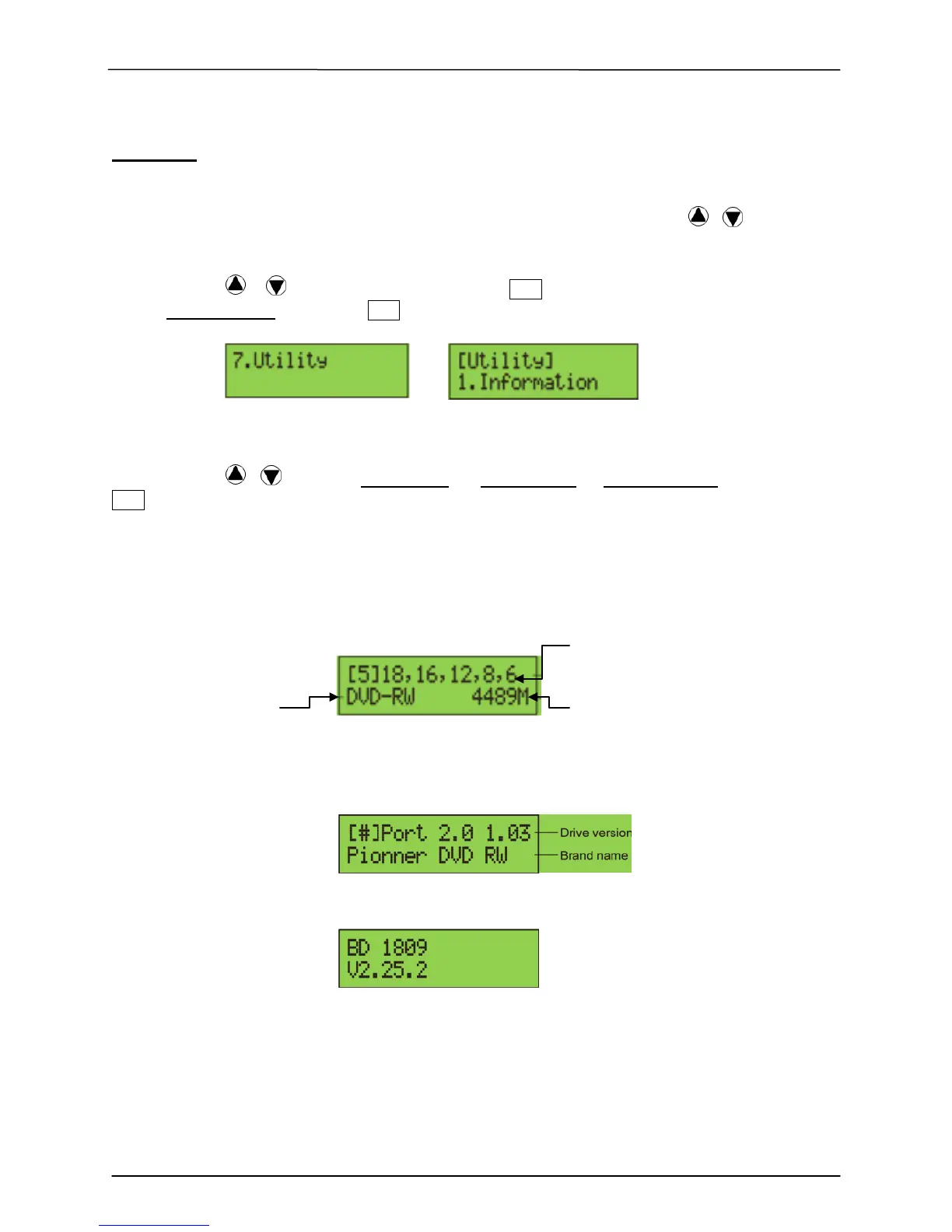
1. Using / to select 7.Utility, press ENT to enter the sub menu. Then,
select 1.Information and press ENT
2. Using / to select 1.Disc Info. or 2.Drive Info or 3.System Info., and press
ENT to see the related information.
3. The information will show on the LCD as below:
Disc Info: You can check the format of disc, burning speed supported and total capacity.
If the disc has data inside, you also can check the size of data.
Burning Speed
Disc Format Capacity/Data Size
Drive Info. The version, model No. and brand name can be checked here.
System Info: The model number and firmware version can be checked here.


 To Next Page