___
Kingdom One Touch
Chapter 4. System Overview
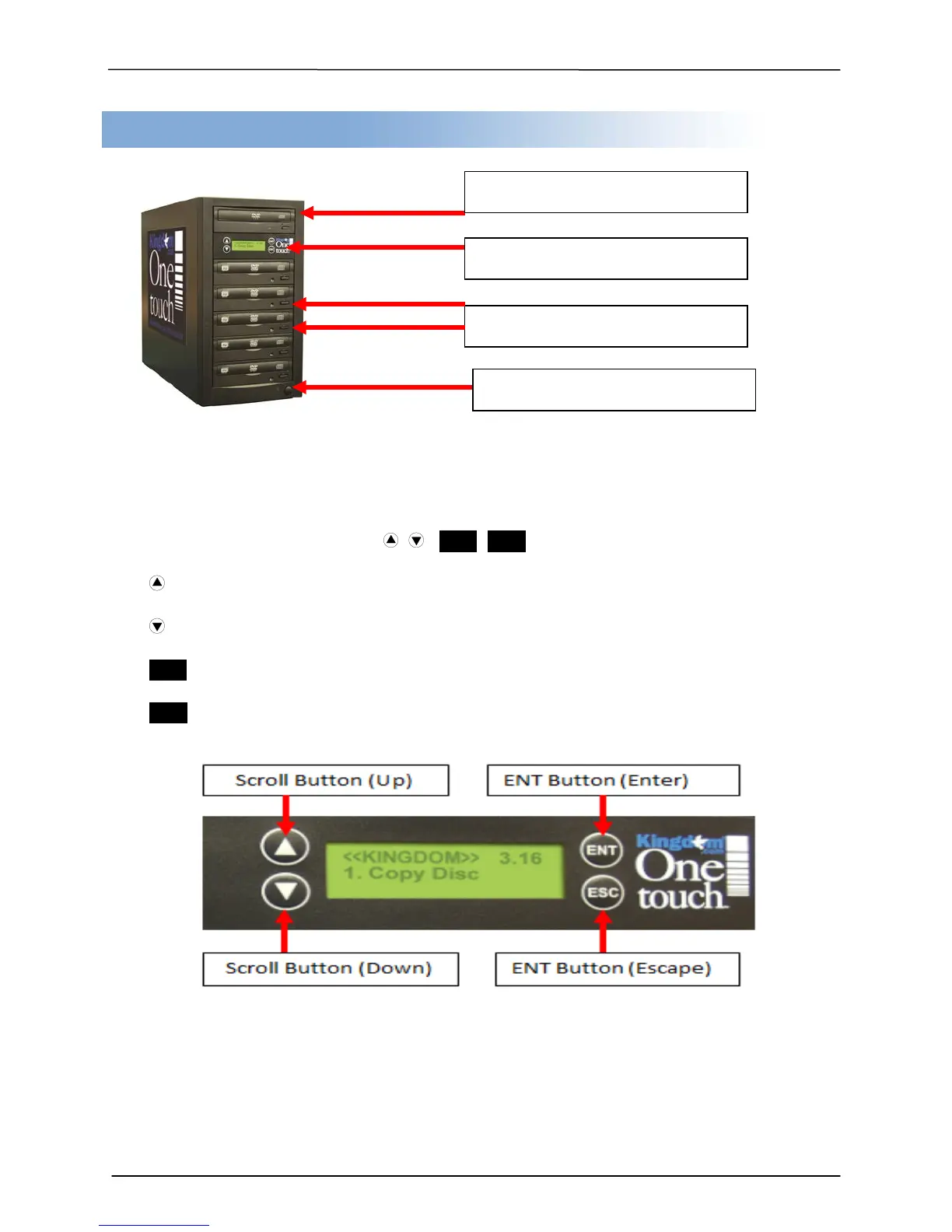
Control Buttons
There are 4 control buttons: , , ENT, ESC
: UP; Backward; Use this button to navigate backward in the menu.
: Down; Forward; Use this button to navigate forward in the menu.
ENT : Enter, Execute or Select the function
ESC : Escape, Go back to previous function
LCD panel & Control Buttons
Power Button (On and Off)


 To Next Page