___
Kingdom One Touch
8. Setup
8-1. Auto Start Time
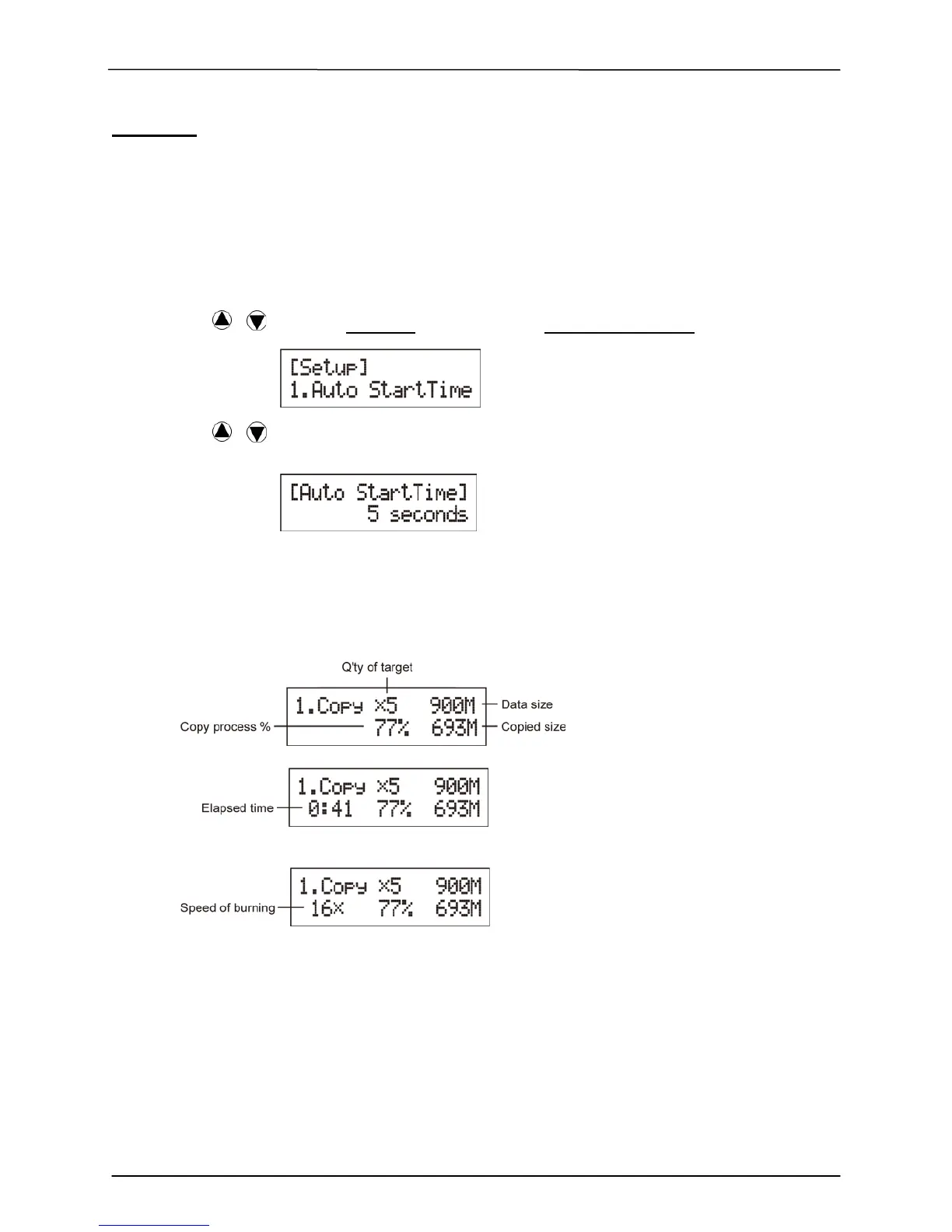
This setting will allow the system to do the Copy, Test, Compare and Copy + Compare
functions automatically in a few seconds once the source and blank discs are placed in
the tray and detected by the system. The default setting is 5 seconds. You can set a
longer/shorter time from 1 to 99 seconds or set OFF to disable this function and execute
copy task by manual.
1. Pressing / to select 8. Setup and sub menu 1. Auto Start Time.
2. Pressing / to set the time.
8-2. Display Mode
You can select the preferred display mode in Copy, Test, Compare,
Copy+Compare.
Basic: It will only show the copy process (%) on LCD.
Show Timer: It will show the time for copy.
Show Speed: It will show the speed of burning during copy process.
8-3. Button Beep
This setting will allow you to set up to hear a beep when a button is pressed or not.


 To Next Page