___
Kingdom One Touch
Chapter 1. Quick Start Guide
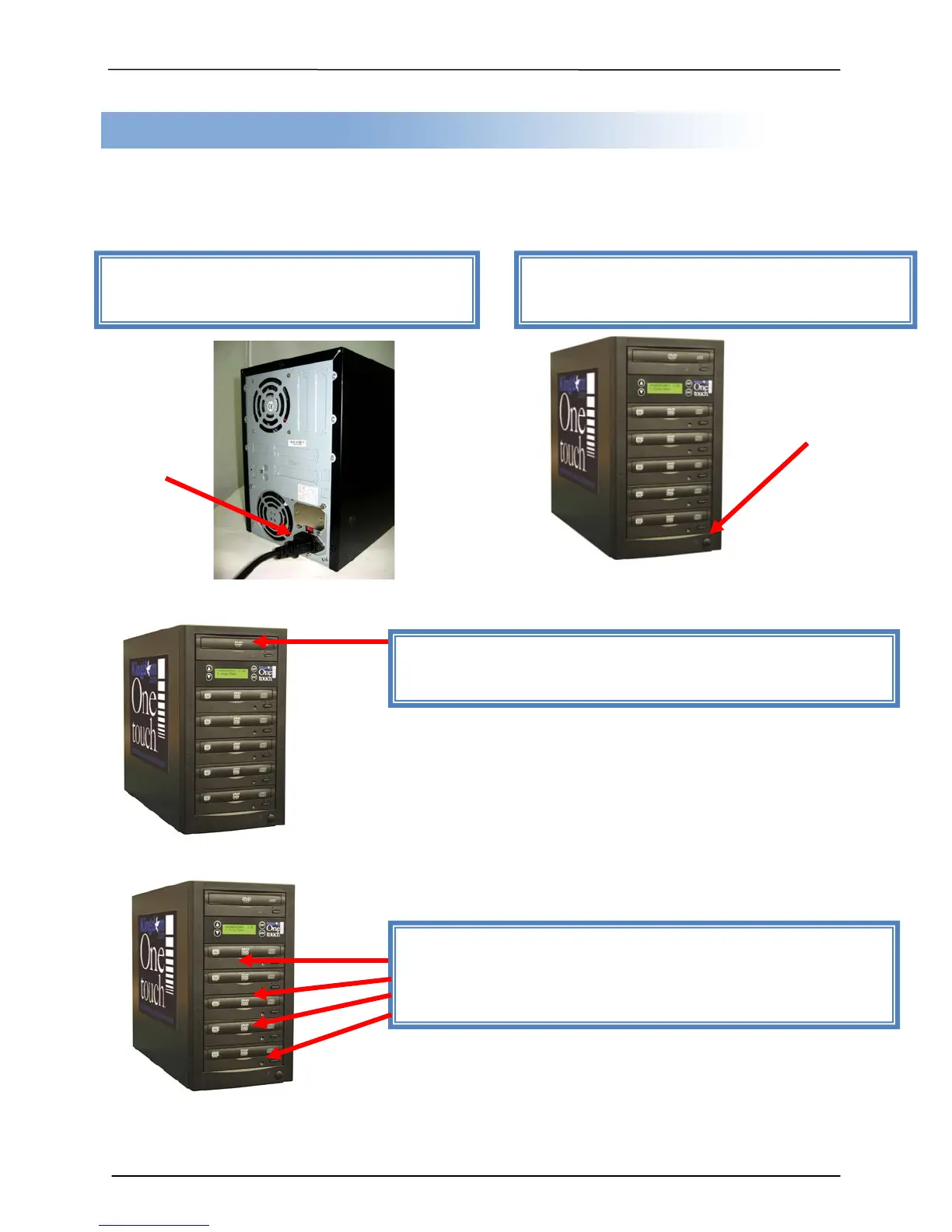
Duplicating (Copying) from Disc to Disc is the most frequently used function of the
system. This procedure provides step-by-step instructions for making duplicates from a
Master Disc.
(Photos of 5-target duplicator are used in the manual)
Step 1: Plug in power cord to back of the
unit.
Step 2: Turn on power button and wait for
LCD to read “1. Copy”.
Step 3: Eject reader tray (top drive) and insert source
disc. Close reader tray.
Step 4: Eject Recorder tray(s) and insert the blank
disc(s). Close Recorder tray(s). Duplication will start
automatically in 5 seconds.


 To Next Page