10V1.4
12. ADJUSTING THE TEMPERATURE
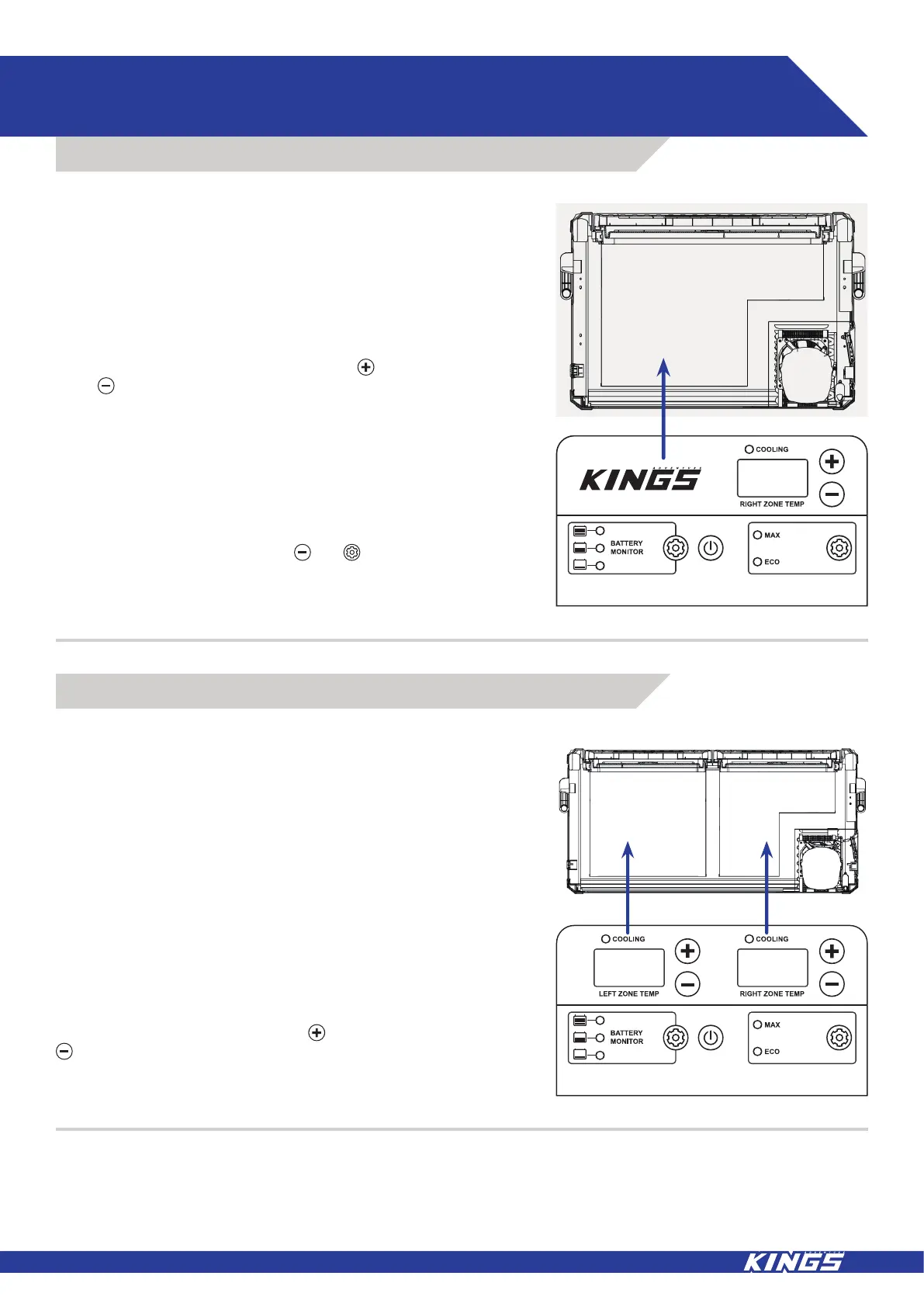
The Temperature Controller provides the ability to set the desired
temperature level and displays information on the cabinet and set
temperature.
When your appliance is first connected to AC or DC input the digital
read out will show the current cabinet temperature, to adjust the
temperature follow these steps:
To increase the cabinet temperature press and to decrease
press until the desired temperature is reached. Once selected
the display will flash a number of times before returning to the
current temperature.
The electronic controller has been programmed to maintain an
average of the set temperature. The compressor will start up when
the internal cabinet temperature increases 0.5 to 1.5 degrees
above that selected and will run until the temperature is 0.5 to 1.5
degrees below the set temperature.
When the appliance is on, press the and buttons at the same
time to switch back and forth between Celsius and Fahrenheit.
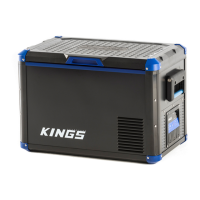
The Temperature Controller provides the ability to set the desired
temperature level and displays information on the cabinet and set
temperature.
The controller has been programmed to maintain an average of the
set temperature. The compressor will start up when the internal
temperature increases 0.5 to 1.5 degrees above the selected
temperature and will run until the temperature is 0.5 to 1.5 degrees
below the set temperature.
When your appliance is first connected to the AC or DC input the
digital readout will show the current temperature - the temperature
shown on the “LEFT ZONE TEMP” display corresponds to the
larger left zone compartment, the temperature on the “RIGHT
ZONE TEMP” display corresponds to the stepped right zone
compartment.
To increase the temperature press and to decrease press
until the desired temperature is reached. Once selected the
display will flash a number of times before returning to the current
temperature.
12.1 SINGLE ZONE
12.2 DUAL ZONE



 To Next Page