9 V1.4
9. POWERING ON
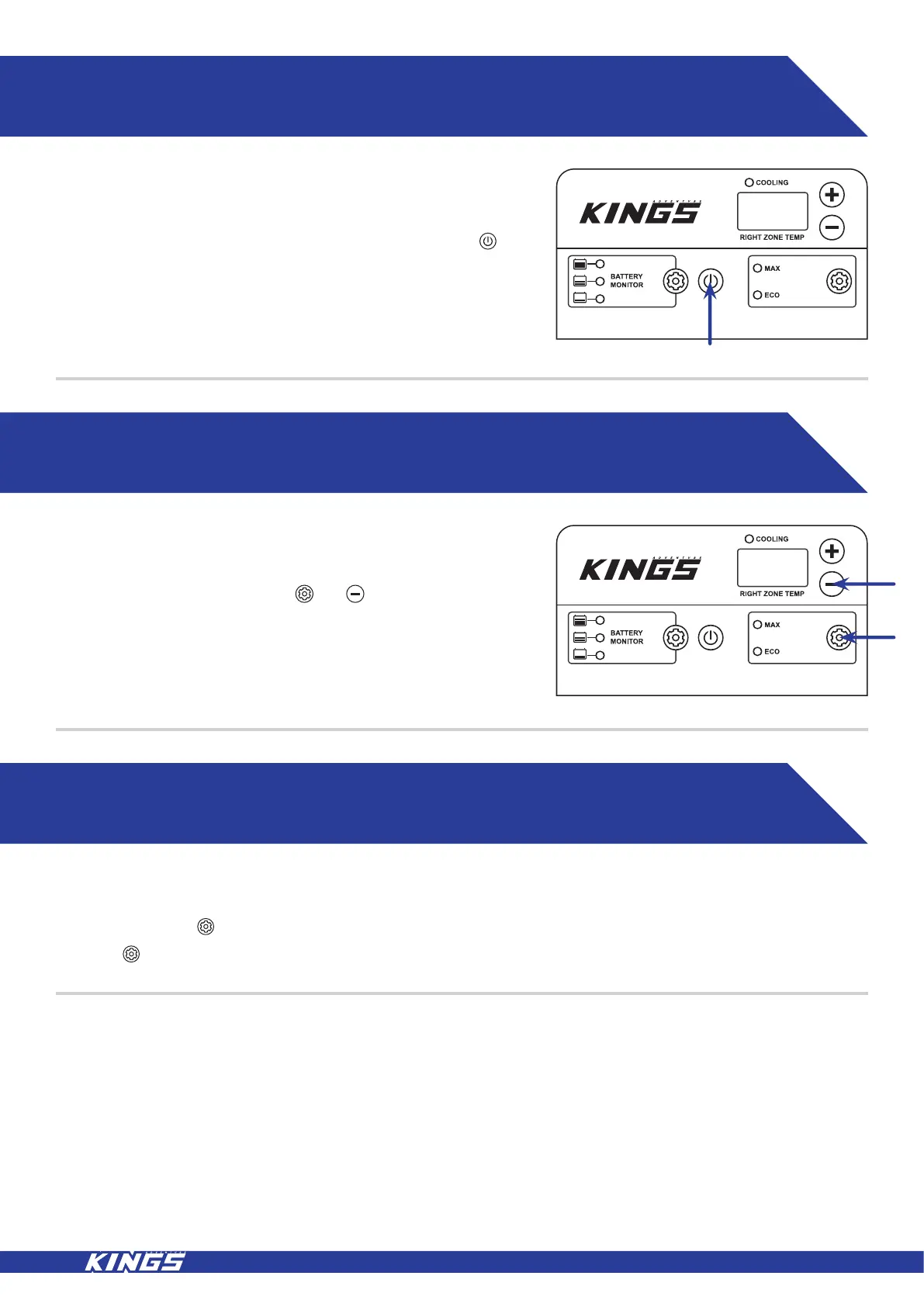
Connect to the desired input voltage and press and hold the
button for 2-3 seconds to turn the unit on, the display will show the
current internal fridge temperature.
10. CELSIUS/FARENHEIT FUNCTION
11. MAX/ECO FUNCTION
When the appliance is on, press the and buttons (positioned
at right side of control panel) at the same time to enter the Celsius
and Fahrenheit function menu.
This function allows the compressor speed to be slowed down to increase operating efficiencies (ECO) or increase the
compressor speed to provide “quick” cool down time (MAX).
To operate press the button to commence the “economy” operation mode, the ECO indicator will illuminate.
Press the button again to select the MAX operating mode. The MAX indicator red light will illuminate.



 To Next Page