EasyManua.ls Logo

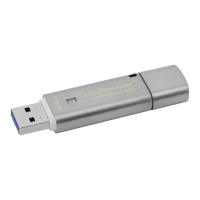
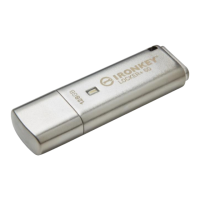
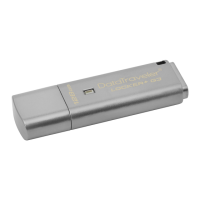
Kingston Technology DataTraveler Locker+ Generation 3 DTLPG3 - User Manual

Kingston Technology DataTraveler Locker+ Generation 3 DTLPG3
299 pages
Print Icon
To Next Page IconTo Next Page
Loading...
Installation Guide
DataTraveler Locker+ Generation 3
Find the language and latest documentation for your Kingston
®
DTLPG3 here.
DTLPG3 Installation Guide
Simplied Chinese .....
Traditional Chinese ....
............ For instructions in English
. . . . . . . . . . . . . . . . . . Para instrucciones en español
......... Für Anleitungen in Deutsch
. . . . . . . . . . . . . . . . . . Pour des instructions en français
. . . . . . . . . . . . . . . . . . Per le istruzioni in italiano
............Por as instruções em português
. . . . . . . . . . . . . . . . . . Instrukcje w jezyku polskim
. . . . . . . . . . . . . . . . . . Для инструкции на русском
. . . . . . . . . . . . . . . . . . Japanese
. . . . . . . . . . . . . . . . . . Thai

Table of Contents

Question and Answer IconNeed help?

Do you have a question about the Kingston Technology DataTraveler Locker+ Generation 3 DTLPG3 and is the answer not in the manual?

Summary

About This User Guide

System Requirements

Recommendations

Setup (Windows Environment)

Device Initialization (Windows Environment)

Guides through the process of initializing the DTL+ G3 on Windows.

Device Usage (Windows Environment)

Explains how to operate the DTL+ G3 after initialization on Windows.

Device Options (Windows Environment)

Details available settings and features for the DTL+ G3 on Windows.

Setup (Mac Environment)

Device Initialization (Mac Environment)

Guides through the process of initializing the DTL+ G3 on Mac.

Device Usage (Mac Environment)

Explains how to operate the DTL+ G3 after initialization on Mac.

Device Options (Mac Environment)

Details available settings and features for the DTL+ G3 on Mac.

Help and Troubleshooting

Device Lockout

Details the device lockout feature and its implications for access.

Forgot Password

Steps to follow if the user forgets their password, including data loss.

Drive Letter Conflict (Windows Operating Systems)

Kingston Technology DataTraveler Locker+ Generation 3 DTLPG3 Specifications

General IconGeneral
BrandKingston Technology
Product LineDataTraveler
CategoryUSB Flash Drive
Capacity Options8GB, 16GB, 32GB, 64GB
InterfaceUSB 3.0
Hardware EncryptionYes
Password ProtectionYes
Read Speed (Max)Up to 135MB/s
Write Speed (Max)Up to 40MB/s
Operating Temperature0°C to 60°C
Storage Temperature-20°C to 85°C
ModelDTLPG3
CompatibilityWindows, Mac, Linux
Warranty5 years

Related product manuals