
 Need help?
Do you have a question about the Kingston Technology IronKey Locker Plus 50 and is the answer not in the manual?
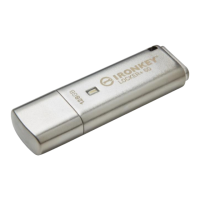
Overview of the key features of the Kingston IronKey Locker+ 50 USB flash drive.
Lists the necessary hardware and software for using the IronKey Locker+ 50.
Important tips for safe and effective use of the IronKey Locker+ 50 drive.
Guidance on creating strong and secure passwords for the IronKey Locker+ 50.
Steps for accessing the IronKey Locker+ 50 on a Windows operating system.
Steps for accessing the IronKey Locker+ 50 on a macOS operating system.
Selecting the preferred language and agreeing to the software license agreement for the device.
Creating a secure password using Complex or Passphrase modes for device protection.
Using the on-screen keyboard for enhanced protection against keyloggers.
Configuring separate Admin and User accounts for multi-password functionality.
Setting up and using the USB-to-Cloud backup feature on Windows.
Setting up and using the USB-to-Cloud backup feature on macOS.
Logging in with Admin/User, understanding Brute-Force protection, and accessing files.
Understanding how failed login attempts are handled to protect data.
How to access and work with files stored on the encrypted drive.
Accessing and modifying device settings like password, contact info, and language.
Procedure for formatting the secure data partition of the IronKey Locker+ 50.
Links to Kingston's website for additional support and product information.
How an administrator can securely reset the user's password.
Explanation of the security feature that locks the device after multiple failed login attempts.
Steps to reset the device, which includes formatting and data erasure.
Troubleshooting issues where the drive letter assignment conflicts with other devices.
 General
| Brand | Kingston Technology |
|---|---|
| Model | IronKey Locker Plus 50 |
| Category | Storage |
| Language | English |

 To Next Page