EasyManua.ls Logo

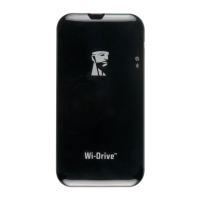
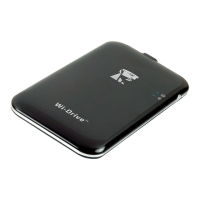
Kingston Technology Wi-Drive - User Manual

Kingston Technology Wi-Drive
233 pages
Print Icon
To Next Page IconTo Next Page
Loading...
User Guide
Wi-Drive
Find the language and latest documentation for your Kingston® Wi-Drive here.
Wi-Drive User Guide
Simplied Chinese .....
Traditional Chinese ....
............ For instructions in English
. . . . . . . . . . . . . . . . . . Para instrucciones en español
......... Für Anleitungen in Deutsch
. . . . . . . . . . . . . . . . . . Pour des instructions en français
. . . . . . . . . . . . . . . . . . Per le istruzioni in italiano
............Por as instruções em português
. . . . . . . . . . . . . . . . . . Instrukcje w jezyku polskim
. . . . . . . . . . . . . . . . . . Для инструкции на русском
. . . . . . . . . . . . . . . . . . Turkce talimatlar icin
. . . . . . . . . . . . . . . . . . Česky
. . . . . . . . . . . . . . . . . . Slovensky
. . . . . . . . . . . . . . . . . . Hungary
. . . . . . . . . . . . . . . . . . Japanese

Table of Contents

Question and Answer IconNeed help?

Do you have a question about the Kingston Technology Wi-Drive and is the answer not in the manual?

Summary

Introduction

Installing the Wi-Drive Application

Getting to Know Wi-Drive

Mini-B USB Port

Port for content transfer and charging via USB 2.0.

Reset Button

Resets network settings to default configuration.

Power Button

Powers device on/off and indicates battery status.

LED Indicators

Indicates Internet activity and Wi-Fi status.

Battery Status

Connecting Wi-Drive to a Computer

Loading Content Onto Wi-Drive

Connecting to Wi-Drive over Wireless

Usage

File Management Actions

Options to delete, email, or copy files via the Wi-Fi connection.

Configuring Wi-Drive

Device Name (SSID)

Allows setting a unique name for the Wi-Fi network.

Visibility Status

Option to hide or unhide the Wi-Fi network name (SSID).

Wi-Fi Channel

Select a specific frequency channel for communication.

Security Protocols

Set up WEP, WPA, or WPA2 password protection.

Network Connections (Bridge Mode)

Upgrade Firmware

FCC Compliance and Advisory Statement

Safety Guidelines

Kingston Technology Wi-Drive Specifications

General IconGeneral
Storage Capacity16GB, 32GB, 64GB
CompatibilityiOS, Android, Windows, Mac
Battery LifeUp to 4 hours
Supported File SystemsFAT32
Dimensions121.5mm x 61.8mm x 9.8mm
Simultaneous Connections3
ChargingUSB charging

Related product manuals